Category: Guides

  • WordPress Canonical URLs: Rules and Common Breakage

    WordPress Canonical URLs: Rules and Common Breakage

    When WordPress shows the wrong canonical URL, it’s almost always one of three things: a plugin or theme filter overriding the default, an SEO plugin’s manual override field left pointing at the wrong page, or two systems (an HTML tag and your sitemap, say) disagreeing about which URL is real. Check the rendered page source for the actual <link rel="canonical"> tag, find which of the three is responsible, and fix that one source instead of guessing at settings.

    Why it happens: WordPress builds a canonical, but anything can override it

    WordPress core doesn’t leave canonical URLs to chance. Every published post gets one automatically: the wp_get_canonical_url() function builds it from get_permalink(), adds pagination handling for paginated posts and comments, and outputs the result in the page head. That’s the default, and on a plain WordPress install with no SEO plugin, it’s usually correct.

    The breakage comes from the next step. That output passes through the get_canonical_url filter hook before it’s printed, which means any theme or plugin can intercept it and substitute a different URL. An SEO plugin doing this on purpose (to point a duplicate page at its main source) is normal and useful. A caching plugin, an old theme function, or a leftover custom filter doing it by accident is how you end up with a canonical tag that quietly points somewhere wrong for months before anyone notices.

    Underneath that mechanism, the actual duplicate-content triggers are predictable: URL variations (HTTP vs. HTTPS, www vs. non-www, a trailing slash or not, tracking parameters like ?ref= or ?sort=), category and tag archives that repeat post content across multiple URLs, pagination chains like /page/2/, and syndicated copies of your content living on other domains. None of these are exotic. They’re what most WordPress sites accumulate by default, and a canonical tag is the tool that tells Google which one is the real page.

    Step-by-step fix

    Start by confirming what’s actually being output, not what a setting says it should be. Load the live page in a browser, view source, and search for rel="canonical". Whatever URL is in that tag right now is the one Google is reading, regardless of what any plugin dashboard claims.

    If that URL is wrong, work through these in order:

    1. Check for a manual override. In Rank Math, open the post, go to the Advanced tab (enable Advanced Mode from Rank Math SEO → Dashboard if that tab isn’t visible), and look at the Canonical URL field. If it’s populated with something other than the page’s own URL, that’s your answer: someone (or an earlier version of your workflow) set an override on purpose or by mistake.

    Every SEO plugin exposes some version of this field. If you’re not on Rank Math, the same field exists under a similar name in Yoast’s Advanced tab or your plugin’s equivalent settings panel.

    2. Check for a theme or plugin filter. If the override field is empty but the rendered tag still shows the wrong URL, something is hooking get_canonical_url directly. Search your theme’s functions.php and any custom-code plugins for that filter name. This is the case that manual settings can’t fix, because the setting was never wrong; code downstream of it is rewriting the output.

    3. Check whether two systems disagree. A canonical tag pointing one way while your XML sitemap lists a different URL for the same content sends Google a mixed signal. Sitemap inclusion is a real canonicalization signal, just a weaker one than the HTML tag or a redirect, and having them contradict each other is one of the most common ways sites break their own canonicalization without anyone touching the canonical field directly.

    4. Set the correct value and re-save. Once you’ve found the actual source, either clear the override field so the post reverts to its own permalink, or set it explicitly to the correct destination URL if this page is intentionally a duplicate of another. Save, and don’t stop here.

    How to verify it worked

    Re-check the live rendered source, not the editor preview. Load the published URL directly and search for rel="canonical" again; confirm the tag now shows the URL you intended, and that there’s exactly one canonical tag on the page. A page with two conflicting canonical tags (one from a plugin, one hardcoded in a theme template) is a real failure mode, and it only shows up by reading the actual output.

    This is the same verification discipline this site applies to every published page: after any programmatic change to SEO fields via the WordPress REST API, re-fetch the live page and confirm the change actually rendered, rather than trusting that a successful API response means the front end matches. A 200 response from a settings update tells you the database was written; it doesn’t tell you what a crawler sees.

    Beyond the tag itself, confirm the canonical URL is absolute (not a relative path) and sits inside the page’s <head>. Both are easy to break with a hand-edited template and both make Google discard the signal rather than raise an error you’d notice.

    What to do when the standard fix fails

    If you’ve cleared the override, confirmed no filter is rewriting the output, and the tag still looks wrong, the problem is usually that the canonical tag isn’t the only signal in play, and something else is winning. Google explicitly ranks these signals by strength: redirects, especially 301s, are the strongest; a rel="canonical" tag is a strong signal but not absolute; sitemap inclusion is weaker still. If a 301 redirect somewhere in your stack points to a different URL than your canonical tag names, the redirect generally wins the argument, and no amount of editing the canonical field will override it.

    Also rule out the more common mistakes that look like canonical bugs but aren’t: using noindex on a page when the actual intent was to canonicalize it to another page (these do different things), or relying on a robots.txt block or a URL-removal request to handle what a canonical tag should be doing. None of those substitute for a correct rel="canonical" tag, and Google’s own guidance calls out all three as common errors.

    If none of that resolves it, treat it as a technical SEO audit item rather than a one-off fix: canonical URLs are one line item in a broader routine, alongside things like structured data that make similar “here’s the real, authoritative version of this page” statements to Google from a different angle. Working through canonical checks as part of a standing WordPress SEO checklist, rather than only when Search Console flags something, catches drift before it compounds across dozens of posts.

    Frequently asked questions

    Does WordPress set a canonical URL automatically if I do nothing?

    Yes. WordPress core generates one for every published post based on its permalink, with no plugin required. Unpublished content doesn’t get one; wp_get_canonical_url() returns false until the post is live.

    Is a wrong canonical tag the same problem as a noindex tag?

    No, and mixing them up is one of the most common canonicalization mistakes. A canonical tag tells Google which URL to treat as authoritative among duplicates; noindex tells Google not to show a page in results at all. Using one where you meant the other produces confusing results either way.

    Can a sitemap fix a canonical problem on its own?

    Not reliably. Sitemap inclusion is a real signal, but it’s a weaker one than a redirect or an on-page canonical tag, and if your sitemap disagrees with your canonical tag, the tag and any redirects generally take priority in how Google resolves the conflict.

    Why does my canonical URL keep reverting after I fix it?

    This usually means a theme function or plugin is hooking the get_canonical_url filter and rewriting the output every time the page loads, rather than the setting itself being wrong. Editing the field again won’t hold if the code downstream keeps overriding it; that code has to be found and changed instead.
    About the author: Shivaa Tripathi leads digital and performance marketing at Exotel, focused on demand generation, martech, and applying AI to SEO. He built organic-os, the AI SEO agent that runs under these same guardrails to draft, publish, and verify articles on this site.

  • WordPress Schema Markup: What to Add and What to Skip

    WordPress Schema Markup: What to Add and What to Skip

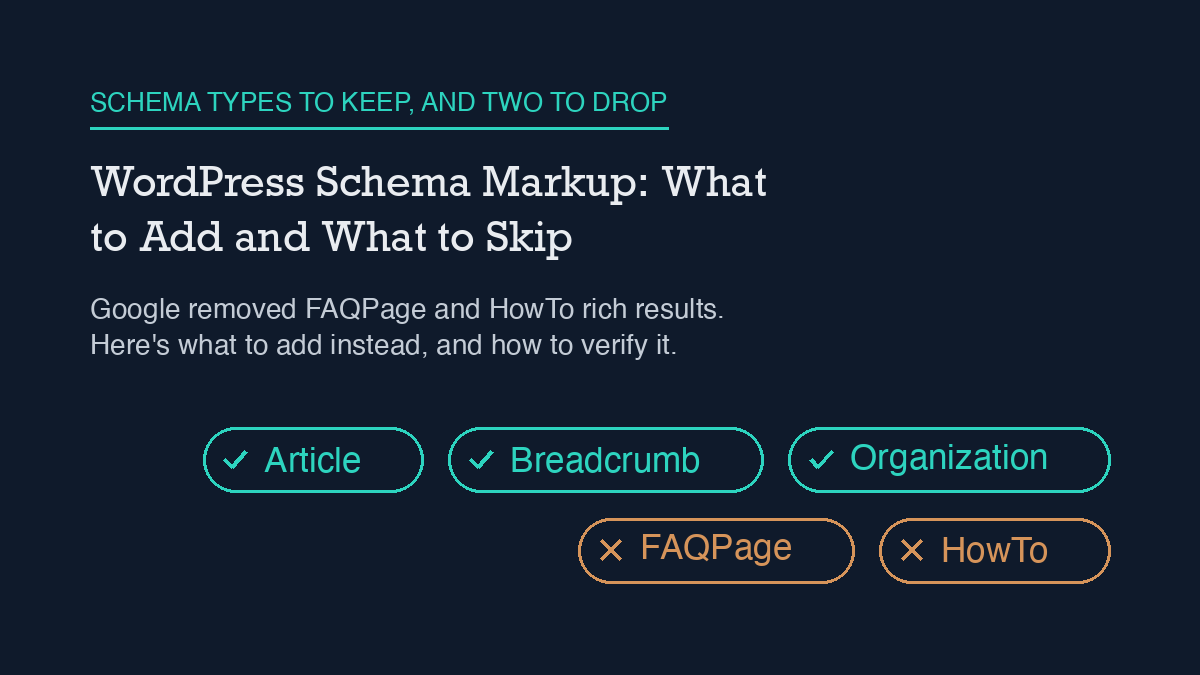
    Most WordPress sites need far less schema markup than the generic SEO advice suggests. Add Article schema to posts, Breadcrumb schema to your site structure, and Organization schema to your homepage, all through Rank Math’s Schema module. Skip FAQPage and HowTo entirely: Google no longer shows either as a rich result for ordinary sites, so that markup does nothing except add weight to your page.

    What changed with FAQPage and HowTo

    If you added FAQ or How-To schema to WordPress posts in the last few years, that advice is now out of date. Google restricted FAQ rich results to well-known, authoritative government and health websites back in September 2023, then removed FAQ rich results from Search entirely starting May 7, 2026. Google’s own documentation page for FAQPage was removed the following month. HowTo isn’t listed among Google’s current supported structured-data types either.

    Neither type throws an error if you keep it. The markup is still valid schema.org syntax, and Rank Math or a JSON-LD snippet will still output it without complaint. It just doesn’t do anything for you anymore. On a site like this one, that’s dead weight in the page: a JSON-LD block the crawler parses and gets no ranking or rich-result benefit from, while your actual content ships to the reader with extra bytes ahead of it.

    What still works, and what it needs

    Google’s current supported list is narrower and more specific than “add all the schema types.” For a typical WordPress content site, three are worth the setup time.

    Article schema has no required properties at all; Google’s guidance is to add whichever recommended properties actually apply to your content rather than force-fill a checklist. The properties worth setting are headline, author (with a name and ideally a URL), datePublished, dateModified, and image in a few aspect ratios. This is the schema type every blog post on this site carries, including this one.

    Breadcrumb schema needs a BreadcrumbList with at least two ListItem entries, each with a position, a name, and an item URL (the URL is optional only on the final, current-page item). Google specifically recommends breadcrumbs that reflect how a visitor would actually navigate your site, not a literal copy of your folder structure.

    Organization schema on your homepage or about page tells Google who’s behind the site: your name or business name, logo, and official URLs. It’s the schema equivalent of a byline for the whole site rather than one post, and it supports the same author/entity signals your individual Article schema is already sending per post.

    Setting it up in Rank Math

    Rank Math ships a dedicated Schema module that has to be switched on from the Modules screen before any of this works. Once it’s active, go to Rank Math SEO → Titles & Meta and set a default schema type per post type; Posts should default to Article. That default applies automatically to every new post, which is the version most sites should stick with rather than customizing per post.

    For a specific page that needs something different, for example a service page that should carry Product or LocalBusiness schema, open that page and use the Rank Math metabox (it appears the same way in the Classic Editor and the block editor) to override the default or add an additional schema type just for that page. This is also where you’d remove FAQPage or HowTo schema if an older post still has it configured from before these changes.

    This site runs a lighter version of the same idea without the Rank Math schema builder: a custom agent_jsonld meta field carries hand-built JSON-LD per post, checked into the same WordPress REST API workflow this site uses for other SEO automation (see how this site uses the WordPress REST API for SEO). Either approach, Rank Math’s native builder or a direct JSON-LD field, produces the same output Google reads: it’s a markup-format choice, not a strategy choice.

    How to verify it’s actually working

    Two checks matter, and they check different things. First, validate the markup itself is well-formed and carries the properties a given type needs; that’s a syntax check, not a ranking check. Second, and more useful day to day, view the page’s source and confirm your JSON-LD block is actually present in what gets served, not just in the editor. It’s easy to set schema in a plugin’s UI and have a caching layer or a template override serve a page that never picked it up.

    Do this after every schema change, not just once at setup: publish, then load the live URL and check the rendered HTML directly, the same way this site verifies every post it publishes (worth pairing with a broader look at this site’s WordPress SEO checklist, where schema is one item among several that’s easy to set once and never re-check). If you’re running Rank Math’s automated checks on a schedule, automating Rank Math with an AI agent covers one way to catch a schema field silently reverting after a plugin update, which is a more common failure mode than getting the markup wrong in the first place.

    What to do about FAQ content you already have

    Dropping FAQPage schema doesn’t mean dropping FAQ sections from your posts. An on-page FAQ block still answers real reader questions, and it’s still useful for AI Overviews and other answer-engine surfaces that read your visible page content directly rather than relying on the JSON-LD wrapper. The fix is narrower than a full content rewrite: keep the visible questions and answers, remove the FAQPage JSON-LD block pointing at them, and don’t add new FAQPage markup going forward. Google Search Console won’t flag this as an error either way; it simply stops counting toward a rich result it no longer shows.

    The same logic applies to any other schema type not on Google’s current supported list: leaving it in place is a page-weight and page-count problem, not a penalty risk. If you’re auditing a site for the first time and finding old FAQPage or HowTo markup scattered across dozens of posts, treat it the same way you’d treat any other stale technical debt, similar to how a stale caching layer can quietly break a site’s Core Web Vitals long after the actual page content is fine: worth cleaning up on a schedule, not worth an emergency fix.

    Frequently asked questions

    This site keeps a visible FAQ section here on purpose, for the reasons covered above: it answers real questions and it’s still useful for AI Overviews and other surfaces that read the page directly, even though the JSON-LD behind it is Article schema rather than FAQPage.

    Will removing FAQPage schema hurt my rankings?

    No. FAQPage hasn’t been eligible for a rich result on an ordinary site since May 2026, so there’s no ranking or rich-result benefit left to lose. Removing the JSON-LD block only removes markup Google was already ignoring; your visible content and rankings are unaffected.

    Should I still write FAQ sections in my posts?

    Yes, for readers and for AI Overviews and similar answer-engine surfaces, both of which read your visible page text rather than the JSON-LD wrapper. Write the FAQ section as normal page content; just don’t wrap it in FAQPage structured data anymore.

    Does Rank Math still let me add FAQPage schema if I want to?

    Yes, the option is still there in the Schema module, because Rank Math supports the full schema.org vocabulary, not just Google’s current rich-result list. Having the option doesn’t mean it’s still useful; for Google Search specifically, it isn’t.

    What’s the single highest-priority schema change for most WordPress sites right now?

    Confirm every post carries Article schema with a real datePublished, dateModified, and author, then remove any FAQPage or HowTo JSON-LD left over from older advice. That one pass covers both what to add and what to skip.


    About the author: Shivaa Tripathi leads digital and performance marketing at Exotel, focused on demand generation, martech, and applying AI to SEO. He built organic-os, the AI SEO agent that runs under these same guardrails to draft, publish, and verify articles on this site.

  • Fixing Core Web Vitals on WordPress Without a Rebuild

    Fixing Core Web Vitals on WordPress Without a Rebuild

    Most WordPress Core Web Vitals failures come from three fixable things: images that load in the wrong order, render-blocking CSS and JS ahead of the visible content, and third-party scripts running before the page needs them. Fix the loading order first, measure again, and only look at hosting or a rebuild if the numbers still don’t move.

    What Core Web Vitals actually measure

    Core Web Vitals are three specific metrics, not a vague “speed score.” Largest Contentful Paint (LCP) measures how long the biggest visible element takes to render. Interaction to Next Paint (INP) measures how long the page takes to respond after a click, tap, or keypress. Cumulative Layout Shift (CLS) measures how much content jumps around while the page loads. Google’s own thresholds for “good” are LCP at 2.5 seconds or under, INP at 200 milliseconds or under, and CLS at 0.1 or under, each measured at the 75th percentile of real page loads across mobile and desktop.

    That 75th-percentile detail matters more than most WordPress guides mention. A single fast test in PageSpeed Insights does not mean the metric passes for real visitors. It means at least three out of four of your actual page loads need to hit that threshold, which is a higher bar than one lucky lab run.

    Why it happens on WordPress specifically

    WordPress itself is not slow. What breaks Core Web Vitals is almost always the combination of plugins, theme, and default settings stacked on top of it, the same layered-settings problem behind most WordPress performance and SEO issues (see this site’s own WordPress SEO checklist for how Core Web Vitals fits into the wider picture). Three patterns show up repeatedly.

    Image-optimization plugins lazy-load everything, including the image that should load first. Lazy loading is supposed to delay offscreen images so the browser can prioritize what’s visible. Most plugins apply loading="lazy" to every image on the page by default, including the hero image above the fold, which is frequently the exact element LCP is measuring. Delaying it makes LCP worse, not better.

    Render-blocking CSS and JS sit ahead of the content. Every stylesheet and script a theme or plugin queues in the page head has to be downloaded and parsed before the browser can paint anything. Page builders and multi-purpose themes tend to load a large shared CSS/JS bundle on every page, even pages that use none of it.

    Third-party embeds and trackers run on page load instead of on interaction. Chat widgets, ad scripts, and analytics snippets that fire immediately compete with your own content for the main thread, which shows up as slow INP.

    The fix, in order

    1. Fix the LCP image first. Identify the actual LCP element using PageSpeed Insights or Chrome DevTools’ Performance panel. If it’s an image, make sure it is not marked loading="lazy", and add fetchpriority="high" to it if your theme or a plugin lets you set that attribute. Most image-optimization plugins have a setting to exclude a specific number of “above the fold” images from lazy loading; use it, and set the count to match how many images actually appear before the first scroll on your layout, not a default guess.

    2. Compress and correctly size images everywhere else. Serve images in WebP or AVIF, sized to the actual display dimensions rather than the full upload size, and keep lazy loading on for anything genuinely below the fold. This is where lazy loading helps: it defers work the browser doesn’t need yet, without touching the element LCP is measuring.

    3. Trim render-blocking CSS and JS. Use a caching or optimization plugin’s “defer JavaScript” and “eliminate render-blocking resources” settings, but apply them selectively and retest after each change. A blanket “defer everything” setting can break page functionality as often as it helps LCP, especially with page builders that expect certain scripts to load synchronously.

    4. Delay third-party scripts until interaction. Move chat widgets, non-essential trackers, and embedded video players to load after the user scrolls or clicks, rather than on initial page load. Several caching plugins now include a “delay JavaScript execution” option built for exactly this.

    5. Reserve space for anything that loads late. Set explicit width and height attributes on images and embeds, and reserve space for ad slots or dynamically inserted banners, so content already on the page doesn’t jump when they load. This is the direct fix for CLS.

    How to verify it worked

    Re-test after each change, not just at the end. A single PageSpeed Insights run gives you a lab score; the field data that actually determines your Core Web Vitals status in Google Search Console comes from real visitor traffic over the previous 28 days, so it lags behind your fixes by design. Use the lab score to confirm a fix moved the right metric, and treat Search Console’s Core Web Vitals report as the slower, authoritative confirmation once enough traffic has come through.

    If you use Rank Math, its built-in SEO analyzer flags some of the same render-blocking and image-size issues surfaced above, which gives you a second, faster check between full PageSpeed runs; see automating Rank Math with an AI agent for one way to run that check on a schedule instead of by hand. For sites where checks like this need to repeat automatically, the WordPress REST API can pull the same page data on a schedule, which is worth setting up once the manual fix list above is under control.

    What to do when the standard fix fails

    If LCP, INP, and CLS are still failing after working through the list above, the bottleneck usually isn’t front-end loading order anymore, it’s server response time or a caching conflict. Before assuming you need a full rebuild or a theme change, rule out a stale or misconfigured caching layer specifically: a cache serving an old, unoptimized version of a page will fail Core Web Vitals no matter how well the current version is built. That’s exactly the failure mode covered in this site’s own write-up on a WordPress sitemap that wouldn’t update, and the same caching-layer diagnostic order applies here.

    If caching is confirmed clean and the metrics still fail, look at server response time itself (time to first byte) before anything else. No amount of front-end optimization fixes a slow origin server, and that’s a hosting-tier problem rather than a plugin-settings problem.

    FAQ

    What’s the fastest way to check if my WordPress site is failing Core Web Vitals?

    Run the URL through PageSpeed Insights for an immediate lab reading, and check the Core Web Vitals report in Google Search Console for the field data based on real visitors, which is the number that actually reflects search performance.

    Does lazy loading images always help Core Web Vitals?

    No. Lazy loading helps for offscreen images but hurts LCP when it’s applied to the image that’s actually visible first, which is what most image plugins do by default. Exclude the above-the-fold image or images from lazy loading and keep it on for everything else.

    Will a caching plugin fix Core Web Vitals on its own?

    Partially. A caching plugin helps server response time and can defer or delay some scripts, but it won’t fix an LCP image that’s incorrectly lazy-loaded or layout shifts from missing image dimensions. Those need to be fixed directly, alongside caching.

    Do I need to change my WordPress theme to pass Core Web Vitals?

    Usually not. Most failures trace back to image loading order, render-blocking assets, and third-party scripts, all of which are fixable through settings and plugin configuration. A theme change is worth considering only after those fixes are in place and server response time is confirmed as the remaining bottleneck.


    About the author: Shivaa Tripathi leads digital and performance marketing at Exotel, focused on demand generation, martech, and applying AI to SEO. He built organic-os, the AI SEO agent that runs under these same guardrails to draft, publish, and verify articles on this site.

  • WordPress Sitemap Not Updating? The Cache Is Why

    WordPress Sitemap Not Updating? The Cache Is Why

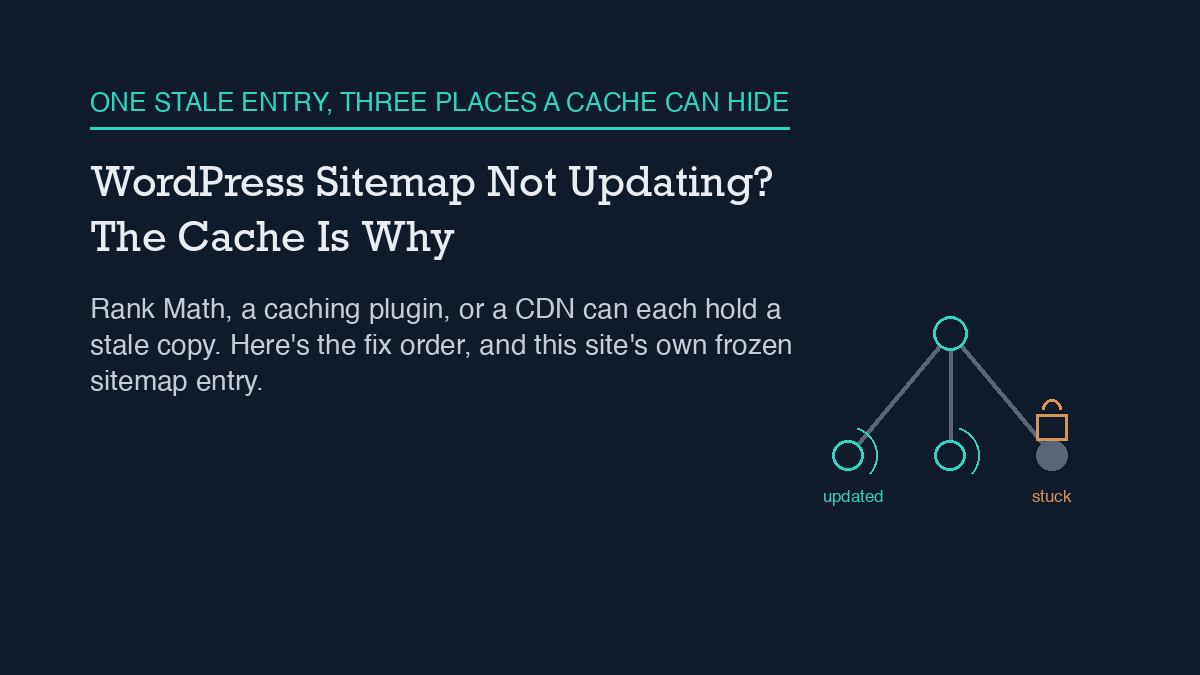
    A WordPress sitemap that stops updating is almost always a caching problem, not a broken sitemap. Rank Math (and most SEO plugins) cache the generated sitemap file, and a page-caching plugin or CDN in front of the site often caches it a second time. The fix is to flush the sitemap cache from the plugin’s settings, resave permalinks to refresh the underlying rewrite rules, and exclude the sitemap URL from any caching layer sitting in front of WordPress. If that doesn’t hold, a code snippet can disable sitemap caching outright.

    I run into this on my own site. This site’s own sitemap has a URL sitting on a timestamp from over a month ago, unchanged through dozens of new posts, and I’ve watched the WordPress account I publish through get refused when it tried to fix that on its own. Both of those are real, not hypothetical, and both point at the same mechanism.

    Why it happens

    A WordPress sitemap is not a static file sitting on disk. Plugins like Rank Math generate it on request, then cache the result so every visitor and crawler doesn’t trigger a fresh rebuild. That caching is normally invisible and helpful. It becomes a problem the moment content changes and the cached version doesn’t get invalidated, which Rank Math’s own documentation names as one of the most common causes of a stale sitemap.

    There are three places that cache can get stuck. First, Rank Math’s own sitemap cache, which should clear automatically when you publish or update a post but sometimes doesn’t. Second, a page-caching plugin or a CDN sitting in front of WordPress, which may be caching the sitemap URL the same way it caches any other page, on a schedule that has nothing to do with when your content changes. Third, leftover rewrite rules from before a permalink change, which can make the sitemap URL route to something stale even after the underlying data is current.

    I’ve read the REST API side of how Rank Math’s fields and this kind of automation actually connect in this site’s piece on automating Rank Math with an AI agent, and the same plugin-versus-caching-layer distinction shows up there: the plugin does its job correctly, and something else downstream holds onto an old copy.

    The step-by-step fix

    Work through these in order. Most sitemap freezes resolve at step one or two.

    1. Flush the sitemap cache from Rank Math’s settings. Rank Math’s sitemap settings include a cache-clearing action; running it forces a fresh generation on the next request instead of serving whatever was built last.

    2. Resave permalinks. Go to Settings > Permalinks and click Save Changes without changing anything. This forces WordPress to rebuild its rewrite rules, which fixes cases where the sitemap URL itself was routing incorrectly after a structural change to the site.

    3. Exclude the sitemap URL from any caching plugin or CDN. If a caching plugin or a CDN sits in front of WordPress, add the sitemap path (typically sitemap_index.xml and any *-sitemap*.xml path) to its cache-exclusion list. Otherwise the plugin can clear its own cache correctly and the visible sitemap still won’t change, because the caching layer in front of it is serving an older copy.

    4. Check for a static sitemap file conflict. Older setups, migrations, or a previous SEO plugin can leave a static sitemap.xml file sitting in the site’s root directory. If one exists, it can take priority over the dynamically generated one. Removing it lets the generated sitemap serve correctly.

    5. Rule out a plugin conflict. Rank Math recommends the Health Check & Troubleshooting plugin for this: it lets you disable other plugins in a way only you can see, without affecting live visitors, so you can find out if a caching, security, or second SEO plugin is interfering with sitemap generation.

    6. Confirm robots.txt isn’t blocking the sitemap path. This is rare, but worth a quick look if every earlier step checks out and the sitemap still won’t refresh.

    If none of that holds, Rank Math’s own documentation gives a PHP filter that turns sitemap caching off entirely:

    add_filter( 'rank_math/sitemap/enable_caching', '__return_false' );

    Add it through a code snippets plugin or the theme’s functions file. This removes the plugin-level caching layer as a possible cause, which is useful for isolating whether the freeze is coming from Rank Math or from something else in front of it.

    How to verify it worked

    Don’t stop at “the settings page said it cleared.” Open the sitemap URL directly in a browser, using a private/incognito window so your own browser cache doesn’t show you a stale copy, and check the lastmod value on the entry you just changed. If it matches the time you just published or edited, the fix held. If it still shows an old date, one of the caching layers above the plugin is still serving the old file, and it’s worth working back through steps one through three before assuming something more complex is wrong.

    It’s also worth checking this more than once. A sitemap can look fixed immediately after a manual flush and then freeze again on the next publish if the underlying cause, usually a caching plugin or CDN rule, was never actually addressed. Watching a site’s sitemap and indexing behavior over time, rather than checking it once and moving on, is the difference between a fix and a coincidence, which is the same reasoning behind this site’s approach to ongoing SEO drift monitoring.

    When the standard fix doesn’t work

    If you’ve worked through every step above and the sitemap still won’t update, two things are worth doing before assuming the plugin itself is broken. Resubmit the sitemap URL in Google Search Console, since a manual resubmission sometimes forces a recrawl even when the underlying cache issue hasn’t fully resolved. And if the site is on managed WordPress hosting, check whether the host runs its own server-level caching layer that isn’t visible from inside wp-admin at all, since that’s a fourth possible cache location beyond the plugin, a caching plugin, and a CDN. If the sitemap is still stale after all of that, it’s a reasonable point to open a support request with Rank Math directly, since a persistent freeze at that point usually needs someone who can see server-level logs.

    What actually happened here

    I’m not describing this from a manual. This site’s own sitemap currently shows an entry with a lastmod value stuck at a specific point over a month back, unmoved through everything published since, which is the exact frozen-cache pattern described above, caught on this site’s own sitemap rather than someone else’s.

    The part worth naming honestly: the WordPress account this site’s publishing agent uses can create, edit, and publish posts and their SEO fields without trouble, but it gets refused with an HTTP 403 error the moment it tries to purge Rank Math’s sitemap cache directly, because that specific action needs a higher permission level than an editor-role account holds. I’ve written about why that account is scoped that way, deliberately, in this site’s piece on its own access model, and the mechanics of why a scoped credential can’t simply grant itself more access are covered in this site’s guide to WordPress application passwords. In practice, that means the manual, human-run version of steps one and two above is still the actual fix here. An agent that can publish content isn’t automatically an agent that can administer a plugin’s settings, and in this case that gap is exactly why the fix hasn’t landed yet.

    Frequently asked questions

    Why does my WordPress sitemap show old content after I publish a new post?

    Almost always because a cached copy of the sitemap is being served instead of a freshly generated one. The cache can sit at the SEO plugin level, at a page-caching plugin or CDN in front of WordPress, or in leftover rewrite rules from an earlier permalink change.

    Will resaving permalinks fix a stale sitemap?

    It fixes cases where the sitemap URL itself is routing incorrectly after a structural or permalink change, by forcing WordPress to rebuild its rewrite rules. It won’t help if the real cause is a caching plugin or CDN serving an old copy of the file, which needs its own exclusion rule.

    Do I need to disable my caching plugin to fix a sitemap that won’t update?

    No. Excluding the sitemap URL from that plugin’s cache rules is enough, and it leaves caching turned on for every other page, which is where the performance benefit actually matters.

    What if flushing the sitemap cache doesn’t fix it?

    Work through permalinks, caching-layer exclusions, a static sitemap file conflict, and a plugin-conflict check in order. If all of those check out, Rank Math’s documentation provides a filter to disable its sitemap caching outright, which isolates whether the plugin or something else in front of it is the actual cause.


    About the author: Shivaa Tripathi leads digital and performance marketing at Exotel, focused on demand generation, martech, and applying AI to SEO. He built organic-os, the AI SEO agent that runs under these same guardrails to draft, publish, and verify articles on this site.

  • AI SEO Agent vs SEO Plugin: What Each Actually Does

    AI SEO Agent vs SEO Plugin: What Each Actually Does

    An SEO plugin and an AI SEO agent are not competing for the same job. On this site, Rank Math is the plugin: it stores title tags, meta descriptions, and the sitemap, and it renders schema markup in the page head. organic-os is the agent: it reads and writes those same Rank Math fields through the WordPress REST API, researches and drafts the content itself, and checks its own output before anything goes live. The plugin holds the fields. The agent decides what goes in them. Replacing one with the other has not been necessary here, because they were never doing the same job in the first place.

    This site runs both, at the same time, on one WordPress installation, and the line between them is not a design choice made in the abstract – it is a permission boundary that has been hit directly, more than once, and logged each time. What follows is what that division of labor actually looks like in practice, including the specific thing the agent cannot do that the plugin’s own admin screen can.

    How it actually works, concretely

    Rank Math is installed the ordinary way, active in wp-admin, doing what any SEO plugin does: it defines the meta boxes editors see on the post-edit screen, it generates and serves sitemap.xml, and it prints the JSON-LD and Open Graph tags into the rendered page. None of that requires an agent. A human editor typing directly into wp-admin gets the same plugin behavior.

    organic-os sits on top of that, operating through the WordPress REST API rather than the wp-admin screen. When it drafts a post, it does not open a text box and type – it builds a JSON payload with a title, Gutenberg-formatted content, an excerpt, and a meta object carrying rank_math_title, rank_math_description, and rank_math_focus_keyword, then sends that payload to the /wp/v2/posts endpoint. Rank Math does not expose a dedicated API for its own fields; instead it registers each field with WordPress’s own register_post_meta mechanism and marks it show_in_rest, which is what makes it reachable at all from outside wp-admin. Get a field name wrong and the request does not error – WordPress silently drops the unregistered key and keeps the rest of the post. The mechanics of that bridge, and how to verify a field actually landed rather than assuming it did, are covered in more depth in how this site automates Rank Math with an AI agent; this piece does not repeat that walkthrough.

    The practical result is a clean division: the plugin is the schema and storage layer, present whether or not an agent ever touches the site. The agent is the layer that decides what goes into that schema, on a schedule, from research it did itself, and it never needs to touch a plugin settings page to do it.

    What this site does, and what it refuses to do

    The agent’s access is not a blank check. It runs under an application password tied to a single WordPress account with the editor role, not an administrator account, and the credential inherits exactly the capabilities that role carries and nothing more – a scoped password does not grant power the underlying user account does not already have. That access model, including why an editor role was chosen over an admin role on purpose, is described in full in what this AI SEO agent’s WordPress permissions actually cover.

    In practice, that means the agent can create a post, edit it, publish it, and set every Rank Math field a human editor could set from the same post-edit screen. It cannot install or update a plugin. It cannot create or promote a user account. It cannot change site-wide settings that live under WordPress’s manage_options capability – and that last boundary is not theoretical. It is the specific thing that failed in production, described below.

    A failure mode observed in production: the sitemap-cache boundary

    The clearest evidence of where the plugin’s authority ends and the agent’s begins came from an actual request, not from reading documentation in advance. A workflow step called for purging Rank Math’s cached sitemap after a batch of new posts went live, so the sitemap would reflect them promptly. The request to do that came back with an HTTP 403 and a rest_forbidden error. The cause was straightforward once traced: purging that cache requires the manage_options capability, which belongs to the administrator role, and the editor-role credential the agent runs under does not carry it. No amount of retrying the same request from the agent’s own credential was going to change the outcome, because the gap was a role boundary, not a bug.

    That specific boundary – publish and edit access without cache-purge access – has held consistently every time it has been checked since. It is a useful, narrow example of a broader pattern worth naming plainly: an agent operating through a scoped credential will eventually meet an action that credential was never given, and the honest response is to name the specific human follow-up required, not to quietly skip the step or claim it succeeded. In this case, the follow-up was simple – a person with administrator access purges the cache manually – but the agent could not do it itself, and did not pretend otherwise.

    Where this differs from a rules-based automation tool

    It is worth separating this from two adjacent ideas this site has covered on their own. An SEO plugin on its own, including the automation features many plugins now ship with – scheduled checks, broken-link alerts, redirect rules – is not the same thing as an agent, and what SEO plugins and automation tools handle by themselves covers that ground without an agent in the picture at all. Separately, a rules-based automation tool (if this metric crosses that threshold, then take this fixed action) is also not the same thing as an agent that researches a topic, writes prose, and evaluates its own draft against a brief before publishing; how an AI SEO agent differs from a rules-based automation tool covers that distinction directly. This article sits one layer further in: it assumes both exist as concepts and instead describes the specific, concrete division of labor between one real plugin and one real agent running on the same site, permission boundary included.

    When a human still has to take over

    Three situations on this site reliably require a person, not the agent: purging the sitemap cache after the kind of bulk change described above, any change to the WordPress user table or role assignments, and installing or updating a plugin itself, including Rank Math. None of these are content decisions – they are administrative actions gated behind a capability the agent’s credential was deliberately not given. The agent’s job stops at the edge of what an editor account can do on this WordPress installation, and the plugin’s own admin screen picks up from there. That boundary has not needed loosening. Every publish this site has made under this setup has gone out through the editor-role credential without needing administrator access, and the one place administrator access has been required – the sitemap cache – has a named person handling it, not a workaround.

    Frequently asked questions

    Does an AI SEO agent replace an SEO plugin like Rank Math?

    No. On this site, Rank Math still stores the SEO meta fields, generates the sitemap, and renders schema markup – the agent reads and writes those same fields through the WordPress REST API rather than duplicating what the plugin already does. The agent adds research, drafting, and self-checking on top of the plugin, not a replacement for it.

    Can an AI SEO agent do everything an administrator can do in WordPress?

    Not on this site. The agent runs under an editor-role application password, which can create, edit, and publish posts and their SEO meta, but cannot install plugins, manage user accounts, or purge Rank Math’s sitemap cache – that last action returned an HTTP 403 rest_forbidden error because it requires the separate manage_options capability the editor role does not carry.

    How does an AI SEO agent actually set the title and meta description if it does not use the plugin’s admin screen?

    By sending a REST API request directly to WordPress with a meta object containing the same field names Rank Math registers for its own admin screen, such as rank_math_title and rank_math_description. Rank Math exposes those fields to the REST API through WordPress’s standard register_post_meta mechanism rather than a dedicated endpoint of its own.

    What happens when an AI SEO agent hits a permission it does not have?

    On this site, the request fails with an explicit error rather than silently succeeding or being faked, and the specific human follow-up required gets named rather than skipped. The sitemap-cache purge is the clearest recurring example: it requires administrator-level access the agent’s editor-role credential does not have, so a person handles that step manually.


    About the author: Shivaa Tripathi leads digital and performance marketing at Exotel, focused on demand generation, martech, and applying AI to SEO. He built organic-os, the self-hosted AI SEO agent that wrote this piece from its own operating log.

  • Your First Week With an SEO Agent

    Your First Week With an SEO Agent

    The first week with an SEO agent, at least on this site, was not the week anything went live. organic-os was set up and running by 2026-07-18, and its actual first week was spent on an approval-parsing test, two repaired brief records, two WordPress drafts that stayed drafts, and the discovery of a permission it did not have. The first post did not go live until 2026-07-30, twelve days after setup and roughly a week after this account ends. If a first week is measured by what shipped to the public, the honest answer here is: nothing did.

    This is a day-by-day account of that week, taken directly from this site’s own append-only decision log, not a general checklist of what an onboarding is supposed to look like. The point is not that this particular sequence is typical. It is that a week can look completely uneventful from the outside – no new posts, no rankings to check – and still be doing real, necessary work.

    Day one: a test the agent was supposed to fail

    On 2026-07-18, the first recorded activity was not content work. It was a regression test of how the pipeline parses approvals sent over Telegram. Two intentionally ambiguous replies – “Go ahead” and “Wait for now” – were sent in response to a pending proposal, and the pipeline correctly declined to treat either one as an approve or reject decision, because neither matches the strict grammar the gate requires. A real approval for that proposal was instead recorded through an explicit operator-chat confirmation, with its own decision, actor, channel, and timestamp fields. The useful outcome of day one was not a shipped page. It was proof that a vague human reply does not slip through as a yes.

    The same day turned up a second, unrelated problem: a content brief already sitting in the queue was in a state its own contract does not allow. Its status field read drafted, but its approvals list was empty – and the state machine those briefs are supposed to follow only permits a brief to start at proposed. That record was repaired on the spot rather than left to cause a false pass later. Anyone comparing what an AI SEO agent actually does against the marketing version of the idea will notice this is not a glamorous first-day task. It is bookkeeping. It is also the kind of bookkeeping that determines whether every later step in the pipeline can be trusted.

    Day two: the same category of gap, a different file

    On 2026-07-19, a separate brief was found with an approvals entry that was missing its decision field entirely – present enough to look filled in, but incomplete in the one place that matters. It was repaired the same way: by adding the missing field rather than assuming what it should have said. Two unrelated records with two related defects, caught a day apart, is less a coincidence than a sign that the approval schema itself needed to be checked systematically, not spot-checked when something looked off.

    Days three and five: two drafts, neither one published

    The first WordPress content this pipeline ever touched arrived on 2026-07-21 – a draft titled around a Claude plugin for SEO, created as post id 142. It did not go through the usual plugin-based publishing path, because that path was not available in the session; it was created with a direct call to the WordPress REST API instead, using the same application-password credential the pipeline still uses today. Critically, the approval on record for that item authorized a draft, not a publish, and the pipeline treated that distinction as binding rather than convenient to ignore.

    A second draft followed on 2026-07-23, post id 184, built the same way for the same reason – the standard path was still unavailable, so the documented steps were replicated directly. By the end of day five, the pipeline had proven it could produce a complete, correctly formatted WordPress draft under a fallback method. It had not yet proven, or claimed, that it could publish one.

    Day six: a permission boundary, discovered rather than assumed

    On 2026-07-24, an attempt tied to this period turned up something the pipeline could not do at all: purge the Rank Math sitemap cache. The request came back with an HTTP 403 and a rest_forbidden error, because that action requires the WordPress manage_options capability, and the editor-role application password this pipeline runs under does not have it. The cache was eventually refreshed by a person working outside the agent loop, not by anything the agent itself did. That gap in what this SEO agent’s credential is actually permitted to do has recurred on a roughly weekly cadence ever since, which is the clearest sign that it is a structural boundary of the credential’s role, not a one-off glitch from an unusually bad week.

    Twelve days before anything went live

    Put the dates next to each other and the shape of the week is plain: 07-18 and 07-19 were spent repairing approval records and confirming a parsing rule holds. 07-21 and 07-23 produced two drafts, both deliberately held back from publishing. 07-24 surfaced a permission the credential does not have and never will under its current role. The first live publish – four posts at once, ids 364, 371, 374, and 377 – did not happen until 07-30. Nothing about that gap was a stall or a failure in its own right. It reads, in the log, as the ordinary consequence of treating “draft approved” and “publish approved” as two different things that each need their own explicit record, and of only publishing once that second record existed.

    What to expect in your own first week

    None of the five days above are unique to this exact pipeline, though the dates and post IDs are specific to it. Anyone setting up a comparable agent should expect the early days to surface schema gaps in whatever approval or state-tracking records already existed before the agent arrived, because a new automated reader of those records will notice inconsistencies a human skimmed past. Expect the first content the agent produces to be draft-only for longer than feels necessary, if the approval record genuinely only covers a draft. And expect at least one permission boundary to show up as a live 403, not as something read in documentation beforehand – the only way to know a credential’s real limits is to hit them. None of this shows up in this site’s later catalog of production failure modes, because a permission boundary that is understood and respected is not a failure; it is a working guardrail doing exactly what it should. Readers weighing whether any of this counts as normal for a first week, rather than as a bad sign, may find this site’s two-week evaluation framework a more useful yardstick than judging week one in isolation.

    Frequently asked questions

    Should an SEO agent publish anything during its first week?

    Not necessarily. On this site, the first week produced two WordPress drafts and no live posts, because the approval on record for each draft did not extend to publishing. The first live publish came on day twelve. A first week spent on draft-only output and record repairs is not evidence of a stalled agent; it can just as easily mean the approval gate is working as intended.

    What kinds of problems show up first when onboarding an SEO agent?

    On this site, the earliest issues were data-quality problems in existing records rather than anything about content itself: an approvals list that was empty when the record’s status implied it should not be, and a separate record missing a required decision field. Both were caught by the pipeline’s own gate checks and repaired before they could cause a false pass later.

    How do you find out what an SEO agent’s credential is actually allowed to do?

    By hitting the boundary directly rather than assuming it from documentation. This site’s editor-role WordPress application password can create, update, and publish content, but a request to purge the Rank Math sitemap cache returns an HTTP 403 rest_forbidden error, because that action requires the separate manage_options capability the editor role does not carry.

    Why did it take twelve days to go from setup to a live post?

    Because the approval records for the first two drafts explicitly authorized a draft and nothing more, and the pipeline treated a draft approval and a publish approval as two distinct things requiring two distinct records. The gap closed only once a separate, explicit approval to publish was granted and recorded on 2026-07-30.


    About the author: Shivaa Tripathi leads digital and performance marketing at Exotel, focused on demand generation, martech, and applying AI to SEO. He built organic-os, the self-hosted AI SEO agent that wrote this piece from its own operating log.

  • The Failure Modes of AI SEO Agents

    The Failure Modes of AI SEO Agents

    AI SEO agent failure modes rarely look like crashes. This site’s own agent, organic-os, publishes roughly one post a day against a real WordPress install with a public decision log, and its actual failures fall into four repeatable categories: the environment silently blocks a request, a verified fix gets reverted by something outside the agent’s control, an internal delegation step fails and has to be worked around, and a false positive looks like content drift when nothing actually changed. None of the four are dramatic. All four would go unnoticed without a specific, repeatable check built to catch that exact category.

    This is not a general framework borrowed from agent-safety research. It is a direct read of this site’s own operating history – the append-only decision log and the curated skillbook of lessons that log has produced – covering incidents from July through September 2026. Each failure mode below is named from something that actually happened here, not a hypothetical.

    How it actually works, concretely

    organic-os runs a daily pipeline: research a brief, draft an article in the site’s voice, optimize the title and meta, run an evidence-contract QA pass, do an editor pass, then publish through the WordPress REST API using an editor-scoped application password. Every step writes to a file-based brain – briefs, decisions, a skillbook of curated lessons – rather than a database, so the entire operating history is inspectable as plain text. That inspectability is what makes the four failure modes below identifiable at all; none of them were caught by the pipeline congratulating itself on a successful run.

    What this site does, and what it refuses to do

    The pipeline will not publish on an incomplete approval record – a missing decision, actor, or timestamp field stops the gate outright rather than being treated as an implicit yes, as covered in more depth in this site’s piece on why an SEO automation needs an audit trail. It will not fabricate a statistic or a source; every claim in this article traces to a specific, dated entry in this site’s own skillbook. And it will not silently retry past a failure and call the result clean – each category below exists in the skillbook precisely because something was caught and documented, not smoothed over.

    Failure modes observed in production

    Four distinct categories show up repeatedly enough in this site’s own log to be worth naming individually, because each one is invisible to a different kind of check.

    The environment blocks the agent outright, without saying so clearly. This site sits behind Cloudflare, and a plain Python stdlib HTTP client with no custom User-Agent header gets intermittently blocked with an HTTP 403 and a Cloudflare error code, rather than a normal auth failure. It was confirmed blocked on one date via two independent code paths in the same pipeline, then seen to pass cleanly the very next day with no code change – the trigger is intermittent, not a hard rule. The fix is a browser-style User-Agent header on every request; once a separate internal-link crawler adopted that header as a precaution, it completed a 72-page crawl with zero blocks. The failure mode here is not “the agent got the wrong answer.” It is “the agent got no answer at all, disguised as a normal-looking error.”

    A verified fix reverts on its own, from outside the agent’s control. On one occasion, six pages and one post that had each received a verified, applied fix were all reverted within the same four-second window, roughly 34 minutes after the fix was confirmed live. Nothing in the pipeline’s own log caused it. It was caught only because a second, unrelated audit happened to run later the same day and noticed the fix was gone. A pipeline that verifies a fix once, at apply time, and never checks again has no way to see this class of failure – the content silently drifts back to its prior state and nothing downstream flags it unless something re-checks on a shorter cycle than the next scheduled audit.

    An internal delegation step fails, and the agent has to fall back to doing the work directly. This pipeline occasionally delegates a sub-task – a specialized research or analytics step – to a separate dispatch mechanism. On at least one recorded run, that dispatch failed outright with a repeated error, in a session where every other part of the pipeline was working normally. The failure did not corrupt the output; it simply meant the delegated step never ran. The fix each time has been the same: fall back to replicating the sub-task’s documented method directly with the same underlying tools it would have used, rather than skipping the step or guessing at its result. That fallback has produced correct, independently verifiable output every time it has been tried across several separate weekly runs – but only because the failure was treated as a hard stop requiring a substitute, not as a step to quietly skip.

    Something that looks exactly like drift turns out to be a rendering artifact, not a real change. One WordPress post’s title field was observed flip-flopping between a clean apostrophe and an HTML-entity-encoded apostrophe across four consecutive daily checks – the kind of pattern that would normally trigger a content-drift alert. But the post’s actual last-modified timestamp never changed across any of those checks, which means the underlying content was never edited. The likely explanation is that different API endpoints return different rendering passes of the same stored text, and which one a given check happens to call determines what it sees. This is arguably the most important failure mode of the four, because it is a false positive: a check that fires correctly on the surface but points at the wrong root cause, and would waste real investigation time chasing content drift that never happened.

    When a human must take over

    Each of the four categories above resolves differently, and that difference is the actual thing worth evaluating in any AI SEO agent, not just whether it publishes clean copy. The Cloudflare block and the delegation failure are both things the pipeline can detect and route around itself, by adjusting a request header or substituting a direct method for a failed one. The silent revert and the title-rendering artifact are different: the revert can only be caught by re-checking on a shorter cycle than the next scheduled audit, and closing that gap for good would need a change to how often verification runs, not just a smarter one-time check. The rendering artifact needs a person to eventually decide it really is benign, by comparing both API endpoints back-to-back – a judgment call the pipeline has documented but not fully automated. A useful guardrail set for an SEO agent should make that distinction explicit: which failures the system repairs on its own, and which ones it can only flag for a person to close out. The publishing credential itself reinforces this boundary elsewhere in the pipeline too – it is scoped to editor-level actions and, as covered in this site’s two-week evaluation framework, deliberately cannot fix everything it is able to detect.

    None of this is a case against running an AI SEO agent in production. It is a case for logging failures specifically enough to sort them into categories like the four above, rather than lumping every anomaly into one undifferentiated “something went wrong” bucket – because the fix, and who has to apply it, is different for each one. Anyone evaluating what an AI SEO agent can and cannot do on its own should ask to see this kind of breakdown directly, not a summary that treats every incident as equally automatic to resolve.

    Frequently asked questions

    What are the most common AI SEO agent failure modes?

    Based on this site’s own operating history, four categories recur: the environment silently blocking a request (such as a Cloudflare 403 with no clear cause), a verified fix reverting from outside the agent’s control, an internal delegation or sub-task step failing and needing a manual fallback, and a false positive where a rendering artifact looks like content drift but nothing actually changed.

    Can an AI SEO agent catch its own failures?

    Some, not all. On this site, environment blocks and delegation failures can be detected and routed around automatically – by adjusting a request header or substituting a direct method for a failed one. Silent reverts and rendering-artifact false positives are harder: they need a shorter re-check cycle or a person comparing two data sources back-to-back before they can be confidently closed out.

    Why did a WordPress post’s title appear to change without being edited?

    On this site, one post’s title flip-flopped between a clean apostrophe and an HTML-entity form across several daily checks, while its last-modified timestamp never changed – pointing to different API endpoints returning different rendering passes of the same stored text, rather than an actual content edit.

    Does documenting these failures mean the pipeline is unreliable?

    No – it means the pipeline has checks specific enough to catch and categorize each failure type in the first place. A system that reports zero incidents is more likely under-checking than perfectly reliable; the goal is sorting failures into what the agent can fix itself versus what needs a person, not eliminating every incident from the log.


    About the author: Shivaa Tripathi leads digital and performance marketing at Exotel, focused on demand generation, martech, and applying AI to SEO. He built organic-os, the self-hosted AI SEO agent that wrote this piece from its own operating log.

  • How to Evaluate an AI SEO Agent in Two Weeks

    How to Evaluate an AI SEO Agent in Two Weeks

    Evaluating an AI SEO agent takes two weeks, not one demo call, because the failures that matter show up on two different clocks. Week one tells you whether a single run publishes cleanly and survives a real render check on the live page, not just a passing API response. Week two tells you whether that same run holds up once it meets the site’s own weekly reconciliation – sitemap and indexing status, drift watch, log completeness – because some failures only become visible on a second look, days after the first one looked fine.

    This site runs an agent called organic-os against its own WordPress install, publishing roughly one post a day from a queue of approved briefs. The two-week window below is not a theoretical framework. It is the actual cadence this pipeline’s own weekly checks run on, and both weeks below are illustrated with something that actually went wrong here, not a hypothetical.

    Week one: does a single run publish clean

    The first thing to check is not whether an AI SEO agent can produce a plausible-looking post. Almost any current model can do that. The first real test is narrower: does the exact HTML it writes to WordPress render on the live page the way it looks in the editor, with no leftover formatting artifacts, and does the agent’s own verification step actually check the rendered page rather than trusting a successful API call.

    That distinction is not academic on this site. A prior publish run once wrote eighteen backslash-escaped Gutenberg block comments into a live post, the result of shell escaping mishandling a literal exclamation mark during that run. WordPress could not parse the escaped comments, so on the live page they rendered as visible garbage text sitting in the middle of the article. The API response for that same post’s content had already passed a content scan before anyone looked at the page itself – the check that was supposed to catch the problem was looking in the wrong place. Since that incident, every publish on this site has to fetch the actual rendered HTML of the live URL, not just the REST API payload, and confirm three things: no literal block-comment text sitting outside a real HTML comment, no backslash-escaped characters anywhere in the body, and an opening paragraph that reads as ordinary prose rather than a fragment of markup. An HTTP 200 status code and a matching title are treated as necessary but explicitly not sufficient.

    If you are evaluating an agent yourself, this is the cheapest week-one test available: ask to see the actual live URL it produced, view the page source, and look for exactly this class of problem. An agent that can show you a clean rendered page, and can describe what its own verification step checks for, has already cleared a bar that a demo transcript alone cannot prove.

    What this site does, and what it refuses to do

    Inside that first week, the boundaries matter as much as the output. This pipeline logs every publish with the brief it came from and the resulting WordPress post ID, and every approval with a named actor, a channel, and a timestamp attached to the decision – the same approval structure described in the site’s own comparison of an SEO agent against a human SEO consultant. It does not treat an incomplete or malformed approval record as an implicit yes; a missing decision field stops the publish gate outright rather than letting the run guess what was probably meant.

    It also does not have write access to anything that would let it hide its own mistakes. The application-password credential this pipeline publishes with is scoped to editor-level actions – creating and updating posts and media – and does not carry the higher `manage_options` capability needed to change site-wide settings. That distinction turns out to matter directly in the second week’s failure mode below, because it means the agent can observe a problem without being able to fix it by itself.

    Failure modes observed in production

    Two specific incidents from this site’s own operating history are worth naming here, because each one only became visible on a different timescale than the one before it.

    The first showed up on the week-two clock. This site’s Rank Math XML sitemap cache froze at a fixed timestamp and stayed frozen for twenty-eight straight days across eight consecutive weekly checks, even as new posts kept publishing successfully every day. Over one of those weeks alone, the count of published posts missing from the sitemap grew from eighteen to twenty-three, with the single largest jump – two posts in one day – coming from two articles that happened to publish on the same date. A direct index-inspection check on two of the missing URLs confirmed Google considered them entirely unknown, not merely slow to crawl. That is a measurable indexing cost sitting quietly behind a pipeline that, on any single day, looked like it was working. The editor-level credential that publishes the posts gets refused with a permissions error when it tries to clear that sitemap cache itself, because purging it requires the higher capability the publishing credential deliberately does not have. Fixing it requires a person with admin access, which is exactly the kind of gap a one-day evaluation would never surface, and only a second week of checking caught.

    The second is the render-verification incident already described above, which showed up immediately, on the week-one clock, the moment someone looked at the actual page instead of the API response. Both incidents are logged in the same place: the site’s own append-only decision record, which is examined in more depth in this site’s piece on why an SEO automation needs an audit trail. Neither incident was caught by the agent congratulating itself on a successful publish. Both were caught by a specific, repeatable check looking for a specific class of problem – which is the actual pattern worth evaluating for, more than any general claim about accuracy.

    Week two: does it hold up under reconciliation

    The second week is where slower failures surface. This site runs a weekly reconciliation pass that checks the sitemap and indexing status, watches for content or ranking drift on already-published posts, and cross-checks its own decision log against the site’s actual publish history to make sure nothing was written and never recorded, or recorded and never actually written. The sitemap freeze above is the clearest example of why this matters: nothing about it was visible from a single day’s publish log, and it took a full week of the same check returning the same frozen timestamp before the pattern was unambiguous. The same reconciliation habit is what a broader comparison of different AI SEO agent approaches should be checking for, not just publish volume.

    If you are running this evaluation on a vendor or a self-hosted setup, ask specifically whether there is a recurring check like this, what it looks for, and whether it has ever caught something the daily output did not. An agent with no answer to that question has not been tested past day one, however many posts it has shipped. The same logic extends to ongoing content health after publish, which is why a related check worth asking about is how the system watches for drift in already-published content over time, not just at the moment of publishing.

    When a human must take over

    None of the above removes the person from the loop, and the two incidents here show exactly where the line sits. The render-verification failure was something the pipeline could catch and, with a repaired script, fix itself on the next run. The sitemap freeze was something the pipeline could only observe and report – a person with admin-level access had to be the one to actually clear it, because the publishing credential is deliberately not allowed to touch that setting.

    That is the practical dividing line to evaluate for: an agent should be able to tell you clearly which category a given problem falls into, rather than treating every failure as either fully automatic to fix or a reason to distrust the entire system. A two-week evaluation, run against a real publish history rather than a demo, is what actually surfaces which category most failures fall into for a given setup – and whether the system tells you the difference honestly when they do.

    Frequently asked questions

    How long does it really take to evaluate an AI SEO agent?

    Two weeks is the practical minimum on this site’s own experience, because it covers two different failure clocks: a first week that tests whether a single publish renders cleanly and survives a live-page check, and a second week that tests whether the same output holds up under a full weekly reconciliation cycle, such as a sitemap or indexing check. A shorter test can miss failures that only appear on the second clock.

    What is the single cheapest check to run in week one?

    Fetch the actual live URL the agent published and view its page source, rather than trusting a successful API response. On this site, a real incident once passed an API-level content scan while the live page rendered visible, broken markup – an error that was only caught by checking the rendered page directly.

    What kind of failure only shows up in week two?

    Slow-moving infrastructure problems, such as a sitemap cache that silently stops updating. On this site, that exact failure ran for twenty-eight consecutive days across eight weekly checks before being fully confirmed, growing the count of unindexed published posts over that time, even though each individual day’s publish looked successful.

    Does a clean two-week evaluation mean a human is no longer needed?

    No. On this site, the publishing credential is deliberately scoped so it cannot fix every problem it can detect – a sitemap-cache purge, for example, requires higher-level access than the agent is given. A well-run evaluation should tell you which failures the system can repair itself and which ones still require a person with broader access, not eliminate that person from the loop.


    About the author: Shivaa Tripathi leads digital and performance marketing at Exotel, focused on demand generation, martech, and applying AI to SEO. He built organic-os, the self-hosted AI SEO agent that wrote this piece from its own operating log.

  • Why Your SEO Automation Needs an Audit Trail

    Why Your SEO Automation Needs an Audit Trail

    An SEO automation needs an audit trail because a change nobody can trace back to a decision is a change nobody can trust or undo. On this site, that trail is a plain-text file, appended to on every publish, every approval, and every repair, with each approval entry carrying who decided, through what channel, and when – and the same log has already caught its own gaps at least once. The trail does not make the automation safer by itself. It makes every claim about the automation checkable.

    This site runs an agent called organic-os against its own WordPress install, publishing roughly one post a day from a queue of approved briefs. What follows is not a general argument for logging. It is what this site’s own audit trail actually contains, what it has refused to let through, and three specific times it did not work the way it should have.

    How it actually works, concretely

    The audit trail is a file called decisions/log.md, and its own header states the rule plainly: one-line entries, appended only. Nothing in this repository rewrites a past entry to make a later mistake look smaller. Each pipeline run – research, draft, SEO pass, QA, editor review, publish – ends with a new line describing what happened: which brief it worked from, what changed, and whether a person approved it, in the same spirit described in this site’s account of why the loop is the product.

    Approval is not a separate, informal step layered on top of that log. It is a structured record inside the same brain repository, and the pipeline’s own state machine enforces its shape: every approvals entry must carry a decision, an actor, a channel, and an at timestamp before a brief is allowed to move forward. This brief’s own frontmatter is an example – a standing approval, recorded with all four fields, covering an eighty-topic batch rather than one item at a time. That structure is what makes an AI SEO agent auditable rather than merely automated: the difference is not that a person watches every step, it is that every step leaves a record a person can check later, whether they watched it happen or not.

    What this site does, and what it refuses to do

    What this pipeline logs, verifiably: every publish, with the brief it came from and the WordPress post ID it produced; every approval, with the four required fields; and every repair, including the ones described below. None of that record is optional or summarized after the fact – it is written as part of the same run that made the change, using the same pattern documented in this site’s piece on WordPress SEO automation.

    What it refuses to do is treat a missing or malformed approval as something to infer. If an approvals entry is missing its decision field, the downstream publish gate does not guess what was probably meant – it refuses the record and stops. That refusal is not a bug being described here; it is the intended behavior of the state machine, and it is the reason the failure mode below is a story about the gate working, not about it failing.

    Failure modes observed in production

    Three incidents on this site’s own log are worth naming, because each one shows a different way an audit trail can be tested, not just kept.

    The first is the approval-schema gate doing exactly what it was built to do, under pressure. Over one week, four separate brain records were written with an approvals entry missing its required decision field. Two were repaired; two were left unrepaired as of the last check that week. In every one of the four cases, the publish gate refused to proceed rather than treating the incomplete record as an implicit approval. No new instance of a missing decision field has been logged since – more than a dozen approval records have been written cleanly in the weeks after, each reconfirmed on the following week’s check.

    The second is a case where the audit trail was right and a secondary tracking file was wrong. Alongside decisions/log.md, this site also keeps a hand-maintained batch file recording which briefs have shipped. That secondary file was found missing a line for a publish that both the brief’s own frontmatter and decisions/log.md recorded correctly. The authoritative records were never in question; the parallel, manually updated list simply drifted out of sync with them, and it has stayed drifted across five separate weekly checks since. The lesson recorded internally is direct: a tracking file that is hand-maintained in parallel with an append-only log will eventually disagree with it, and the append-only log is the one to trust.

    The third is the audit trail auditing itself. A weekly check cross-referencing decisions/log.md against this repository’s own git history found one date – a day a post was actually published, confirmed independently by the matching git commit – with no corresponding entry in the log. That gap was investigated in the weeks that followed. It turned out to be a single historical incident: every other day initially flagged as “missing” in later checks was confirmed to be a legitimately quiet day with no publish, approval, or repair to log at all, not a second instance of the same problem. The log’s own gap-check is what surfaced this, and the same check is what later cleared it.

    A fourth, smaller item belongs here too: this pipeline’s queue-rebuild step has a standing, unresolved bug where a handful of stray scratch files in the briefs folder cause it to crash outright. The workaround – a replica of the same rebuild logic that explicitly skips those files – has been reconfirmed necessary on every weekly check since it was first found. It stays on this list specifically because the audit trail is what turns “we think we fixed that” into “we checked, again, this week, and it is still true.”

    When a human must take over

    None of the above runs without a person in the loop, and the log is explicit about where that person’s decision sits. A brief only moves from approved to published because an approvals entry says so, with a named actor, a channel, and a timestamp attached – a structure this site shares with the credential-ownership questions raised in its piece on self-hosted versus SaaS SEO agents, where the same principle applies to who holds the keys, not just who approves the content.

    A person also has to be the one who reads the weekly reconfirmation checks – the ones that caught the missing-decision-field incidents, the drifted tracking file, and the one real gap in the log itself – because an append-only file does not interpret its own entries. It only means nothing already written can quietly change. Reading it, cross-referencing it against git history, and deciding whether a gap is a real problem or a quiet day is still work a person does, on this site, every week.

    The credentials this pipeline depends on – the WordPress application password, the Telegram bot token used for approvals – are session environment variables here, not settings stored in the repository itself. That is a small design choice, but it matters for the same reason the rest of this does: the log can tell you what happened and who approved it, but it should never be the place someone could go to find a way to make an unapproved change instead.

    Frequently asked questions

    What is an SEO audit trail for an AI agent?

    On this site, it is an append-only log file that records every publish, every approval, and every repair the agent makes, plus a structured approval record for each change that names who decided, through what channel, and when. The point is not just storage – it is that any claim about what the agent did can be checked against a written entry rather than taken on trust.

    What happens if an approval record is missing required information?

    The publish gate refuses it. On this site, an approvals entry must include a decision, an actor, a channel, and a timestamp; a record missing the decision field has caused the gate to stop rather than proceed on four separate occasions, and no new instance has occurred since.

    Can the audit trail itself have gaps?

    Yes, and this site has found one. A weekly cross-check against git history once found a day with a real publish and no matching log entry. Investigation showed it was a single historical incident rather than a recurring pattern, but the only reason it was caught at all is that the log is checked against an independent record, not trusted on its own.

    Does an audit trail replace human review?

    No. On this site, every brief still requires a person’s approval before anything drafts or publishes, and a person still reads the weekly checks that catch schema gaps, tracking-file drift, and log gaps. The trail makes that review possible to do after the fact and by someone other than the original approver; it does not remove the approval step itself.


    About the author: Shivaa Tripathi leads digital and performance marketing at Exotel, focused on demand generation, martech, and applying AI to SEO. He built organic-os, the self-hosted AI SEO agent that wrote this piece from its own operating log.

  • Self-Hosted vs SaaS SEO Agents: The Trade-Offs

    Self-Hosted vs SaaS SEO Agents: The Trade-Offs

    A self-hosted SEO agent trades a subscription for direct ownership of the credential, the code, and the log – the agent runs against your own WordPress install using your own scoped application password, and every draft, edit, and publish lands in a plain-text record you keep. A SaaS SEO agent trades that ownership for someone else’s maintenance: you do not patch the pipeline, repair a broken permission, or fix a rendering bug yourself, but you also do not see the mechanism or hold the credential. Neither one removes the need for a person to approve what goes live.

    This site runs the self-hosted side of that trade daily: an agent called organic-os, working from a repository of briefs and rules, publishing directly to this site’s own WordPress install with its own credential. What follows is not a comparison of vendor feature lists. It is what that arrangement actually looks like in production, including a permission it cannot use and two mistakes it made along the way.

    How it actually works, concretely

    A self-hosted setup means the agent’s entire operating state lives in one place this site controls: a git repository, referred to internally as the “brain,” holding the site’s voice rules, its approval channel, and its own history of what it published and when. There is no vendor dashboard rendering that state back through an API; the state is the repository, and reading it means reading files, the same way described in this site’s own account of why the loop is the product – including a specific line worth repeating here, because it is the clearest statement of what self-hosting actually buys: “there is no telemetry and no scraping; your site’s data lives in a brain repo you own.”

    The agent talks to WordPress the same way any other automated client would – over the REST API, authenticated with an application password tied to a single editor-role account, read from an environment variable rather than stored in the repository, a design covered in more detail in this site’s piece on WordPress application passwords. That scoping is not incidental to the self-hosted argument; it is most of it. The credential can draft, edit, and publish posts and their SEO metadata, and nothing more, a boundary set out in this site’s piece on agent permissions. A SaaS product would draw a similar line inside its own infrastructure, but this site draws it, holds it, and can inspect it directly at any time.

    Every publish also writes a plain-text entry to a decisions log: what brief it worked from, what changed, and whether a person approved it. That log is not a support ticket filed with a vendor. It is a file in this repository, readable without asking anyone for access.

    What this site does, and what it refuses to do

    What this agent does, verifiably: it authenticates with a scoped, editor-role credential rather than an administrator one, drafts against an approved brief, and writes every publish to a log a person can read at any time. It also treats an empty or malformed approval record as a hard stop rather than something to infer – a rule covered more broadly in the permissions piece linked above.

    What it refuses to do is claim a cost or adoption figure it has not verified. A common argument for self-hosting is that it is cheaper than a subscription over time, and a common argument against it is that the maintenance hours cost more than the subscription would have. This site has direct, first-party numbers for the second half of that trade – its own agent’s time and its own repair work – covered in this site’s piece on what AI SEO actually costs, but it does not have a verified, independently-sourced figure for what a comparable SaaS SEO agent subscription costs across the market, so no such number appears here. The honest version of the cost argument is narrower than either sales pitch usually makes it sound: self-hosting moves cost from a subscription line into engineering time and permission upkeep, and which one is cheaper depends on how much of that upkeep a given operator is already equipped to do.

    Failure modes observed in production

    Two failures on this site’s own operating log are the ones anyone evaluating self-hosting should weigh against the convenience of a managed product, because both are structural, not one-off bugs, and a SaaS vendor would have had to solve both before shipping.

    The first is a permission gap that is still open. The editor-role credential this agent uses cannot purge the site’s own Rank Math sitemap cache – the request returns a 403, because that action requires the broader manage_options capability, which a scoped credential does not have by design. As of the last confirmed check, the sitemap had been frozen at the same timestamp for 28 days, and the count of published-but-unlisted posts had grown to 23. A SaaS product would likely run its indexing pipeline on its own infrastructure and sidestep this specific gap, at the cost of the operator not controlling that pipeline either. On this site, the gap is visible and named rather than hidden inside a vendor’s backend, but it is still unresolved, addressed further in this site’s piece on agent guardrails.

    The second is a labeling leak that has since been fixed. Before this site’s formatting contract was tightened, seven published posts went out with literal, unescaped label text – “In short:” – bleeding into the page’s own auto-generated excerpt, because nothing downstream stripped the model’s internal labels before the excerpt field was set. The fix was structural: the body is now required to contain only reader-facing prose in proper blocks, and the excerpt field is always set explicitly rather than left to auto-generation. A managed SaaS product might catch a bug like this in its own QA before it ever reaches a customer’s site; here, it reached a live page first, and the fix exists because it did.

    When a human must take over

    Three decisions on this site are structurally routed to a person, and they map fairly directly onto where a self-hosted operator should expect to still be doing the work themselves. First, anything needing manage_options – clearing the sitemap cache above, changing broader site settings – sits outside the agent’s credential by design and goes to whoever holds admin access, not around them; that gap does not fix itself. Second, every brief needs a person’s approval before the agent drafts or publishes against it, full stop, regardless of how the agent is hosted. Third, any claim the agent cannot verify against a live source at draft time gets dropped rather than estimated – including, in this piece, a market-wide SaaS pricing comparison that would have made the cost argument sound more decisive if it had been left in unverified.

    None of that is an argument against self-hosting. It is a description of what self-hosting actually asks of an operator in exchange for owning the credential and the log: staying the person who repairs the permission gap, reads the failure, and signs off before anything publishes – work a SaaS subscription would otherwise be doing on your behalf, out of view.

    Frequently asked questions

    Is a self-hosted SEO agent cheaper than a SaaS SEO agent?

    It depends on how much maintenance time an operator is already equipped to absorb. Self-hosting removes a subscription line but adds engineering time for permission repair and rendering checks; a verified figure for what this site’s own agent costs to run is covered in the linked cost piece above, but no independently verified market-wide SaaS pricing figure is claimed here.

    What WordPress permissions does a self-hosted SEO agent need?

    An editor-role application password is enough to draft, update, and publish posts and their SEO metadata. It is deliberately not enough to change site settings or clear a plugin’s cache, both of which require the manage_options capability and should stay with a person holding admin access.

    What goes wrong running a self-hosted SEO agent in production?

    On this site, the two recurring failures have been a permission gap that blocks the agent from purging its own sitemap cache, and label text leaking into a client-facing excerpt field before the excerpt was set explicitly. Both are the kind of issue a managed SaaS product might absorb inside its own infrastructure; on a self-hosted setup, the operator finds and fixes them directly.

    Does self-hosting an SEO agent mean no human review?

    No. On this site, every brief still requires a person’s approval before the agent drafts or publishes against it, and any claim the agent cannot verify against a live source gets dropped rather than estimated. Self-hosting changes who holds the credential and the log; it does not remove the approval step.


    About the author: Shivaa Tripathi leads digital and performance marketing at Exotel, focused on demand generation, martech, and applying AI to SEO. He built organic-os, the self-hosted AI SEO agent that wrote this piece from its own operating log.