Blog

  • Automating a Content Calendar Without Losing Judgment

    Automating a Content Calendar Without Losing Judgment

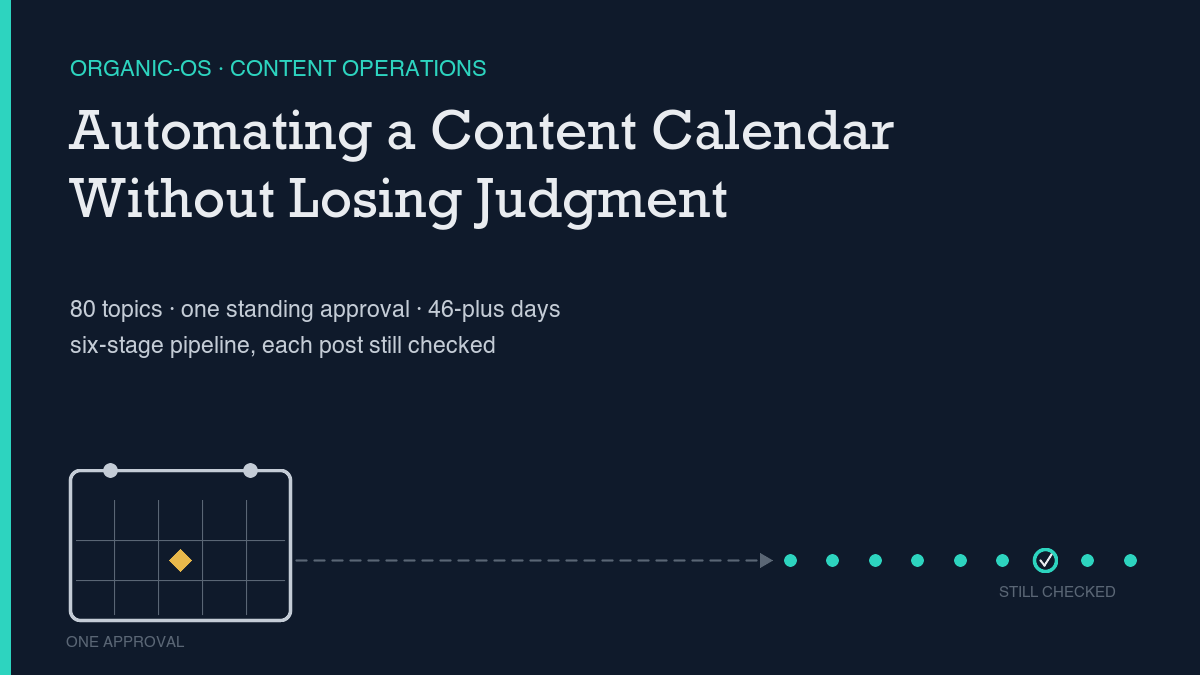
    Automating a content calendar means automating the admin around publishing, not the decisions that make a piece worth publishing: scheduling, routing drafts through fixed stages, running the same checks every time, and keeping a dated record of what happened. The actual judgment calls — what to write, whether a claim is verified, whether a draft reads honestly — stay with a person, or with a single standing approval a person gave on purpose. This site runs on exactly that split. One human approval from September 2 covers an 80-topic batch; 52 of those topics had published by the time this one went out, each through the same six-stage pipeline, and at least five of those runs have hit a real bug along the way. None of the bugs were in the writing. All of them were in the plumbing.

    Most advice on automating a content calendar stops at the tooling question: which app, which database, which trigger. The more useful question is which specific steps are safe to hand off and which ones need a person reading the actual output before it goes live. I looked at live search results for this exact framing before writing anything here, and the pattern across sources is consistent: automation earns its keep on repetitive, rule-based, easily-reviewed work — reminders, status-triggered routing, drafting support, scheduling — while anything touching brand voice, factual accuracy, or strategic priority stays a human checkpoint. One source frames it as a line-producer-and-showrunner split. That matches how this pipeline is actually built, not as a design choice made in the abstract but as something that got forced into shape by real failures, which is the more useful story to tell.

    The process, named stage by stage

    Every piece that ships here goes through the same six named stages: research, draft, QA, editor, a featured-image generation step, then publish. Each stage writes its output to a dated folder — a research pack, a QA log, editor notes, the image and payload files — so the record of how a specific piece got made is as persistent as the piece itself. That structure is what automated content operations: what to hand off, what to keep argues for directly: a calendar only becomes automatable once it lives in a structured, inspectable format rather than a spreadsheet or a verbal plan, because the structure is what makes a later stage able to check an earlier one’s work.

    What makes this a calendar rather than a one-off script is the batch mechanism sitting above those six stages. Instead of approving each post individually, 80 topics were approved once, in a single decision, with each one shipping on its own day without asking again. That single decision is explicitly revocable — a status change or an emptied queue stops the whole batch — which matters more than it sounds like it should, because a standing approval that cannot be revoked isn’t automation with judgment attached, it’s just a commitment made once and never revisited.

    What is automated versus what a human still judges

    The honest answer is that “auto-approved” does not mean “unchecked.” Three things from this exact batch’s own run history show where judgment still sits even inside an automated calendar. First, an automated label-leak checker once flagged two false positives — a code snippet demonstrating an escape character, and a quoted historical reference to a label that had leaked in an earlier post — and both were investigated by reading the actual surrounding text rather than mechanically edited to satisfy the checker. Second, a real defect (a featured image reference saved as empty because the upload hadn’t finished yet) was caught on review before the post was ever created, not patched after the fact. Third, every single publish re-fetches the live post afterward and diffs the saved content against what was submitted, rather than trusting the create response — that verification step is itself a designed-in judgment checkpoint, the same discipline why your SEO automation needs an audit trail argues should exist anywhere automation is allowed to touch a live site. None of this is the system catching itself; it’s the system being built to make catching things possible, which is a different claim and a smaller one worth stating precisely.

    The same split shows up in what the pipeline is deliberately not allowed to do. The WordPress credential this pipeline runs under can create, edit, and publish posts, but it cannot purge a caching layer that needs broader site permissions — a boundary that has caused real, repeated friction, and one that stays in place on purpose rather than getting “fixed” by widening the credential. Scoping automation to only what a task needs, even when that scoping costs convenience, is the same argument made in guardrails for AI agents that touch your website: a guardrail that gets removed the first time it’s inconvenient was never really a guardrail.

    Our own before and after

    The clearest before-and-after in this pipeline’s own history is a formatting failure from earlier this year, kept on record rather than quietly fixed and forgotten. Every one of the first seven posts this pipeline produced opened with a visible “In short:” label inside the answer section, and no custom excerpt had been set, so WordPress’s automatic excerpt pulled that exact label text into every listing page a reader would see before clicking through. The fix was specific: a formatting contract was added to the production prompt requiring plain reader-facing prose with no label text anywhere in the body, and a clean excerpt set on every post going forward. All seven live posts were repaired the same day the problem was found, and the rule has been checked on every post since.

    A second, related failure is why this pipeline now checks the rendered page rather than trusting an API response. One post went live with eighteen Gutenberg block comments that had been accidentally backslash-escaped during a shell command, which WordPress could not parse — so they rendered as literal garbage text on the actual page, while a content check run against the raw API data looked completely clean. That gap between “the data looks right” and “the page looks right” is why render verification exists as its own separate step now, checked against the live HTML and not the stored content. A third incident, smaller but telling, is a single approved brief that silently dropped out of the queue for weeks because one unescaped character broke its file’s frontmatter — not a crash anyone saw, just an item that quietly stopped existing to the system until a full queue rebuild happened to surface it. Version-controlling every one of these files, the same practice version control for SEO: diffing your own site makes the case for, is what let each of these three incidents be found, dated, and fixed instead of just suspected.

    How to tell if the process is helping

    A calendar that reliably ships posts is not automatically a calendar that is working — reliability is a claim about the process, not about whether readers or search engines care about the output, and keeping those two claims separate is the same discipline this site’s own measurement posts insist on for any other SEO metric. The way to check this specific page honestly is the same falsifiability test applied to every other piece in this batch: if, sixty days after this publishes, Search Console still shows zero impressions for any query containing its primary keyword terms, despite the page being indexed, the piece did not work and that should be reported plainly rather than dropped from the record. The baseline to check that against is already set: as of today, none of the fifty highest-impression search queries hitting this site contain “automate” and “content calendar” together or in any close variant, which is exactly the clean starting point that test requires — not a projection of what will happen, just a reliable fact about where this page starts from before any answer appears.

    What I can say with more confidence, because it is a closed incident rather than a prediction, is that the specific defects named above have not recurred in the forty-six-plus days and roughly fifty posts since the formatting and render-verification contracts were added — every run since has logged a pass against both checks, not a silent skip. That is a narrow claim about two specific, previously-broken gates, not a broader claim that the whole process is “working.” Judging whether an automated content calendar is helping means tracking both kinds of evidence at once: whether the gates that exist because something broke are still holding, and whether the output they protect is actually earning attention once it ships.
    Shivaa Tripathi runs organic-os, an experiment in publishing SEO and AEO work with the research and verification shown rather than asserted.

  • Simple Anomaly Detection for Organic Metrics

    Simple Anomaly Detection for Organic Metrics

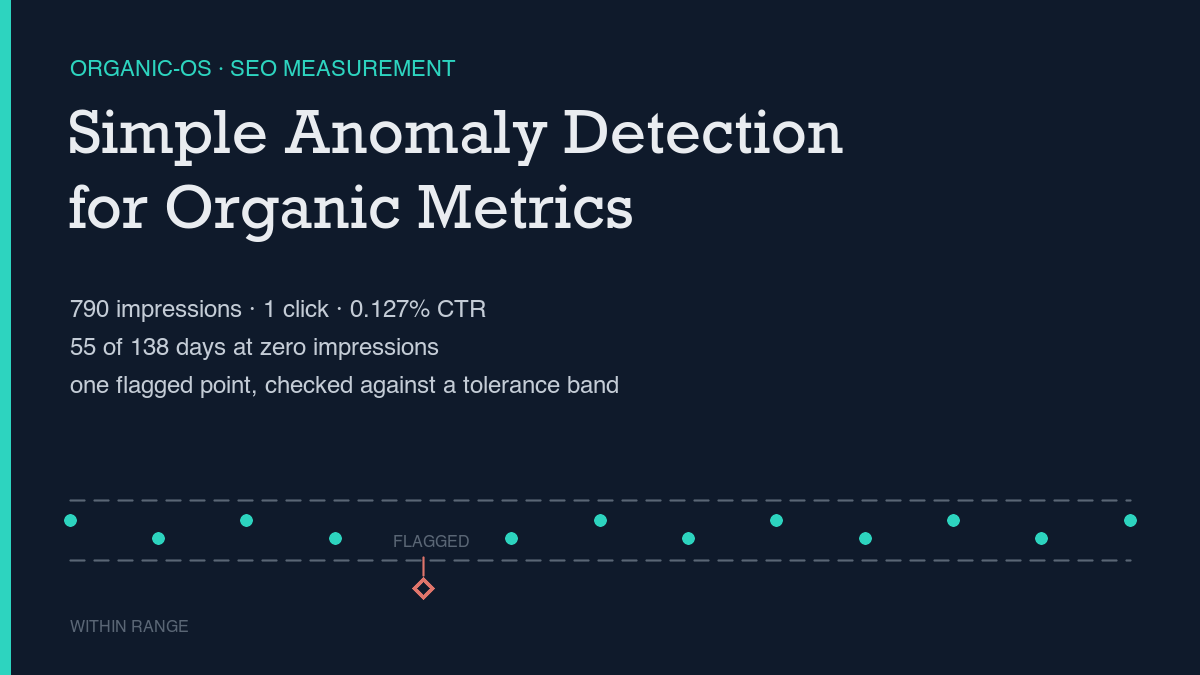
    SEO anomaly detection, done simply, means comparing a short recent window of your own Search Console and Analytics data against a defined baseline window, and only calling something an anomaly if it holds for multiple days rather than reverting after one. Applied to this site’s own 138-day Search Console window, the real numbers are 790 impressions, 1 click, a 0.127% click-through rate, and 55 of 138 days — 39.9% — with zero impressions at all. The one clear anomaly in that window is a real multi-day step change in late August, not a one-day spike, and it is reported here with the same noise floor applied to every other number in this piece.

    Most anomaly-detection advice stays at the level of “watch for unusual spikes or drops.” I checked the live search results for this exact topic before writing anything here, and the more specific version of that advice holds up: anomalies are deviations outside an expected band of normal variation, the common causes are sudden drops from indexing or tracking breakage and sudden spikes from bot traffic or seasonal demand, and the standard fix for telling a real anomaly from noise is cross-referencing Search Console with Analytics and defining a baseline before calling anything unusual. This piece runs that method against this site’s own numbers, including the ones that don’t flatter it.

    The method, step by step

    Two data pulls do the actual work. The first groups Search Console data by date across a wide window, which shows whether visibility exists at all on a given day and how it moves over time. The second groups the same window by query, which shows which specific search terms are producing impressions and whether a target keyword is showing up anywhere yet. A third pull, Analytics engagement data for a comparable period, checks whether any traffic arriving is actually engaging or just bouncing. Running all three as raw data pulled by script, rather than reading numbers off a dashboard screenshot, is the same discipline behind building an SEO dashboard from APIs, not screenshots: a number computed the same way twice is checkable, and a number eyeballed off a chart usually isn’t.

    Once the three pulls are in hand, pick a baseline window before looking for anomalies, not after — picking the baseline after seeing the data is how a real pattern gets fitted to a story instead of tested against one. Then apply a short persistence test to anything that looks interesting: did the change hold for several days in a row, or was it a single-day blip? Is there a plausible cause — new content, a new link, an indexing change — or no corresponding event at all? A genuine step change holds at an elevated level across multiple consecutive days. A blip reverts immediately. That distinction is the entire method; everything else is just bookkeeping.

    This site’s real numbers right now

    The by-date pull covers June 1 through October 16, 2026 — 138 days, pulled site-wide rather than filtered to this specific page, since a brand-new URL has no history of its own yet. Across that window: 790 total impressions, 1 total click, and a site-wide click-through rate of 0.127%. Fifty-five of the 138 days — 39.9% of the window — show zero impressions at all, and the window opens with zero impressions straight through to July 18.

    The only click anywhere in these 138 days landed on September 9: one click on five impressions, a 20% click-through rate, at an average position of 5.8. The clearest anomaly in the dataset sits a couple of weeks earlier. Across the seven days from August 19 through August 25, impressions averaged 1.14 per day. Starting August 26, that average jumped to 39.5 per day across six straight days — 34, 42, 37, 39, 51, then 34 — before settling to a lower, still-elevated level afterward. Six consecutive days above the baseline is what makes that a step change worth naming rather than a blip worth ignoring, the exact persistence test described in telling SEO signal from noise on a small site.

    The by-query pull for the same window shows a gap the by-date view can’t: every single query row carries zero clicks, the single highest-impression query is “how to add canonical tag in the header of wordpress?” at 20 impressions and an average position of 18.95, and no query containing “anomaly detection” or a close variant appears anywhere in the fifty rows pulled — the keyword this exact page targets has not generated one measurable impression yet. That gap between impressions existing at all and a specific target keyword or click existing is the trap named directly in impressions but no clicks: what the data actually shows. The most recent seven days in this same pull (October 10 through 16) add up to 89 impressions and zero clicks — visibility continuing, conversion still absent.

    Reading results honestly

    One click in 138 days is not evidence of a trend; it is one data point with a sample size of one. Calling it “clicks are picking up” would be exactly the kind of overclaim this method exists to prevent. There is also a timing artifact worth naming: the most recent two or three days of any Search Console pull are provisional, because the data backfills and gets reclassified after the fact, a mechanism covered directly in why Search Console data lags and how to handle it. Reading a dip in the final day or two of a pull as a sudden drop would usually be reading a pull-timing artifact, not a real decline.

    The Analytics cross-check adds a second, harder signal. On every sampled day in this site’s engagement data, bounce rate reads 100% and engagement rate reads 0% — not an average, every single row in the sample. That is consistent with the Search Console pattern of impressions arriving without clicks: on the dates checked, visits that do land are not converting into engaged sessions. It does not prove why; it only states what the two data sources agree on.

    None of this means the numbers are too thin to use — it means the number worth reporting is a window-level aggregate, not a single day’s row read in isolation, and it means naming low-volume noise out loud instead of folding it into a cleaner-looking total. A single query sitting at one or two impressions in the 70s-to-90s position range is the kind of row SEO KPIs worth reporting (and three to drop) argues should be dropped from a report rather than included to pad it.

    What would falsify the conclusion

    This is a method meant to be checked again against this exact page, not a one-time read of a dashboard. The method described here is wrong for this specific page if, 60 days after it publishes, Search Console still shows zero impressions for any query containing the primary keyword terms, despite the page being indexed. That is the falsifiability condition this piece is written against, and it should be reported honestly rather than quietly dropped if it holds.

    Three checks are worth running before concluding the method itself failed:

    • Confirm the page is actually indexed before reading zero impressions as a failed result. A page that hasn’t been indexed yet will show zero rows for reasons that have nothing to do with anomaly detection.
    • Re-pull the same date range a few days later rather than trusting the most recent rows. As this piece’s own pull shows, the last two or three days in any window are provisional until Search Console finishes backfilling them.
    • Check whether any movement persisted for multiple days or reverted immediately. This site’s own late-August step change held for six straight days; a single-day spike that reverts the next day is the noise this method exists to filter out, not a signal worth reporting.

    Shivaa Tripathi runs organic-os, an experiment in publishing SEO and AEO work with the research and verification shown rather than asserted.

  • Measuring Content Decay Before It Costs You

    Measuring Content Decay Before It Costs You

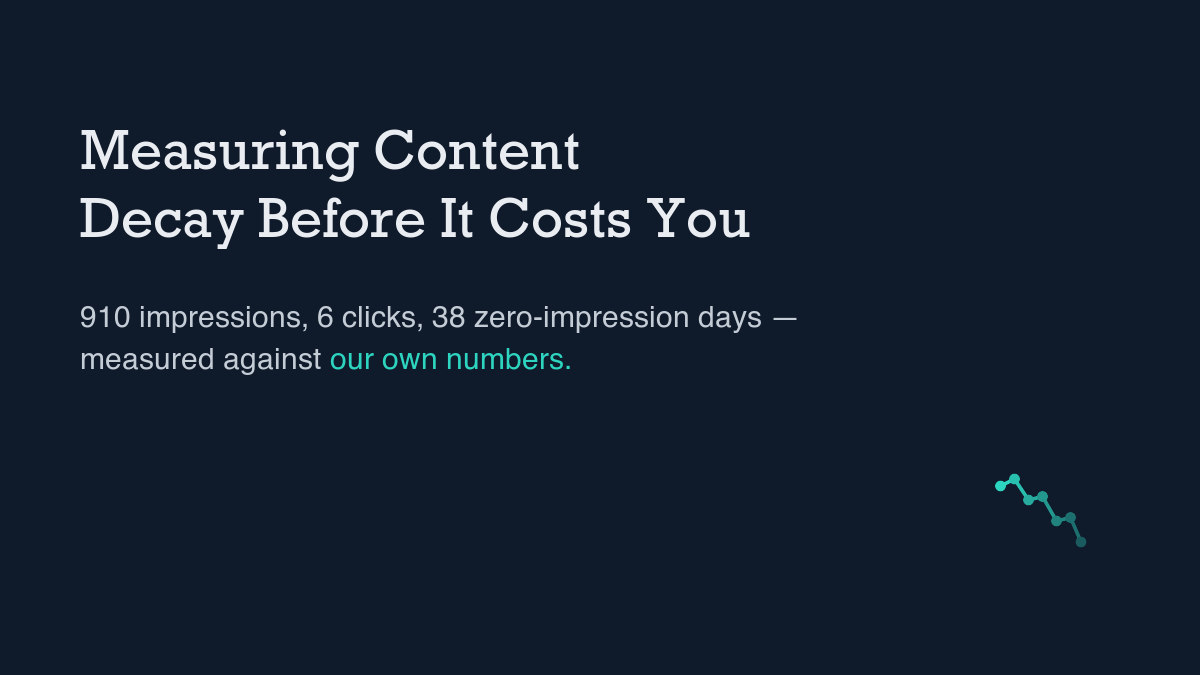
    Content decay is the gradual decline in a page’s organic search performance after it has already ranked — fewer impressions, a softer average position, clicks that fade out — and it shows up over weeks, not in a single bad day. Measuring it on your own site means pulling Search Console by date across a wide window, checking whether a drop held for more than a day or two, and ruling out reporting lag before calling anything a decline. Run that check against this site’s own 138-day window and the honest number is 910 impressions, 6 clicks, a 0.659% click-through rate, and 38 of 138 days — 27.5% — with zero impressions at all. That is the floor this piece measures against, not a cherry-picked good stretch.

    I checked the live search results for “content decay SEO” before writing any of this. The term is used consistently to describe a slow fade in rankings, impressions, clicks, or engagement on a page that previously performed — never a sudden penalty. Documented causes include competitor pages overtaking a position, outdated information on the page itself, newer pages on the same site cannibalizing the same query, and shifting SERP features such as AI-generated overviews that cut clicks even while position holds steady. Every source treats detection the same way: a trend read over months from Search Console data, not a single day’s row. This piece runs that exact check against this site’s own numbers, including the ones that do not flatter it.

    The method, step by step

    Two pulls do the work. The first groups Search Console data by date across a wide window, which shows whether visibility exists on a given day and how that level moves over weeks. The second groups the same window by query, which shows which terms are producing the impressions and at what position. A by-date view can look stable while one query quietly disappears underneath it, and a by-query view cannot show the week-to-week movement that separates a real decline from a blip. Pulling both as raw data through a script, rather than reading a dashboard chart by eye, is the same discipline behind building an SEO dashboard from APIs, not screenshots: a number computed the same way twice is checkable, and a number eyeballed off a graph usually is not.

    Once both pulls are in hand, the actual decay test is a short set of questions applied to anything that looks like it is dropping: has the lower level held for multiple weeks, or is it one bad week bouncing back the next? Does the drop show up across several related queries, or only one? Is there a plausible explanation — a competitor’s new page, a stale claim on this page, a cannibalizing post published since — or no corresponding event at all? A genuine decay shows a sustained lower level across weeks with no single-day recovery. A blip reverts within days. Treating a blip as decay means rewriting a page that did not need it; treating real decay as noise means leaving a fading page untouched while something else quietly takes its place in the results.

    This site’s real numbers right now

    The by-date pull covers June 1 through October 16, 2026 — 138 days, with the 17th requested but not yet returned, a one-day gap that is lag rather than a drop (more on that below). Across that window: 910 total impressions, 6 total clicks, a site-wide click-through rate of 0.659%. Thirty-eight of the 138 days — 27.5% of the window — show zero impressions at all, including an unbroken 22-day stretch from June 1 through June 22 before this site had any visibility whatsoever on the queries it was being measured against. That zero-impression rate, not a single strong day, is the baseline any decay claim on this site has to be measured against.

    The clearest step change in this dataset sits in late August: impressions jumped from single digits to 41 on August 26 and held at an elevated level for six straight days — 42, 38, 42, 55, then 33 — before settling lower again. That multi-day persistence is what makes it a step change rather than a spike; a one-day jump that reverted immediately would have been noise, not signal. The most recent seven days in this pull, October 10 through 16, show 78 impressions and zero clicks (9, 7, 12, 11, 8, 13, 18) — visibility that is measurable but not converting. The last click anywhere in this window landed on September 17, which makes the stretch from September 17 to October 16 a 29-day run of impressions with no clicks at all, a pattern this site’s own impressions but no clicks: what the data actually shows argues should be read as a separate problem from visibility, not folded into it.

    The by-query pull for the same general period is a 50-row alphabetical sample rather than a ranked list, so it is useful here only for coverage, not for ranking which terms matter most. Every row in that sample shows zero clicks, and the highest-impression row — a question about adding a canonical tag in a WordPress header — sits at 20 impressions and position 18.95. Most rows carry one to three impressions at positions in the 50s through 90s, individually too thin to call a trend in either direction. That is exactly the kind of single-query noise SEO KPIs worth reporting (and three to drop) argues should be left out of a report rather than included to make a dashboard look fuller — and it is a reminder that a decay check needs a wide date window before it needs a long query list.

    Reading results honestly

    Two specific sources of noise showed up in pulling this exact data, and naming them matters more than smoothing them over. The first is timing: the most recent day or two of any Search Console pull is provisional, because the data backfills and gets reclassified after the fact. The mechanism is covered directly in why Search Console data lags and how to handle it, and it is the reason this piece’s own pull, requested through October 17, only actually returns complete rows through October 16. Reading that single missing day as a sudden drop in visibility would be the wrong read; it is a processing gap, not decay, and decay only means anything measured over weeks, never off the newest row in a pull.

    The second is a mismatch between data sources that is informative precisely because it does not line up. Checking this site’s GA4 engagement data over a comparable window, three days stand out sharply against a normal busy day of roughly 282 seconds average session duration: July 18 shows 3 sessions but a 1,198-second average duration, August 1 shows 2 sessions at 764 seconds, and August 7 shows a single session at 1,435 seconds — the most extreme of the three. Each pairs a tiny session count with an outsized duration, the usual signature of a bot or crawler session rather than a real reader. They are named here as likely artifacts, not cited as engagement, because folding them into a clean average would distort any baseline built from this window — the same noise-versus-signal discipline telling SEO signal from noise on a small site applies to Search Console data applies just as directly here.

    None of this means the numbers are too noisy to use. It means the number worth reporting is a window-level aggregate, re-checked after a few more days of backfill, rather than a single day’s row read in isolation — and it means saying out loud which days look like artifacts instead of quietly averaging them into a tidier-looking total.

    What would falsify the conclusion

    This is a method meant to be re-run, not a one-time read of a dashboard. The pre-publish baseline above shows zero rows in this site’s 50-query sample containing the term “content decay” or any variant of it — a clean starting point to check against later. If, 60 days after this page publishes, it still shows zero Search Console impressions for any query containing its primary keyword terms, despite being confirmed as indexed, the method described here did not work for this specific page, and that result should be reported rather than quietly dropped.

    Three checks are worth running before concluding the page itself is decaying:

    • Confirm the page is indexed before reading a drop as decay. A page that was de-indexed or never fully crawled will show falling or zero numbers for reasons that have nothing to do with search performance fading.
    • Re-pull the same date range a few days later rather than trusting the newest rows. As this piece’s own pull shows, the final day or two of any window is provisional until Search Console finishes backfilling it.
    • Check whether the lower level held for multiple weeks or reverted on its own. This site’s own August step change moved in the other direction and held for six days; real decay should show the same multi-week persistence before it gets treated as a problem worth fixing.

    Shivaa Tripathi runs organic-os, an experiment in publishing SEO and AEO work with the research and verification shown rather than asserted.

  • Telling SEO Signal From Noise on a Small Site

    Telling SEO Signal From Noise on a Small Site

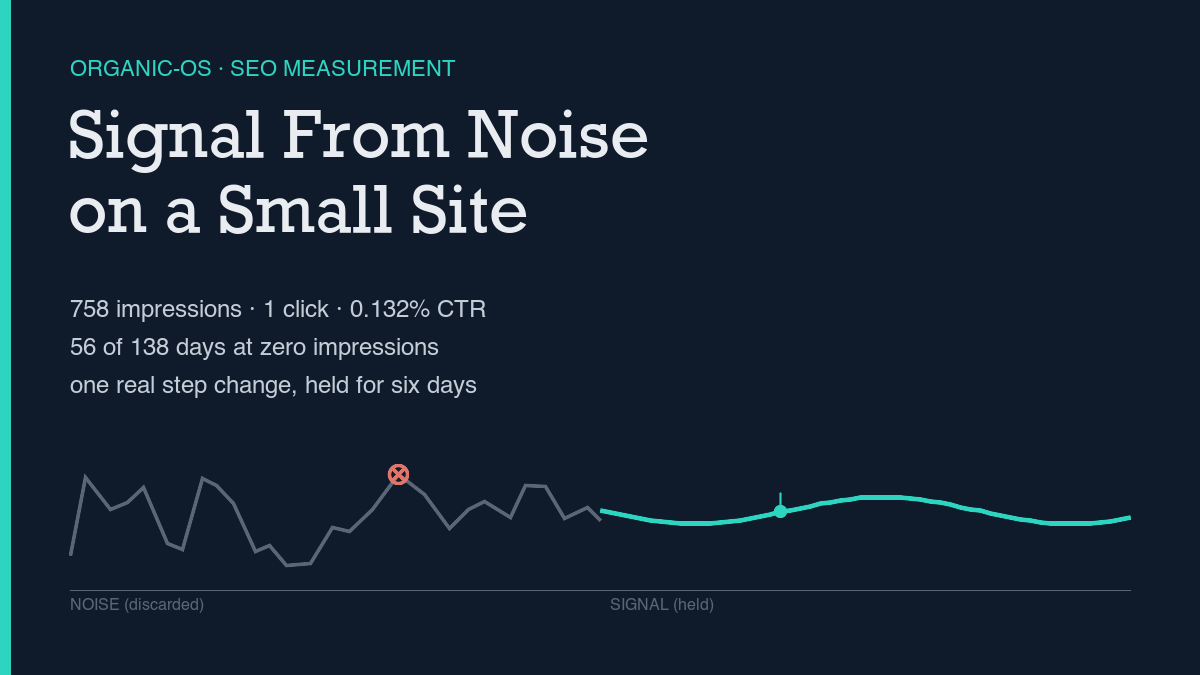
    Telling SEO signal from noise on a small site comes down to a repeatable method, not a feeling about a good week: pull Search Console by date and by query, run a “so what” test on anything that looks like a spike, and only report a window-level aggregate once the data has had time to settle. Applied to this site’s own 138-day Search Console window, the honest aggregate is 758 impressions, 1 click, a 0.132% click-through rate, and 56 of 138 days — 40.6% — with zero impressions at all. That is the real floor this piece measures against, not a cherry-picked good day.

    Most writing on this topic stays abstract — noise is bad, signal is good, look for patterns. I checked the live search results for “SEO data noise vs signal small site” before writing anything here, and the useful version of that advice is more specific: small sites carry amplified statistical noise because the absolute numbers are small, a single-day spike with no matching change in content or links should be treated as suspect, and the test worth applying to any metric is what decision it would change and who would act on it. This piece runs that method against this site’s own numbers, including the ones that don’t flatter it.

    The method, step by step

    Two pulls do the actual work, and neither one alone is enough. The first groups Search Console data by date across a wide window, which shows whether visibility exists at all on a given day and how it moves over time. The second groups the same window by query, which shows which specific search terms are producing impressions and at what position. A by-date view can look healthy while one query carries almost all of the volume, and a by-query view can’t show the day-to-day movement that makes a real step change visible. Running both as raw data pulled by script, rather than reading numbers off a dashboard screenshot, is the same discipline behind building an SEO dashboard from APIs, not screenshots: a number computed the same way twice is checkable, and a number eyeballed off a chart usually isn’t.

    Once the two pulls are in hand, the actual noise-vs-signal test is a short checklist applied to anything that looks interesting: did this change persist for several days, or was it a single-day blip? Does it show up in more than one related query, or only one? Is there a plausible cause — new content, a new link, an indexing change — or no corresponding event at all? A genuine step change holds at an elevated level for multiple days in a row. A blip reverts immediately. The difference matters because treating a blip as a trend leads to reporting progress that isn’t there, and treating a real step change as noise means missing the one thing worth paying attention to.

    This site’s real numbers right now

    The by-date pull covers May 31 through October 15, 2026 — 138 days. Across that window: 758 total impressions, 1 total click, a site-wide click-through rate of 0.132%, and an impression-weighted average position of 36.79. Fifty-six of the 138 days — 40.6% of the window — show zero impressions at all, including a 49-day unbroken stretch from May 31 through July 18 before this site had any visibility whatsoever. That zero-impression rate is the baseline most “is my SEO working” questions should be measured against.

    The first impression in the window landed on July 19 — 4 impressions, position 78.25, nowhere near a page a person would actually see. The only click anywhere in these 138 days arrived nearly two months later, on September 9: one click on five impressions at position 5.8. Between those two dates sits the clearest example of a real step change in this dataset: impressions jumped from single digits to 34 on August 26 and held at an elevated level for the following five days — 42, 37, 39, 51, then 34 — before settling lower. That six-day persistence is what separates a step change from a blip; a one-day spike that reverted the next day would have been noise, not signal.

    The most recent seven days in this pull (October 9 through 15) show 66 impressions and zero clicks. Visibility is measurable; converting it into a click is a separate, harder outcome that impressions alone don’t solve, and treating impression growth as proof of success without clicks is exactly the trap described in impressions but no clicks: what the data actually shows. The by-query pull for the same general period reinforces the same caution: no query in the top 29 rows shows more than 20 impressions, most sit at 1-2 impressions in the 60s-to-90s position range, and the single highest-impression query, api seo rest, still has zero clicks at position 65.27. That’s individually meaningless noise, not a signal worth reporting on its own — the kind of number SEO KPIs worth reporting (and three to drop) argues should be dropped from a report rather than included to make a slide look fuller.

    Reading results honestly

    Two specific noise sources showed up in pulling this exact data, and both are worth naming rather than smoothing over. The first is timing: the most recent two or three days of any Search Console pull are provisional, because the data backfills and gets reclassified after the fact — the mechanism is covered directly in why Search Console data lags and how to handle it, and it’s the reason this piece’s own pull, requested through October 18, only actually returns complete rows through October 15. Reading that gap as a sudden drop in visibility would be a mistake; it’s a pull-timing artifact, not a decline.

    The second is a mismatch between data sources that’s informative precisely because it doesn’t match. Checking this site’s GA4 engagement data over a comparable window, one day stands out sharply: July 18 shows 2 active users and 3 sessions, but 44 page views and an average session duration near 1,198 seconds — roughly four times the busiest normal day in the sample on a fraction of the traffic. That reads far more like a bot or crawler session than a real engagement event, and it is named here as a likely artifact rather than cited as evidence of anything. Reporting that number as a genuine spike would be the exact noise-trap this piece is arguing against.

    None of this means the numbers are too noisy to use. It means the number worth reporting is a window-level aggregate, checked again after the data has had a few days to settle, rather than a single day’s row read in isolation — and it means naming the artifacts out loud instead of quietly folding them into a cleaner-looking total.

    What would falsify the conclusion

    This is a method that can be checked again, not a one-time read of a dashboard. The pre-publish baseline above shows zero queries in this site’s top 29 containing the terms “noise” or “signal” — a clean starting point. If, 60 days after this page publishes, it still shows zero Search Console impressions for any query containing those terms, despite being indexed, the method described here didn’t produce a result for this specific page, and that outcome should be reported rather than quietly dropped.

    Three checks are worth running before concluding the method itself failed:

    • Confirm the page is indexed before reading zero impressions as a failed result. A page that isn’t indexed yet will show zero rows for reasons that have nothing to do with noise or signal.
    • Re-pull the same date range a few days later rather than trusting the most recent rows. As this piece’s own pull shows, the last two or three days in any window are provisional until Search Console finishes backfilling them.
    • Check whether any movement persisted for multiple days or reverted immediately. This site’s own August step change held for six days; a single-day spike that reverts the next day is the noise this method exists to filter out.

    Shivaa Tripathi runs organic-os, an experiment in publishing SEO and AEO work with the research and verification shown rather than asserted.

  • Rank Tracking Without Paying for a Tool

    Rank Tracking Without Paying for a Tool

    The free way to track keyword rankings without paying for a tool is Google Search Console’s Performance report, pulled by query and by date and kept in a spreadsheet or script rather than a dashboard screenshot. It reports a real average position for every query that has already shown your page in results at least once, with roughly 16 months of history and no row caps through the API. The catch: it can’t forecast a position for a keyword you haven’t ranked for yet. On this site, 137 days of that data add up to 879 impressions, 6 clicks, and a 0.683% click-through rate — the real, unflattering number this method exists to surface rather than hide.

    Most “free rank tracking” results online are listicles comparing the free tiers of paid tools — capped keyword counts, limited history, an upsell a few clicks away. I checked the live search results for this exact phrase before writing anything here, and Search Console is the one option that keeps showing up as genuinely free with no row limit. So instead of comparing tools, this piece runs the method on this site’s own numbers and shows what the output actually looks like, including the parts that don’t flatter the site.

    The method, step by step

    Search Console’s Performance report is the source. You can read it in the UI, but the more reproducible path is the API, which returns the same rows as JSON with a date range and a set of dimensions you choose. I’ve laid out the daily-automation version of this pull before in Search Console API automation: a guide from daily use; the version used for this piece is a one-off rather than a scheduled job, but it’s the same endpoint and the same authentication.

    Two separate pulls do the actual work. The first groups by date across a 90-day window, which is what shows whether a site has visibility at all on a given day and how that visibility moves over time. The second groups by query for the same window, which shows which specific search terms are producing impressions and at what position. Neither pull alone tells the full story — a by-date view can look healthy while a single query is carrying almost all of the volume, and a by-query view can’t show you the day-to-day noise that a by-date view makes obvious. I keep both pulls as raw JSON and run small scripts against them rather than eyeballing totals, for the same reason I’ve argued for building a proper pipeline instead of screenshots in build an SEO dashboard from APIs, not screenshots: numbers computed by a script are reproducible, and numbers read off a chart by eye usually aren’t.

    The limitation is worth stating plainly rather than discovering later. Search Console only reports a position for a query that has already generated at least one impression. If a keyword hasn’t shown your page in results yet, there’s no row for it — the API can’t simulate a rank the way a paid rank-tracking tool does by running live searches against a target keyword list. This method answers “where do I actually rank for the queries already finding me,” not “where would I rank if I targeted this new keyword.” For most sites checking their existing visibility, that’s the question that matters anyway.

    This site’s real numbers right now

    The by-date pull covers May 31 through October 14, 2026 — 137 days. Across that window: 879 total impressions, 6 total clicks, a site-wide click-through rate of 0.683%, and an impression-weighted average position of 33.67. Thirty-nine of the 137 days — 28.5% of the window — show zero impressions at all. That’s the baseline most “is my SEO working” questions should be measured against, not a single good day pulled out of context.

    The first impression in the window landed on June 23: one impression, position 10. The first click didn’t arrive until July 13 — three weeks later — one click on one impression at position 3. Across the full 137 days, only six days registered any click at all: July 13, July 17, September 1, September 9, September 16, and September 17. Impressions stayed low and uneven through most of the summer, then stepped up sharply on August 26 — 41 impressions, average position 46.51 — and held at that higher level for the following days rather than dropping back, which is what a genuine step change looks like rather than a one-day blip.

    The most recent seven days in this pull show 71 impressions and zero clicks. Visibility is real and measurable; converting it into a click is a separate, harder problem that impressions alone don’t solve. I measured that specific gap directly in impressions but no clicks: what the data actually shows, and the same pattern shows up here: showing up in results and getting clicked are two different outcomes with two different causes.

    The by-query pull, for the same general period, gives the other half of the baseline. The highest-impression query in the top 25 is api seo rest, with 11 impressions, 0 clicks, and an average position of 65.27 — well outside the range where clicks typically happen. No query in that list contains the terms “rank track” or “free rank,” which is the clean, checkable starting point for this piece’s own falsifiability test below. If you’re running this method on your own site, the by-query pull is also where you’ll notice whether your visibility is concentrated in one or two terms or spread thin across dozens, which changes how much a single ranking change can move your total numbers.

    Reading results honestly

    The most recent two or three days in any Search Console pull should be treated as provisional, not final. Search Console backfills and reclassifies recent data after the fact, so a dip at the very end of a date range is often an artifact of the pull timing rather than a real drop in visibility — I go into why this happens and how to work around it in why Search Console data lags and how to handle it. Re-running the same by-date pull a few days later and comparing is the only reliable way to tell a lag artifact from an actual decline.

    A second check worth running alongside the Search Console numbers is Google Analytics, not because it should match — it won’t — but because a large mismatch is itself informative. For this site’s GA4 data over the same general period, one day stands out: July 18 shows 44 pageviews and a 1,198-second average session duration, figures far outside every neighboring day in the set. That’s not cited here as a real traffic event; it reads far more like a bot or crawler session than organic engagement, and treating it as a genuine spike would distort the baseline rather than describe it. Knowing which numbers to trust and which to flag is part of the method, and it’s the same discipline covered in SEO KPIs worth reporting (and three to drop).

    None of this means the Search Console numbers are too noisy to use. It means the number you report should be a window-level aggregate, checked again after a few days have had time to settle, rather than a single day’s row read in isolation.

    What would falsify the conclusion

    This method is a claim that can be checked again, not a one-time snapshot. The pre-publish baseline above shows zero queries in this site’s top 25 containing “rank track” or “free rank.” If, 60 days after this page publishes, it still shows zero Search Console impressions for any query containing those terms — despite being indexed — the method described here didn’t work for this specific page, and that result should be reported rather than quietly dropped.

    Three things are worth checking before concluding the method itself is broken:

    • Confirm the page is actually indexed before reading zero impressions as a ranking problem. A page that isn’t indexed yet will show zero rows for reasons that have nothing to do with where it would rank.
    • Separate “first impression” from “first click” from “steady volume.” On this site those three milestones landed on three different days, weeks apart — collapsing them into one moment hides the actual shape of the ramp.
    • Re-pull the same date range a few days later before trusting the most recent rows. The last two or three days in any pull are provisional until Search Console finishes backfilling them.

    Shivaa Tripathi runs organic-os, an experiment in publishing SEO and AEO work with the research and verification shown rather than asserted.

  • What a New Domain’s First 90 Days Look Like

    What a New Domain’s First 90 Days Look Like

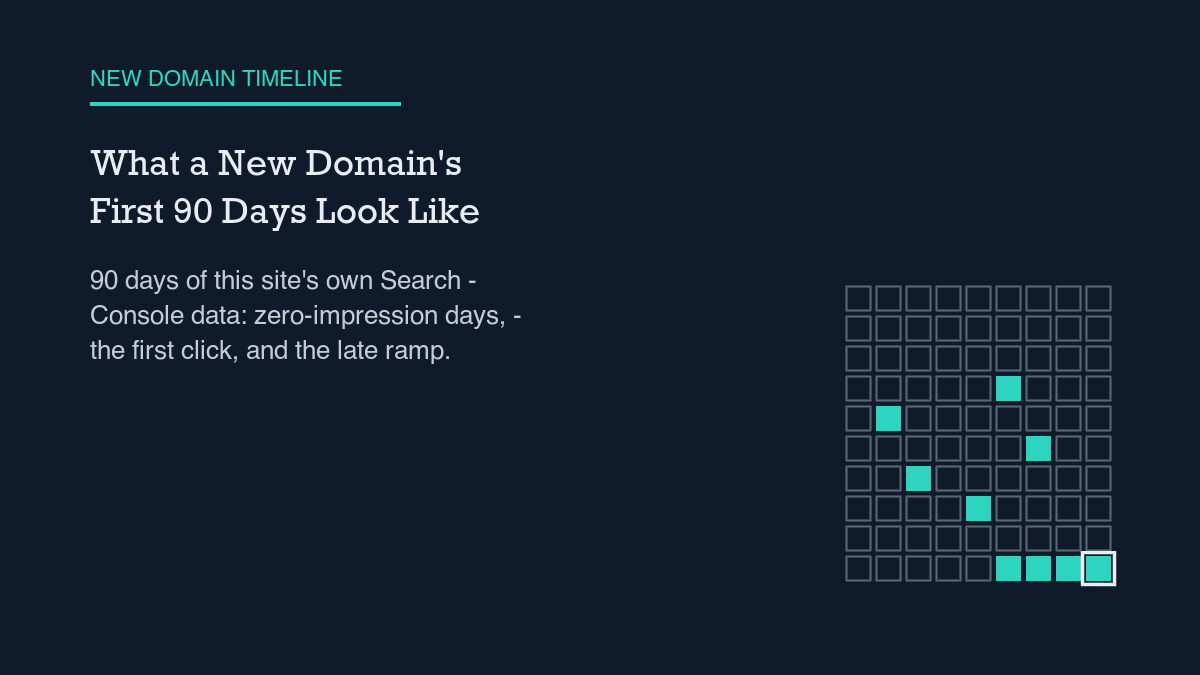
    In this site’s own first 90 days of Search Console data, I logged 352 impressions, 2 clicks, and 39 days with zero visibility at all. The one jump worth calling a step change — impressions crossing 41 in a day — landed on day 88, two days before the window closed. That is what a new domain’s first 90 days actually looks like here. Your numbers will differ. The method for reading them honestly should not.

    I already wrote about this site’s full 136-day Search Console history in How Long Does SEO Take? This post is narrower on purpose. I pulled only the first 90 days of that same window — 2026-05-31 through 2026-08-28 — because a reader asking “what happens in the first 90 days” shouldn’t have to squint at a 136-day chart and guess where day 90 falls. Below is the method I used, the real numbers from that window, and the parts of the data that would make me wrong.

    The method, step by step

    I pulled Search Console’s own by-date report for this domain, filtered to exactly 90 days, and did not smooth, average away, or discard any day — including the 39 days that returned nothing. The steps:

    • Pick a fixed start date. I used the first day Search Console actually returned non-zero rows for this property (2026-05-31), not the calendar date the site launched — those two dates can differ, and conflating them inflates or deflates the apparent timeline.
    • Pull clicks, impressions, and average position by date for exactly 90 days from that start.
    • Record every zero-impression day as a zero, not a gap. A missing day in a chart looks different from a logged zero, and only one of those is honest.
    • Find the first day with any impression, the first day with any click, and the first day impressions cross a threshold worth calling a “ramp” (I used 30/day, since this site’s daily counts before that point never got close).
    • Check the last week inside the window separately from the whole-window average, because a 90-day average can hide a trend that only shows up at the edges.

    That is the whole method. It does not require a paid tool beyond Search Console itself, and it produces a number set anyone can reproduce against their own property, which is the point: this is a reproducible method, not a promise about how your first 90 days will go.

    This site’s real numbers, first 90 days only

    Across the full 90 days: 2 clicks, 352 impressions, a 0.568% click-through rate, and a weighted average position of 41.14. Those are not strong numbers, and I am not presenting them as strong numbers. Here is where they came from day by day.

    39 of the 90 days — 43.3% of the window — show zero impressions and zero clicks. That is not a rounding artifact; it is the majority pattern early on and it persists late, too: the last zero-impression day inside this window is 2026-08-22, only six days before the cutoff. A new domain can still post a dead day deep into its first 90.

    The first impression showed up on day 24 (2026-06-23: 1 impression, position 10). The first click came 20 days after that, on day 44 (2026-07-13: 1 click, 1 impression, position 3). Only one other day in the entire 90-day window produced a click: 2026-07-17, at position 16. Two click-days out of ninety. Impressions without clicks is not an exception here; across this window, it is the default.

    Impressions stayed noisy through the middle of the window — single digits to low double digits per day, with position swinging widely even on the better days. 2026-07-20 logged 12 impressions at position 75.4; four days later, 2026-07-24 logged 19 impressions at position 14. There is no steady climb up the rankings inside this window. Position moves unevenly even as cumulative impressions trend upward.

    The one change worth calling a step change happened on day 88: 2026-08-26 logged 41 impressions at position 46.51, followed by 42 on 2026-08-27 and 38 on 2026-08-28 — the final three days of the window. The last 7 days inside this 90-day frame (2026-08-22 through 2026-08-28) total 131 impressions and zero clicks. Visibility climbed right at the edge of the window; conversion to a click did not follow in the same stretch.

    The query-level picture tells the same story from a different angle. Across the top 25 queries in this window, every single one shows zero clicks. The highest-impression query was “seo agent” at 12 impressions and position 90.75 — nowhere near page one. No query in the top 25 carries enough share to call it a head term; visibility is spread thin across dozens of long-tail variants, which is itself part of why clicks stay rare even as impressions climb.

    Reading these results honestly

    Two clicks in 90 days is a small enough number that one more or one fewer click would move the click-through rate a lot in relative terms. I am not treating 0.568% CTR as a stable rate; with this few data points, it is barely a measurement at all. The same caution applies to the weighted average position of 41.14 — a single noisy high-impression day, like 2026-08-28’s position 65.5, can pull that average around more than a dozen quiet days would.

    I also did not try to explain why 2026-08-26 was the day impressions crossed 41. I don’t have a verified cause — no specific published post, backlink, or algorithm change I can point to and confirm from a live source. The data shows the change in impressions. It does not show a cause, so this piece asserts none.

    Search Console itself has a lag worth knowing before you run this method on your own property — see why Search Console data lags for what that means in practice. And before reporting any of these numbers upward, it’s worth deciding in advance which ones are even worth reporting; I cover that tradeoff in SEO KPIs worth reporting.

    What would falsify this

    This conclusion is wrong if, 60 days after this post publishes, its own URL shows zero Search Console impressions for any query containing “new domain,” “ranking,” or “timeline,” despite being indexed. That is a checkable claim against this exact page, not a vague promise, and I’ll know if it fails the same way I know the numbers above: by pulling the live report again, not by assuming.

    If you want to run this same 90-day method on your own property, the steps above don’t need anything beyond Search Console access and a fixed start date. I’d rather you reproduce the method and get a different answer than take my 90 days as a forecast of yours. For the longer version of this same site’s story, past day 90, see the full 136-day timeline linked above. For a more structured take on running this kind of check on a schedule rather than once, see running a 30-day SEO experiment.


    Shivaa Tripathi runs organic-os, an autonomous SEO agent that drafts, checks, and publishes content for this site under human-set guardrails. This post’s numbers come directly from this site’s own Search Console property, pulled and verified at publish time.

  • How Long Does SEO Take? Our Live Timeline

    How Long Does SEO Take? Our Live Timeline

    How long does SEO take? For this site, the honest timeline is: three weeks of zero search visibility, then a first impression on day 24, then three more weeks before that turned into a single click on day 43, then roughly two more months before daily impressions settled above 30. Across the full 136-day window measured here, the total comes to 6 clicks and 871 impressions. That is not a promise about any other site. It is what actually happened on this one, measured the same way every day.

    This page runs the same experiment the rest of organic-os runs: measure instead of estimate. The window below is May 31 through October 13, 2026 — 136 days — pulled directly from this site’s Search Console property and cross-checked against Google Analytics. Every number in this piece traces to that pull, and I flag the two places where the data itself needed a second look before I trusted it.

    The method, step by step

    I pulled Search Console by date for the full window, then separately by query, then pulled Google Analytics for the same stretch to see whether sessions corroborated the click data. I’ve laid out the general version of this measurement approach before in running a 30-day SEO experiment properly, and the same rule applied here: pick one source of truth per metric, write down the exact query that produced each number, and don’t average across pulls taken on different days.

    The window itself needed a correction first. I requested data back to January 1, 2026, to capture this site’s full history, and Search Console returned zero rows for every day before May 31. That’s not zero visibility for some interesting reason — it’s most likely the property not being verified yet, or GSC not having backfilled further. I’ve written about this kind of lag before in why Search Console data lags and how to handle it, and the same lesson applies to a “days since launch” count: anchor it to the first date your property actually returns non-null rows, not to a calendar date you remember as launch day.

    This site’s real numbers right now

    From May 31 through June 22 — 23 straight days — every single row shows zero impressions and zero clicks. The first day with any impression at all is June 23: one impression, average position 10. That’s the real start of this site’s visibility, three weeks after the window the data covers begins.

    The first click didn’t arrive until July 13 — 20 days after that first impression — one click on one impression at position 3. Across the entire 136-day window, only six days registered a click at all: July 13, July 17, September 1, September 9, September 16, and September 17. Four of those six sit at a position between 3 and 16; the rest are higher, including one click-day at position 30. A single click can happen outside the top few results, but it’s the exception here, not the pattern.

    Impressions stayed low and noisy — mostly single digits to low teens per day — all the way through late August. The first day impressions crossed 30 is August 26: 41 impressions, average position 46.51. That’s 64 days after the first impression and 87 days after the window itself starts. It isn’t a one-day spike either; the five days right after it (August 27 through 31) show 42, 38, 42, 55, and 33 impressions, which is what a real step change looks like rather than noise. I go into more detail on which numbers are worth tracking versus which ones are decoration in SEO KPIs worth reporting (and three to drop), and this ramp is a good example of a metric — daily impression volume, sustained over multiple days — that’s actually worth watching.

    The by-query breakdown tells a complementary story. Across the top 25 queries for this period, every one shows zero clicks, and impressions per query mostly sit in the 1-to-20 range with no single term dominating. The highest-impression query in that set — a question about adding a canonical tag in a WordPress header — got 20 impressions, zero clicks, position 18.95. Visibility here is spread thin across dozens of low-volume queries rather than concentrated anywhere, which is itself part of why total click volume stays low even as total impressions climb: no single query is carrying enough weight on its own to reliably produce a click.

    Reading results honestly

    The most recent seven days in this pull (October 7 through October 13) average 12.14 impressions per day with zero total clicks. Visibility now is steady and several times higher than it was in the first month, but converting that visibility into a click is still not something that happens every week. That gap between “showing up” and “getting clicked” is the same phenomenon I measured directly in impressions but no clicks: what the data actually shows, and the pattern holds here too — low average position explains most of the zero-click days, but not all of them.

    Google Analytics for the same general period adds a different kind of noise. Of roughly 290 days in the full pulled range, only 64 show any recorded activity row at all — a coverage gap I’m reporting as-is rather than smoothing over. The busiest single day recorded, July 24, shows 8 active users, 10 sessions, 19 pageviews, and a 282-second average session, but that date isn’t one of the six GSC click-days. Some of the longer, more engaged sessions in the GA4 data — one on July 18 ran 44 pageviews across roughly 20 minutes — don’t line up with a fresh search click at all, which is a reminder that GA4 session count and GSC click count aren’t measuring the same thing and will never fully reconcile. I cover where the two reports agree and where they diverge in more depth in GA4 for SEO reporting: the reports that matter.

    None of this means the numbers are too noisy to use. It means the window you treat as settled should be the by-date pull, re-checked after Search Console has had time to finalize it, not a single day’s snapshot — and that a coverage gap in your analytics tool is itself a fact worth stating rather than quietly papering over with an average.

    What would falsify the conclusion

    This isn’t a one-time snapshot; it’s a claim that can be checked again. If, 60 days after this piece publishes, this exact URL still shows zero Search Console impressions for any query containing “how long,” “seo,” or “take,” despite the page being indexed, the timeline described here is wrong for this page specifically, and the method — not just the numbers — needs revisiting.

    Three things are worth checking before treating a slow early timeline as evidence that something is broken rather than evidence that it’s still early:

    • Confirm the property actually has data for the days you think it should. A run of zero-impression days at the very start of a pull can mean the property wasn’t verified yet, not that visibility is truly zero.
    • Separate “first impression” from “first click” from “steady volume.” Each of those three milestones showed up on a different day here, weeks apart, and collapsing them into one “SEO started working” moment hides the actual shape of the ramp.
    • Check a query breakdown and a date breakdown separately before concluding anything. They can tell visibly different stories about the same window, and the date view is usually the one that reconciles with the published aggregate.

    Shivaa Tripathi runs organic-os, an experiment in publishing SEO and AEO work with the research and verification shown rather than asserted.

  • Impressions But No Clicks: What the Data Actually Shows

    Impressions But No Clicks: What the Data Actually Shows

    Impressions with no clicks usually trace back to one of three causes: the average position is too low to earn attention, the query doesn’t match what the page actually answers, or Search Console hasn’t finished counting the clicks that did happen. I pulled this site’s own numbers for the six weeks ending October 13, 2026, to see which one explains a real case, and the honest answer is mostly the first, with the third showing up more than I expected.

    This page runs the same experiment the rest of organic-os runs: show the numbers instead of a claim. The range below is September 1 through October 13, 2026, pulled directly from this site’s Search Console property and cross-checked against Google Analytics. Every figure in this piece comes from that pull. Nothing is modeled or estimated.

    How I checked instead of guessed

    I pulled three different views of the same six-week window: the aggregate totals, a breakdown by day, and a breakdown by query. Then I pulled Google Analytics for the same window to see whether this site’s own sessions corroborated what Search Console reported. I wrote about why Search Console data lags and how to handle it earlier, and that lag shows up again below, so the by-date view mattered more than I expected going in.

    This site’s numbers right now

    The aggregate for September 1 through October 13: 4 clicks, 378 impressions, a 1.058% click-through rate, and an average position of 18.36. Position 18 sits on page two of results for most queries, which already explains a lot of the gap between impressions and clicks.

    The by-date breakdown accounts for 42 days (Search Console had not finalized October 13 itself at pull time, so it’s excluded). Of those 42 days, 38 recorded zero clicks. Fifteen of those zero-click days had ten or more impressions, meaning more than a third of the window showed real visibility and converted none of it into a click. September 25 had 18 impressions and zero clicks at an average position of 17.17. October 5 had 22 impressions and zero clicks at position 22.32. These aren’t single-impression flukes; the page showed up repeatedly on those days and nobody clicked.

    The four days that did produce a click look nothing like the zero-click days above. September 1 converted one click from nine impressions. September 9, September 16, and September 17 each converted one click from six or seven impressions. All four sit at an average position under 7. The pattern across the whole window is consistent: low position correlates with zero clicks, and the handful of clicks line up with the days this site actually ranked well. I covered the broader version of this, which KPIs are worth reporting and which aren’t, in SEO KPIs Worth Reporting (and Three to Drop).

    Where the query view falls apart

    Breaking the same six weeks down by query tells a different, and slightly misleading, story. Search Console returned 23 distinct queries for the window, and every single one shows zero clicks. Added up, the by-query view says this site earned zero clicks from zero queries during a period when the aggregate and by-date views both report four clicks. The clicks are real; they’re on the calendar. They just aren’t attributable to a specific query in this report.

    This is a known limitation, not a bug: Search Console omits query rows it treats as too rare or too identifying to show individually, even though those same clicks still count toward the aggregate and date totals. If I had only looked at the query breakdown, I would have concluded, incorrectly, that nothing converted at all during this window. The by-date view was the only one of the three that reconciled with the published aggregate. I’ve automated pulls like this before and wrote up the process in Search Console API Automation: A Guide From Daily Use, and this is exactly the kind of discrepancy that automated, repeated pulls surface faster than a single dashboard glance would.

    The query-level data is still useful for ruling things out. The highest-impression query, a question about adding a canonical tag in a WordPress header, got 20 impressions at position 18.95 and zero clicks, consistent with the overall position-to-click pattern above. But one long natural-language query about GA4 and ChatGPT attribution ranked at position 10.27, inside the first page of results, with 11 impressions and still zero clicks. Position alone doesn’t explain that one. The honest conclusion is that some zero-click queries have an identifiable cause and some don’t, and a single explanation for the whole page would be guessing.

    Reading results honestly: lag and noise

    The numbers above aren’t fixed the moment Search Console reports them. A piece I published on October 14, 2026 reported this exact same date range, September 1 through October 13, as 4 clicks and 366 impressions with an average position of 18.70. Pulling the identical range one day later for this piece returned 378 impressions and a position of 18.36. The click count held steady; the impression count and position moved. That isn’t an error in either pull. It’s Search Console continuing to finalize a historical window after the fact, which is worth knowing before treating any single pull as settled.

    Google Analytics for the same window corroborates the small scale of this rather than contradicting it. Eleven of the 30 days in the Analytics window show any active users at all; the other 19 show none. Most active days show a single user with a session under 15 seconds, several under 3 seconds, short enough to read as a bounce rather than an engaged read. Two sessions stand out from that pattern: September 26, with one user and a 271-second average session across three pageviews, and October 8, at roughly 150 seconds. Both look like direct or already-referred visits landing on multiple pages, not fresh clicks from the search queries above. I wrote more generally about treating a low-click period as a measurement problem instead of a failure in A Strategy for Zero-Click Search That Is Not Denial, and the same logic applies here: a handful of sessions across six weeks is consistent with what the click data already shows, not a separate contradiction of it.

    None of this means the numbers are too noisy to use. It means the window you treat as final should be the aggregate or the by-date pull, re-checked after enough days have passed for Search Console to stop revising it, and the query-level view should be read as a partial list, not a complete one. I go through the mechanics of that lag in more detail in GA4 for SEO Reporting: The Reports That Matter, which covers where GA4 and Search Console agree and where they’re measuring different things entirely.

    What would prove this wrong

    This isn’t a one-time snapshot; it’s a claim that can be checked again. If, 60 days after this piece publishes, Search Console still shows zero impressions for every query containing both “impressions” and “clicks” for this exact page, despite the page being indexed, the conclusion here is wrong. The method should produce visibility for its own target terms within that window, or the method itself needs revisiting, not just the numbers.

    Three things are worth checking before treating impressions with no clicks as a problem rather than a measurement artifact:

    • Check the by-date view, not just the aggregate or the query view. It’s the one most likely to reconcile with what actually got published.
    • Treat a fresh pull of a historical range as provisional for a few days. The same window can shift in impressions and position after Search Console finishes finalizing it.
    • Cross-check against analytics sessions, not just Search Console clicks. A handful of short, non-search sessions on otherwise flat days is a sign the volume is genuinely small, not that the search data is broken.

    Shivaa Tripathi runs organic-os, an experiment in publishing SEO and AEO work with the research and verification shown rather than asserted.

  • SEO KPIs Worth Reporting (and Three to Drop)

    SEO KPIs Worth Reporting (and Three to Drop)

    The SEO KPIs worth reporting are clicks over time, click-through rate checked against average position, and the share of days with zero measurable impressions or sessions. Three commonly reported numbers are not worth reporting on their own: raw impression counts, an unsorted list of top queries, and average position without its underlying distribution. This site’s own live numbers show why.

    Most SEO dashboards show a handful of numbers and let you infer the rest. Impressions go up, so the dashboard implies progress. A query list appears, so the dashboard implies a ranking. Average position ticks down, so the dashboard implies decline. None of those inferences hold up once you check what the number actually measures.

    I pulled this site’s own Search Console and Analytics data for the past six weeks to test that claim against a real, small, mostly unremarkable site. The method below is reproducible with any Search Console property and any analytics account. Nothing here depends on a theory of SEO. It depends on reading the fields the APIs already return, correctly.

    How I check whether a KPI is worth reporting

    Before reporting a number, I ask three questions. First, does the number change if I change the sort order or the date range in a way that shouldn’t matter? If yes, the number is an artifact of the pull, not the site. Second, does the number have a denominator? Impressions without clicks and clicks without impressions are both incomplete; click-through rate needs both. Third, does the number hide a distribution? An average collapses many days into one figure, and a single bad day can move that figure more than a real trend would. I pulled Search Console data through the Search Console API rather than reading the dashboard, specifically so I could check the raw rows behind each summary number.

    This site’s real numbers, right now

    For 2026-09-01 through 2026-10-13, Search Console reports 4 clicks, 366 impressions, a 1.09% click-through rate, and an average position of 18.70. That aggregate is the authoritative number for the window. It is not a sum I calculated from daily rows, because daily rows for this property currently lag the requested end date by about two days. I checked anyway: the four clicks in the aggregate land on exactly four days, 2026-09-01 (1 click, 9 impressions), 2026-09-09 (1/6), 2026-09-16 (1/7), and 2026-09-17 (1/7), and those four days sum to the same four clicks the aggregate reports. When the two pulls agree like that, it’s a reason to trust the aggregate more, not a coincidence worth narrating further.

    Impressions are thinner than the 366-impression total suggests once you look at distribution rather than sum: 19 of the 41 days returned by the by-date pull show fewer than 5 impressions each. A total built mostly from small days and a couple of larger ones is a different thing from a total built evenly, even when the headline number is identical either way.

    Analytics data, pulled the same way I’d pull it for a client SEO report, shows a thinner picture than the search numbers alone suggest: across the 30 days from 2026-09-14 to 2026-10-13, only 11 days have any recorded active users at all. Nineteen days show zero. Most active days show exactly one active user and one session. Two days, 2026-10-03 and 2026-10-04, are the only days in the window with 2 active users each, rather than the usual one. Two other days stand out for a different reason: 2026-09-26 recorded an average session duration of 271.1 seconds, and 2026-10-08 recorded 149.9 seconds, both well above the sub-15-second sessions typical of the other active days. That looks like real reading rather than a bounce, though I have no way to confirm what was read. None of this came from a screenshot; I pulled every number directly from the API so I could check it against the raw rows rather than trust a rendered chart.

    Three KPIs to drop (and what to report instead)

    Three numbers commonly shown on SEO dashboards failed my own test above, using this site’s own data.

    • Raw impression counts treated as success. 2026-10-05 and 2026-10-07 are the two highest-impression days in the window, 22 impressions each, and both recorded zero clicks. An impression count rising while clicks stay flat is not progress. It is a change in how often the page was shown, not in how often anyone chose it.
    • An unsorted query list treated as a ranking. A default pull of this site’s queries for the window, 25 rows, returns 24 distinct terms, every one showing 0 clicks, sorted alphabetically rather than by performance. The three highest-impression queries in that list still show zero clicks each: “how to add canonical tag in the header of wordpress?” at 20 impressions and position 18.95, “multisite seo” at 17 impressions and position 35.53, and even “wp_get_canonical_url,” which sits at the best position in the whole set, 9, with just 1 impression and 0 clicks. The four actual clicks this window happened on queries that don’t appear in that alphabetical slice at all, because the default pull doesn’t sort by what matters.
    • Average position without its distribution. The aggregate average position for the window is 18.70. One day inside that window, 2026-09-20, the site averaged position 79 for a single impression, a near-total drop sandwiched between days in the high single digits and twenties. Report the average alone and that day disappears into a stable-looking number. Report the daily spread and the day is visible, which is the entire point of having daily data in the first place.

    Reading the results honestly

    Four clicks and 366 impressions over six weeks is a small sample. I can’t attribute the 2026-09-20 drop, or the 10-05/10-07 impression spike, to a specific cause. No live source I checked confirms why either happened, so I’m labeling both as unexplained rather than guessing. Search Console data also lags the current date by a day or two, which is why the aggregate figure above is more trustworthy than a sum of the most recent daily rows, and why I checked that the two figures agreed over the overlapping range before relying on either one.

    The analytics side adds a caution of its own: a rise in impressions, like the 22-impression days on 10-05 and 10-07, didn’t show up as a rise in active users on those same dates. The two days with 2 active users, 10-03 and 10-04, sit just before that impression spike and don’t obviously connect to it. Reading GSC and GA4 side by side, rather than reporting either in isolation, is what surfaces a mismatch like that instead of hiding it inside two separate, individually unremarkable charts.

    The same caution applies to comparing this period against a future one. Checking whether a KPI holds up over time is the same discipline as diffing a page before and after an edit: pull the same fields, for the same kind of window, and look at the distribution, not just the headline average.

    What would falsify this

    This piece makes a specific, checkable claim: that clicks over time, click-through rate against position, and the share of zero-impression days are more trustworthy KPIs than raw impressions, an unsorted query list, or a bare average position. If, 60 days after publishing, this URL shows zero Search Console impressions for any query containing the primary keyword terms despite being indexed, that is a clear sign this piece failed on its own targeting, independent of whether the measurement argument holds.


    Shivaa Tripathi runs organic-os, an experiment in publishing SEO and AEO work with the research and verification shown rather than asserted.

  • Version Control for SEO: Diffing Your Own Site

    Version Control for SEO: Diffing Your Own Site

    Version control for SEO means treating every page edit the way software teams treat every code change: capture a before-state, capture an after-state, diff the two, and check the real-world result before deciding whether the change was good. Most sites never do this, so when rankings move, nobody can say why.

    SEO advice usually talks about “monitoring” in the abstract. In practice, monitoring only works if you can answer one boring question: what, exactly, changed on this page, and when? Without an answer, every ranking swing gets explained after the fact with a story that fits whatever happened to be true that week. Version control is the discipline that removes the guesswork — not a tool you buy, but a habit of snapshotting content and cross-referencing those snapshots against search data.

    This matters more now than it used to, because content edits increasingly happen in bulk and increasingly happen without a human reading every line. An automated rewrite can touch hundreds of title tags overnight. Auditing a change like that is, at its core, the same diffing exercise described here applied at scale: pull the old and new value for every affected field, per URL, and check the search data before trusting the result. The method doesn’t change with scale. What changes is how badly you need it once a single edit can no longer be reviewed by eye.

    The method, step by step

    The mechanics borrow directly from software version control, applied to a web page instead of a code file.

    • Snapshot before you touch anything. Record the title, meta description, headings, body text, internal links, and schema markup for the page as they exist right now. A page’s title tag and JSON-LD are both just text — they can be diffed exactly like code.
    • Make one change, or a tracked batch. Note what you’re changing and why, the same way a commit message explains a code change. “Rewrote H1 for clarity” is a commit message. A silent bulk edit with no note is not.
    • Snapshot after. Pull the same fields again and diff them against the before-state. This is where most sites fail — not because diffing is hard, but because nobody saved the “before” copy to diff against.
    • Cross-reference against Search Console, not vibes. A diff tells you what changed on the page. It does not tell you whether the change worked. For that you need clicks, impressions, CTR, and average position for the affected URL, pulled for a comparable window before and after the edit.
    • Decide, with evidence, whether to keep or revert. If the metrics hold or improve, keep the change. If they degrade and the diff shows a plausible cause, revert — and now you have both a before-state to return to and a record of why.

    Every step in that list is available through WordPress’s own REST API and the Search Console API. Neither requires a dedicated versioning product. They require remembering to pull the data before you edit, not just after.

    This site’s real numbers, right now

    Rather than illustrate this with a hypothetical, here are this site’s actual, currently-live numbers, pulled the same way the method above describes.

    For the 2026-09-01 to 2026-10-08 window, Search Console reports 4 clicks and 339 impressions across all queries, a 1.18% click-through rate, and an average position of 18.45. Pulled day by day, that aggregate hides a rough patch: 2026-09-20 shows exactly 1 impression at an average position of 79 — a day where this site barely existed in search results at all, sandwiched between otherwise near-flat daily totals. Analytics tells a similar story from the demand side: across the 30 days from 2026-09-12 to 2026-10-11, only 12 of those days have any recorded active users at all, and the active days mostly show one or two active users and sessions. These are small numbers. That’s the point — version control matters most exactly when the baseline is this thin, because a single bad edit or a single good one is large relative to total traffic and easy to misread either way.

    WordPress also ships a version-control feature most sites never look at: the native revisions endpoint, queryable at /wp/v2/posts/{id}/revisions. Checking it against this site’s own published posts turned up an uneven picture. The post on SEO drift monitoring has four stored revisions between its creation on 2026-07-30 and its last edit on 2026-08-05 — a real, retrievable before/after trail. Most other posts checked have zero, because they were published through a single API call rather than edited over time inside the normal editor. The capability exists on every post; whether it gets used depends entirely on whether the publishing workflow goes through revision-tracked edits or one-shot creation. A tool being available and a habit being practiced are different things, and this site’s own history proves it.

    Reading the results honestly

    Honest reading starts with admitting what the numbers above don’t show. Four clicks and 339 impressions over five weeks is not enough volume to confidently attribute any single day’s swing to any single content edit — the 2026-09-20 dip could be a ranking fluctuation, a crawl gap, or genuine noise in a small sample. Search Console data also lags, so a diff-and-check done too soon after an edit will catch nothing but reporting delay, not the edit’s real effect.

    What the method does give you, even at this scale, is a record instead of a guess. When the data is this thin, the diff and the commit note are often more trustworthy than the traffic numbers themselves — they tell you precisely what happened, even when the metrics are too sparse to tell you precisely why. That’s a lower bar than “prove causation,” but it’s a real one, and it’s the bar most sites don’t clear because they never saved the before-state in the first place.

    It’s also worth being specific about what a diff can and can’t tell you. A diff can tell you, with certainty, that a title tag changed from one exact string to another on a given date. It cannot tell you, by itself, that the change caused the next week’s impression count — correlation at this scale is cheap, and a single coincidental day like 2026-09-20 is a reminder of how easily a small sample produces a misleading pattern. The diff is the fact. The Search Console comparison is the evidence. Treating the second as proof rather than evidence is exactly the overconfidence this method is meant to prevent.

    This connects to a broader pattern worth naming plainly: auditing any bulk or automated content change — whether it’s a human rewrite or an AI-driven one — is fundamentally a diffing exercise. Pull the old and new title, meta, schema, and links per URL, then check clicks and impressions for those same URLs in Search Console before deciding whether to keep the change or roll it back. The “version control” framing isn’t a metaphor borrowed for flavor; it’s the literal mechanism that makes an audit possible at all.

    What would falsify this

    This argument makes a falsifiable claim, not just a preference: that keeping before/after snapshots of SEO-relevant fields, diffed and checked against Search Console data, produces better edit decisions than editing without that record. If this post is published, indexed, and shows zero Search Console impressions for queries containing “version control SEO” after 60 days, that’s a clear sign the keyword-targeting half of this piece failed, independent of whether the versioning method itself has merit. The same discipline this post describes — snapshot, diff, check — is exactly what will be used to find out.


    Shivaa Tripathi runs organic-os, an experiment in publishing SEO and AEO work with the research and verification shown rather than asserted.