Blog

  • Build an SEO Dashboard From APIs, Not Screenshots

    Build an SEO Dashboard From APIs, Not Screenshots

    A dashboard built from the Search Console and GA4 APIs is two scripted queries you can rerun on a schedule, instead of two tabs you have to remember to check. I built one against this site’s own property this week: searchAnalytics.query for Search Console, properties.runReport for GA4. The totals it returned were not flattering – 4 clicks against 339 impressions over roughly five weeks – but that is the point of building it this way. The method below is exactly what I ran, so you can point it at your own property and get your own numbers instead of trusting mine.

    Most advice about an “SEO dashboard” really means exporting a screenshot or copying a number into a spreadsheet once a week. That is not a dashboard, it is a snapshot, and snapshots go stale the moment you take them. A dashboard worth the name is something you can rerun unattended and trust to tell you when something changed. Both of the APIs behind this post’s numbers are built for exactly that – they are queryable, scriptable, and scheduled, not clicked through.

    The method, step by step

    Here is the sequence I used to pull this site’s own numbers directly from both APIs, with no UI involved:

    • Authenticate against the Search Console Search Analytics API with a service account, then call searchAnalytics.query with a date range and no dimensions. That returns one aggregate row for the whole period – clicks, impressions, CTR, and average position – which is the number most people actually want first. I go deeper into authenticating and scripting this call in my piece on Search Console API automation.
    • Re-run the identical query with dimensions: ["date"] added. This breaks the same period into daily rows, which is where lag and noise actually show up – the aggregate number alone hides both.
    • Switch to the GA4 Data API and call properties.runReport against your property ID, with a channel dimension such as sessionDefaultChannelGroup or sessionSource. This tells you how many actual sessions those Search Console impressions are producing, not just how many times a listing appeared.
    • Request a second GA4 report with date as the dimension, the same way you did for Search Console, so you can see day-by-day session counts next to day-by-day impressions.
    • Save every raw response to disk before you summarize anything. You want to be working from the original numbers, not from a rounding decision you made once and forgot about. It is the same discipline I use when pulling and pushing data through WordPress’s own REST API – keep the raw response, summarize later.
    • Put both pulls on a schedule – cron, a GitHub Action, anything that runs unattended – and the two saved files are now a dashboard, not a one-time report.

    That is the whole method. It is two authenticated API calls, saved to disk and read on a schedule – not a plugin, not a login, not a screenshot.

    This site’s real numbers right now

    I ran the Search Console pull on October 12, 2026, requesting September 1 through October 8 – the newest complete row available at request time. (Both the UI and the API stop a few days short of today for reasons that have nothing to do with this site specifically; I cover why in why Search Console data lags.) Over that window, this property logged 4 clicks, 339 impressions, a 1.18% CTR, and an average position of 18.45.

    The daily breakdown behind that aggregate is less tidy than the summary number suggests. Clicks land on only a handful of days inside the whole window, and one day, September 20, shows an impression registering at an average position of roughly 79. That is not a broken query. It is one low-volume search matching a page deep in the results, and that single event is enough to pull the day’s average position down with it. An aggregate built from numbers this small is mostly describing a handful of individual events, not a trend.

    The GA4 half of the same pull, for September 12 through October 11, shows roughly 14 total sessions across the month, of which 3 came through organic search – two arriving as a search.google.com referral and one tagged as organic Google traffic. I cover GA4’s channel-attribution quirks, including why a single search engine can show up split across two different channel labels, in GA4 for SEO reporting.

    A day-by-day GA4 overview for the same window mostly shows one or two active users on the days that have any activity at all, and several days have no row whatsoever – not a row showing zero, just an absent row. That is the same shape of gap you would see running the daily-dimension check against Search Console: the API only returns a row for a day once that day has something to report.

    Reading the results honestly

    Numbers this small do not support much interpretation. Four clicks against 339 impressions is not a sample you can draw a trend line through – it is a count you report, with the caveat that counts this low are mostly noise until they grow. The single day with a position near 79 is not evidence the whole site is underperforming; it is evidence that one query matched one page on one day. Average position, in particular, deserves suspicion at this volume: it is an average of very few data points, and a handful of outlier matches can move it by dozens of ranks in either direction.

    The other honesty check is timing, and it is the reason the date range above stops at October 8 instead of October 12. Both APIs carry documented reporting lag – Search Console’s Performance data typically settles over a few days, and GA4’s own Search Console integration reports catch up on a separate, shorter schedule. Pulling fresh numbers through an API does not remove that lag; it just lets you measure the lag directly instead of guessing at it, which is the whole argument for building the dashboard this way in the first place.

    What would falsify this

    The claim in this post is narrow on purpose: pulling these two APIs directly gets you a dashboard you can rerun and trust, in place of a screenshot you have to retake by hand. It is not a claim that this site’s current numbers are good, and it is not a promise about what a dashboard like this will find on your own property – yours might show larger or smaller counts, and the method does not care either way.

    The specific test this post commits to is the one in the brief that prompted it: if, 60 days after publication, this URL has zero Search Console impressions for any query containing “build SEO dashboard” or close variants, despite being indexed, the premise behind writing a measurement post like this one – that it earns its own impressions through the same channel it describes – will have failed, and the approach needs revisiting, not defending.

    • Pull one aggregate query first, with no dimensions, to see the summary numbers.
    • Re-run the same query with a date dimension to see what the aggregate is hiding.
    • Pull GA4’s channel breakdown alongside it to connect impressions to actual sessions.
    • Save every raw response before you summarize anything.
    • Expect the newest few days to be missing from both APIs, not just one.
    • Treat small-sample counts as counts, not as trends.
    Shivaa Tripathi runs organic-os, an experiment in publishing SEO and AEO work with the research and verification shown rather than asserted.

  • Why Search Console Data Lags (and How to Handle It)

    Why Search Console Data Lags (and How to Handle It)

    Search Console data is never current. Google’s own documentation says collected data is normally available in 2-3 days, and the newest day or two can still be preliminary and subject to change. I checked this site’s own property today, October 11, 2026, and the newest complete row of data is from October 8 – a 3-day gap, right in line with what Google says to expect. The method below is how I checked it, so you can run the same check on your own property instead of taking my word for either number.

    If you’ve ever refreshed Search Console expecting to see yesterday’s clicks and found nothing, you haven’t broken anything. You’re looking at a reporting system with a built-in delay, and the delay is documented, not a bug. The rest of this post is a method for measuring that delay on your own site, plus the actual numbers it produced for mine.

    The method, step by step

    You don’t need anything exotic to measure your own lag. Here’s the sequence I used:

    • Note today’s date before you query anything. The lag only means something relative to a fixed “now.”
    • Pull Search Console’s Performance data by date – either through the UI’s Performance report with the date dimension, or through the Search Analytics API’s searchAnalytics.query method with dimensions: ["date"].
    • Request a range that runs up through today. Don’t stop the range early – the point is to see where the real data stops, not where you assumed it would.
    • Read down the returned rows and find the most recent date that actually has a row. Everything after that date, inside your requested range, is missing because it isn’t processed yet – not because there was no activity.
    • If you’re using the API, check the dataState parameter. The default is finalized data only; setting it to all includes fresher, possibly-incomplete rows, and the response’s metadata object can carry firstIncompleteDate or firstIncompleteHour fields marking exactly where “final” data stops. I go into the API side of this in more depth in my piece on automating Search Console with the API, if you want to script this check instead of clicking through the UI each time.

    That’s the whole method. The output is one number: the gap, in days, between today and the newest complete row you can see.

    This site’s real numbers right now

    I ran the method above on this site’s own Search Console property on October 11, 2026, requesting daily data from mid-July through today. The rows stopped at October 8. October 9, 10, and 11 simply weren’t there yet, despite being inside the requested range. That’s a 3-day gap between “now” and the newest complete number I can see.

    That 3-day figure sits squarely inside what Google itself says to expect: its own help documentation states that collected Search Console data “should normally be available in 2-3 days.” Google’s Search Central community content adds a related detail – most reports go through a batch process that runs “generally 3-4 days,” while the Performance report specifically gets a second, more frequent batch update, sometimes multiple times a day, on top of that. So the 3-day gap I measured isn’t a sign anything’s wrong with this property. It’s the system behaving the way Google says it behaves.

    It’s worth separating this from a different, shorter lag I’ve written about before: GA4’s own Search Console integration reports, which Google documents as usually catching up within about 48 hours of Search Console collecting the data – not of the click or impression happening. I cover the GA4 side of that distinction, with this site’s actual GA4 numbers, in GA4 for SEO reporting. Two different lags, two different systems, both real, and neither one a reason to distrust the data once you know to account for them.

    Reading the results honestly

    A measured lag of 3 days is only useful if you also respect what it implies about the data sitting just inside that window. Google’s documentation describes the newest day or two in the Performance report as sometimes “preliminary” – still being collected, and liable to shift in the next few hours. The UI marks this visually with a dotted line on the chart for incomplete periods; the API exposes the same boundary through that firstIncompleteDate field I mentioned above. If you’re reading a chart and the last point or two looks dotted, don’t treat it as a finished number yet.

    There’s a second honesty check worth running alongside the lag: noise. This site’s day-by-day average position swings widely – I’ve seen it move from roughly position 2 to position 98 across neighboring days on the same property, purely from small-sample volatility on low-impression days. A 3-day lag and a noisy daily series are two separate problems, and conflating them is a common mistake. The lag explains why the most recent days are missing or dotted. It doesn’t explain why the days you can see are jumping around – that’s just small numbers behaving like small numbers. I’ve written more generally about telling a real signal from this kind of noise in SEO drift monitoring, which is really the same discipline applied to a different question.

    One more distinction matters here: documented lag versus a documented anomaly. Google maintains a separate “Data Anomalies in Search Console” help page specifically for confirmed, out-of-the-ordinary issues – things beyond the routine 2-3 day processing window this post is about. If your own gap measurement comes back at, say, 10 or 15 days instead of 2-3, that’s a different problem than the one this post describes, and that anomalies page – not this post – is the right place to check first.

    What would falsify this

    This isn’t a one-time measurement I’m asking you to trust forever. The method above is reproducible specifically so it can fail. If you run it on this same property in a few months and the gap has grown to a week or more with no corresponding note on Google’s anomalies page, the “normal 2-3 day lag” framing in this post is wrong for this property, and I’d need to revise it. The same goes for anyone running the method on their own site: if your measured gap routinely exceeds what Google’s own documentation describes as normal, don’t take this post’s numbers as representative of yours. Measure your own, the same way I measured mine. That’s really the only claim I’m making about methodology that matters more than any single number this post reports – a point I’ve leaned on before when writing about running SEO experiments with a kill criteria built in from the start.

    For this specific post: it fails if, 60 days after publishing, this URL shows zero Search Console impressions for any query containing “Search Console data delay” or close variants, despite being indexed. That’s a concrete, checkable condition, and I’ll know the answer the same way I know today’s 3-day gap – by querying the property directly, not by assuming.

    • Pick a fixed “today” before you query anything.
    • Pull Performance data by date, in a range that runs through today.
    • Find the last date with a real row; that gap is your lag.
    • Treat the newest day or two as preliminary, not final, even once a row appears.
    • Separate lag (missing recent days) from noise (volatile numbers in the days you can see).

    Shivaa Tripathi runs organic-os, an experiment in publishing SEO and AEO work with the research and verification shown rather than asserted.

  • GA4 for SEO Reporting: The Reports That Matter

    GA4 for SEO Reporting: The Reports That Matter

    The GA4 report that actually matters for SEO is the Search Console integration – specifically the Queries report and the Google organic search traffic report – and neither one exists in your account until you turn it on. Google’s own documentation says that data is usually available 48 hours after Search Console collects it, which matches a two-day lag I’ve watched directly in this site’s own numbers. Everything else in GA4 that looks search-adjacent, like the Organic Search channel in the acquisition reports, tells you about sessions, not about queries, clicks, or position – a different and, on this site, much thinner signal. I’m going to walk through the setup and then show this site’s actual numbers, including a position average in the thirties and a page that collects impressions without a single click.

    Most GA4 writeups describe these reports as they behave in a demo account with years of mature traffic. This site has about three months of real data and a search footprint small enough that noise and signal are hard to tell apart on some days. That’s actually a useful test case for a reporting method: if a way of reading GA4 holds up on a small, noisy site, it should hold up on a bigger one too.

    The method, step by step

    GA4’s Search Console integration isn’t automatic. You link it once, inside GA4 under Admin > Property > Product Links > Search Console Links, which requires verified ownership of the Search Console property plus edit access on the GA4 property. After linking, the resulting “Search Console” report collection sits unpublished by default – you have to open Reports > Library, find the collection, and publish it from its three-dot menu before the reports show up in the left navigation at all. I missed that step the first time and briefly assumed the integration had failed.

    Publishing the collection unlocks two reports, not one. The Queries report breaks results down by search term: Organic Google Search Query, paired with clicks, impressions, click-through rate, and average position. The Google organic search traffic report uses the same four metrics but groups them by landing page instead of query – useful for spotting pages that get found without getting clicked, which turns out to matter more here than I expected. If you’d rather pull this data programmatically than click through the UI, automating Search Console’s own API gets you the same clicks-impressions-CTR-position numbers without waiting on GA4’s publishing step at all.

    The lag is the other thing worth planning around. Google’s own documentation states that Search Console data is usually available in these GA4 reports 48 hours after it’s collected. I watched a version of this directly: querying a roughly 90-day window, the most recent date with any data row was two days behind the day I ran the query. Check these reports the same day you publish something and you’re checking a gap, not a result.

    This site’s real numbers right now

    Over roughly the last hundred days, Organic Search accounted for 9 sessions out of about 188 total – call it 4.8% of traffic, behind direct (171 sessions) and a small trickle of referral traffic from two non-search sites. That’s GA4’s session-level view, and it’s the view most dashboards lead with. It is not the same thing as what Search Console is measuring.

    The Search Console side, over roughly 90 days: 6 clicks, 800 impressions, a 0.75% click-through rate, and an average position of 35.51 – page four of Google’s results, on average, for the queries this site currently shows up for. One page makes the gap between impressions and clicks concrete: a post on automating Rank Math with an AI agent picked up 84 impressions and zero clicks, at an average position of 21.67. That’s a page getting found and getting skipped – a different problem than not being found at all, and exactly what the Queries and traffic reports are built to surface.

    None of this is a complaint. It’s what a three-month-old search footprint on a small site actually looks like when you read the real numbers instead of assuming a shape for them. The method matters more than any single headline number at this stage – a good week can look like progress and a bad week can look like a problem, and 90 days of data isn’t enough yet to tell the difference reliably.

    The Queries report’s by-query breakdown fills in one more detail the aggregate totals hide: the 6 clicks this site has earned aren’t clustered on one or two head terms. They’re spread thin across a long tail of technical and branded queries, most of which show a handful of impressions and either one click or none. That shape – broad, shallow, mostly click-free – is exactly what a young technical-SEO site’s Queries report should look like before any single topic has built up enough history to pull ahead of the rest.

    Reading the results honestly

    Two things make these numbers easy to misread: noise and lag. The noise shows up in the day-by-day average position, which swung between roughly 2 and 98 across different dates inside the same 90-day window – not because rankings are actually that volatile, but because some days carry a single impression from a single query, and one data point doesn’t average into anything stable. A position number built on a handful of impressions isn’t a trend; it’s a coin flip wearing a decimal point.

    The lag compounds this. Between the roughly two-day Search Console delay observed directly and GA4’s own documented ~48-hour integration lag, anything checked within two or three days of publishing is incomplete by construction, not disappointing by result. I’d rather wait out the full window than draw a conclusion from a report that hasn’t finished filling in yet.

    One more distinction worth naming: GA4’s Organic Search channel, through the Session default channel group dimension specifically, uses a fixed last-click attribution model, not whatever model is configured for the property overall. That’s a deliberate, documented choice, and it’s a separate question from which attribution model to trust for crediting a conversion – attribution models are maps, not the territory itself, and the Search Console integration sits outside that debate entirely, since it isn’t attributing anything – it’s reporting what Search Console measured, full stop.

    If you’re also tracking AI-assistant referrals as a separate channel, it’s worth knowing GA4 handles that through its own dedicated classification rather than through the Search Console integration at all – setting that up covers a different report and a different kind of traffic, and conflating the two will make both numbers harder to read correctly.

    What would prove this wrong

    This isn’t a one-time snapshot; it’s a method I plan to keep checking against reality. The specific claim at stake: if, 60 days after this page goes live, Search Console shows zero impressions for any query containing “GA4” and “SEO reporting” together, despite the page being indexed, the method described here didn’t work for this particular page, and I’ll say so plainly rather than quietly moving on. Naming a falsification condition before I know the answer is the point – a measurement method that can’t be wrong isn’t actually measuring anything.

    If you’re setting this up for your own site, here’s the order that avoided wasted steps for me:

    • Link Search Console to GA4 under Admin > Property > Product Links, confirming both verified Search Console ownership and GA4 edit access first.
    • Publish the resulting “Search Console” collection from Reports > Library before assuming the link failed – it stays hidden until you do.
    • Read the Queries report and the Google organic search traffic report together, not separately, since one tells you what people searched for and the other tells you which page they landed on.
    • Give any fresh number a 48-hour grace period, and compare the by-date rows against the actual window you expect, not the window you asked for.
    • Treat a single day’s average position as noise unless it’s backed by enough impressions to average meaningfully – a handful of queries a day isn’t a trend line yet.

    Shivaa Tripathi runs organic-os, an experiment in publishing SEO and AEO work with the research and verification shown rather than asserted.

  • Is AI Referral Traffic Better Than Google Traffic?

    Is AI Referral Traffic Better Than Google Traffic?

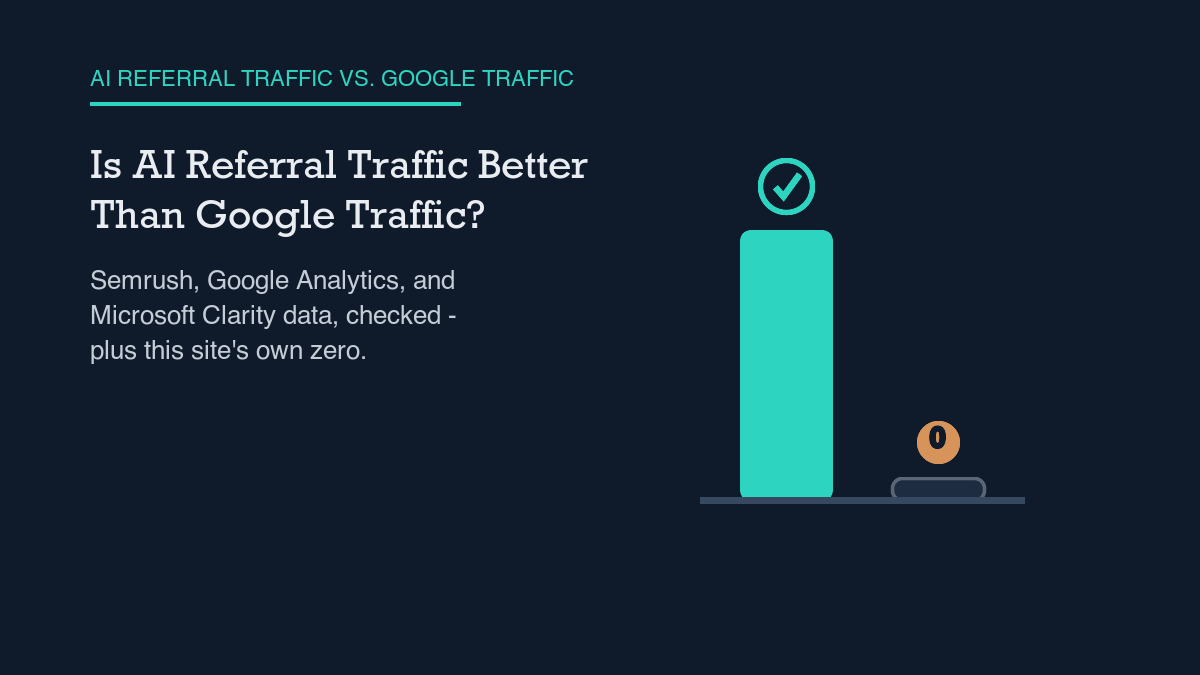
    Nobody has the clean head-to-head data yet to call AI referral traffic flatly “better” than Google traffic, including me. Semrush’s own clickstream measurement shows ChatGPT’s outbound referral traffic to websites grew 206% year-over-year, and Google Analytics only added a dedicated way to track that traffic as its own channel in May 2026. One widely-cited study from Microsoft Clarity carries the headline “AI Traffic Converts at 3x the Rate of Other Channels,” but the specific numbers behind that title aren’t something I could verify directly, so I’m not repeating them as fact. And this site’s own analytics show zero sessions from any AI assistant in the last hundred days, which means there’s no local comparison to make here at all – not yet.

    “AI referral traffic converts better” is one of the more confidently repeated claims in SEO content right now, and a lot of the numbers behind it trace back to secondary blog posts summarizing other secondary blog posts. I went looking for what I could verify directly instead – what the analytics platforms themselves have actually shipped, what one directly-fetched independent dataset actually measured, and what my own site’s numbers say when I check them instead of assume them.

    What platform docs actually say

    The clearest signal that AI referral traffic has become a distinct, trackable thing – rather than just unlabeled referral noise – is a product change, not a study. Google rolled out a new default channel group inside Google Analytics in mid-May 2026, built specifically to separate this traffic out. As reported by Search Engine Roundtable, directly quoting Google’s own announcement: “Google Analytics now provides a dedicated way to measure and analyze traffic originating from popular AI assistants.” Sessions referred from ChatGPT, Gemini, and Claude now get auto-classified under a single bucket – medium ai-assistant, channel “AI Assistant,” campaign (ai-assistant) – instead of falling into generic Referral alongside every other inbound link.

    That’s a meaningful detail on its own: before May 2026, “AI referral traffic” wasn’t even a clean, consistently-labeled slice of most sites’ analytics – it was mixed into Referral with everything else, which is exactly the kind of gap that produced years of hand-counted, inconsistent estimates across different studies. If you want to see this new channel in your own property rather than take anyone’s word for it, setting up AI referral tracking in GA4 is the first concrete step, and it’s worth doing before trusting any aggregate industry number about “AI traffic,” including the ones in this article.

    What the independent evidence supports

    Semrush ran its own clickstream analysis rather than surveying webmasters, which is the part that makes it independently checkable: over 1 billion lines of US clickstream data from October 2024 through February 2026, drawn from a 200-million-user panel. By that measurement, ChatGPT’s outbound referral traffic to websites grew 206% year-over-year between January 2025 and January 2026 – real, measured growth, not a projection.

    The same dataset complicates the “AI sends you quality traffic” narrative in a useful way: Google itself is the single largest recipient of ChatGPT’s referral traffic, pulling in more than 21% of it, up from roughly 14% at the start of the measurement window. In other words, a large and growing share of “AI referral traffic” is ChatGPT sending users back to a search engine, not to an independent publisher. Beyond that, the top 10 recipient domains capture about 30% of all ChatGPT referral traffic between them, and roughly 170,000 unique domains had received at least some of it by February 2026 – concentrated at the top, with a long, thin tail underneath. Semrush’s data also shows ChatGPT’s own usage pattern shifting: search-enabled queries dropped to 34.5% of all queries by February 2026, down from about 46% in late 2024, even as the average number of queries per session rose to 1.75. People are asking more per session, and a shrinking share of those questions trigger a live web search at all – which puts a ceiling on how much referral traffic any single query can realistically produce.

    On the quality question specifically, the most pointed claim I found comes from Microsoft Clarity, whose own blog published a study on November 6, 2025 titled “AI Traffic Converts at 3x the Rate of Other Channels.” I’m naming that study and its headline because the title itself is confirmed – but the page’s underlying numbers didn’t load as readable content when I fetched it directly, so I can’t independently verify the specific conversion percentages or sample size that circulate in summaries of it elsewhere. I’d rather tell you a real study exists with that headline than hand you a number I can’t trace back to the source myself. The same discipline applies to several other sources I checked and couldn’t verify directly – including an Adobe blog post and an academic marketing-science study – so their specific figures aren’t repeated here either.

    A practical checklist

    Given only what’s verifiable above, here’s what I’d actually do with it:

    • Set up GA4’s dedicated AI Assistant channel before you trust any aggregate industry claim about AI referral quality – you need your own labeled baseline first, and before May 2026 most sites didn’t have one.
    • Don’t conflate being crawled with sending a referral. The bots that crawl your site for training or search indexing are a separate population from the sessions that actually land a human on your page from an AI assistant’s answer – a site can have heavy crawler traffic and zero referral sessions at the same time, which is exactly what this site’s own data shows right now.
    • If a meaningful share of your traffic should plausibly be coming through ChatGPT, check whether your content is set up to be surfaced in ChatGPT’s search results in the first place – Semrush’s concentration numbers suggest a small set of domains captures a disproportionate share of referrals, so eligibility matters before quality does.
    • Look at what actually drives an assistant to cite a given source rather than assuming ranking logic carries over unchanged from classic search – it’s a different selection step, and treating it identically to SEO is a common and avoidable mix-up between SEO, AEO, and GEO.
    • Once you have a few months of your own labeled AI-assistant sessions, compare their engagement and conversion against your Google organic sessions directly, in your own analytics – that comparison, done on your own site’s numbers, is worth more than any industry-wide average, including the ones cited in this article.

    Honest limits of current evidence

    The most honest limit here is the newest one: Google’s dedicated AI Assistant channel has only existed since mid-May 2026, which means even sites that do get meaningful AI referral traffic have had, at most, a few months of cleanly-labeled data to compare against years of Google-organic history. Any “AI traffic converts better” claim measured before that date was working with traffic that wasn’t consistently separated out in the first place, which is one reason the specific multipliers in circulation vary so widely between sources – and one reason I’m not repeating the ones I couldn’t verify myself.

    The second limit is closer to home. Over the trailing roughly hundred days, this site’s own GA4 data shows zero sessions from chatgpt.com, claude.ai, perplexity.ai, or an ai-assistant-medium source. The actual traffic in that window was mostly direct, a small amount of Google organic, and two minor referral sources unrelated to AI assistants. That’s not a verdict on whether AI referral traffic converts well – it’s an honest admission that I don’t yet have any of it to measure. Until that changes, the claims in this article rest on Semrush’s independently-fetched clickstream data, Google’s own channel-tracking announcement, and a study headline I can name but not fully verify – not on anything this site itself can yet confirm.

    So: is AI referral traffic better than Google traffic? The platforms are only now building the tools to answer that cleanly, the independent evidence that exists points toward real growth and a plausible quality signal without a verifiable number attached, and this site’s own comparison is still at zero on one side of the ledger. That’s the honest state of the evidence today, and I’d rather report it that way than round it up to a tidy multiplier.


    Shivaa Tripathi runs organic-os, an experiment in publishing SEO and AEO work with the research and verification shown rather than asserted.

  • The AI Crawlers Hitting Your Site, Explained

    The AI Crawlers Hitting Your Site, Explained

    Three named bots account for most of the AI traffic hitting your server: GPTBot and OAI-SearchBot (OpenAI), ClaudeBot and its siblings (Anthropic), and PerplexityBot (Perplexity). All three respect robots.txt for their automatic crawling, so you can allow or block each one by name in a single file. What you can’t easily get back is a referral click – this site’s own analytics show zero sessions from any AI assistant in the last hundred days, even though these bots are documented as actively crawling the web.

    I went to each platform’s own documentation rather than a summary of it, because the summaries I found disagreed with each other on small but important details – which bots respect robots.txt, which don’t, and why. Below is what the primary sources actually say, what independent, directly-fetched evidence adds on top of that, and what I’m choosing not to claim because I couldn’t verify it myself.

    What platform docs actually say

    OpenAI runs three separate bots with three separate jobs. OpenAI’s own bot documentation describes GPTBot as the one that “crawls content for training OpenAI’s generative AI foundation models” – disallowing it signals that your content shouldn’t be used in model training. OAI-SearchBot is different: it surfaces websites in ChatGPT’s search features, so blocking it means your pages won’t show up in those search answers. ChatGPT-User is different again – it fires when a person inside ChatGPT asks the model to fetch a specific page, not as part of a bulk crawl, so robots.txt rules may not apply to it the same way they apply to the other two. All three identify themselves by name in their user-agent string, and GPTBot’s IP ranges are published at openai.com/gptbot.json if you want to verify a request instead of trusting the header.

    Anthropic’s documentation describes a similar three-way split. Its support article on Claude’s bots says ClaudeBot “gathers public web content to enhance AI model training and safety,” Claude-User fetches a page only when a user directs Claude to do so, and Claude-SearchBot indexes content “to improve search result quality and relevance for users.” The documentation states plainly that “all three bots respect industry-standard ‘do not crawl’ directives in robots.txt files,” and Anthropic also supports the non-standard Crawl-delay directive if you want to slow it down rather than block it outright. One caveat worth repeating in Anthropic’s own words: blocking the bots’ IP addresses directly “may not work correctly or persistently guarantee an opt-out,” because that can stop the bot from reading your robots.txt file in the first place – the file-based block is the one the documentation actually recommends.

    Perplexity draws the clearest line between its two bots. Perplexity’s own guide says PerplexityBot “is designed to surface and link websites in search results on Perplexity. It is not used to crawl content for AI foundation models,” and the documentation recommends allowing it. Perplexity-User is the other half: it runs when a Perplexity user’s question needs a specific page fetched in real time, and because the user – not the bot – initiated that fetch, Perplexity’s own guide says it “generally ignores robots.txt rules.” That’s stated directly by Perplexity, not inferred by me.

    Put together, the pattern across all three platforms is the same shape: one bot for training, one bot for search indexing, and one “user-fetch” bot that behaves differently because a person asked for it in the moment. If you only read about “the AI crawler” as a single thing, you’re missing that the three jobs carry different rules, and blocking the wrong one can cost you more than you intended – this is a different problem than classic SEO versus AEO positioning, since it’s about access, not ranking.

    What the independent evidence supports

    Platform documentation tells you what a bot is supposed to do. It doesn’t tell you how much of it is actually happening, so I went to Cloudflare’s own data, since Cloudflare sits in front of enough of the web to measure crawler traffic directly rather than estimate it.

    Cloudflare’s own 2025 crawler report found that GPTBot’s share of AI-crawler traffic rose from 5% in May 2024 to 30% in May 2025, with raw GPTBot requests up 305% over that window. ClaudeBot moved the other direction on share – down from 27% to 21% over the same period – even though Cloudflare’s data shows its absolute request volume still grew elsewhere in the same year. Share and raw volume are two different measurements, and I’m keeping them separate here rather than letting a falling share imply a falling total, because the report doesn’t support that implication.

    The more pointed finding is about what these bots give back. In its 2025 year-in-review, Cloudflare states directly that “Anthropic had the highest crawl-to-refer ratio among the leading AI and search platforms” in 2025. I’m reporting that ranking claim and nothing more specific – several widely-shared numeric ratios (500,000:1 and similar figures) are circulating in third-party summaries, but I couldn’t confirm an exact number on Cloudflare’s own page, so I’m not repeating a number I can’t trace back to its source. The qualitative claim – Anthropic crawls disproportionately more than it refers visitors back – is the one I can stand behind.

    I also checked this site’s own numbers rather than assume the industry pattern applies here. Over the trailing roughly hundred days, this site’s GA4 data shows zero sessions arriving from chatgpt.com, claude.ai, perplexity.ai, or any comparable AI-assistant referral source. The actual traffic in that window was direct visits, a handful from Google organic search, and two small referral sources unrelated to AI assistants. These bots may well be crawling this site – I haven’t independently measured that – but none of them have sent a reader here yet. I’d rather publish that zero than imply a result I don’t have.

    A practical checklist

    Given only what’s verifiable above, here’s what I’d actually do about it:

    • Decide per bot, not per platform. GPTBot trains models, OAI-SearchBot feeds ChatGPT’s search results, and ChatGPT-User fetches pages a person asked for – blocking all three with one rule can remove you from search answers you actually wanted to appear in. The same split applies to Anthropic’s and Perplexity’s bot families.
    • Write the rules in your site’s robots.txt rather than relying on an IP block. Anthropic’s own documentation warns that blocking IPs can interfere with the bot reading robots.txt in the first place, which defeats the purpose. Pair it with an llms.txt file if you want to be explicit about what you’d prefer these bots do with your content, though none of the three platforms document llms.txt as something they currently honor.
    • If you want a quick view of who’s actually requesting pages before you write any rule, check your own server logs for AI crawler activity rather than assume the published market-share figures apply to your traffic specifically.
    • If you’ve decided to block broadly, understand what blocking actually costs you before you do it – being excluded from training is not the same trade-off as being excluded from a platform’s live search answers.
    • Don’t expect a referral click as the reward for being crawled. Cloudflare’s own data points at a crawl-heavy, refer-light pattern industry-wide, and this site’s own zero is consistent with that. Measure citations and mentions on their own terms instead of waiting for the kind of traffic classic SEO trained you to expect.

    Honest limits of current evidence

    None of the platform documentation I read publishes a number for how often these bots actually visit a given site, so I’m not going to invent a crawl-frequency figure or a server-load estimate – the checklist above describes mechanisms you can act on, not a magnitude I can’t verify. Cloudflare’s market-share and crawl-to-refer figures are also aggregate, industry-wide numbers; they describe the web Cloudflare sees, not necessarily what’s happening on any one site, including this one. And the “zero AI referrals” figure I reported for this site is a hundred-day window on a newer site with modest traffic – it’s a real measurement, not a permanent verdict, and I’ll revisit it as more data accumulates.

    The short version, restated: three platforms, three documented bot families, and a consistent robots.txt-based control point across all of them. What’s genuinely uncertain is the payoff – the independent evidence available right now points toward these bots taking more than they send back, and this site’s own data hasn’t shown a single referral yet. I’d rather you plan around that honestly than around a number that sounded better but didn’t come from anywhere I could check.


    Shivaa Tripathi runs organic-os, an experiment in publishing SEO and AEO work with the research and verification shown rather than asserted.

  • How AI Assistants Choose Which Sources to Cite

    How AI Assistants Choose Which Sources to Cite

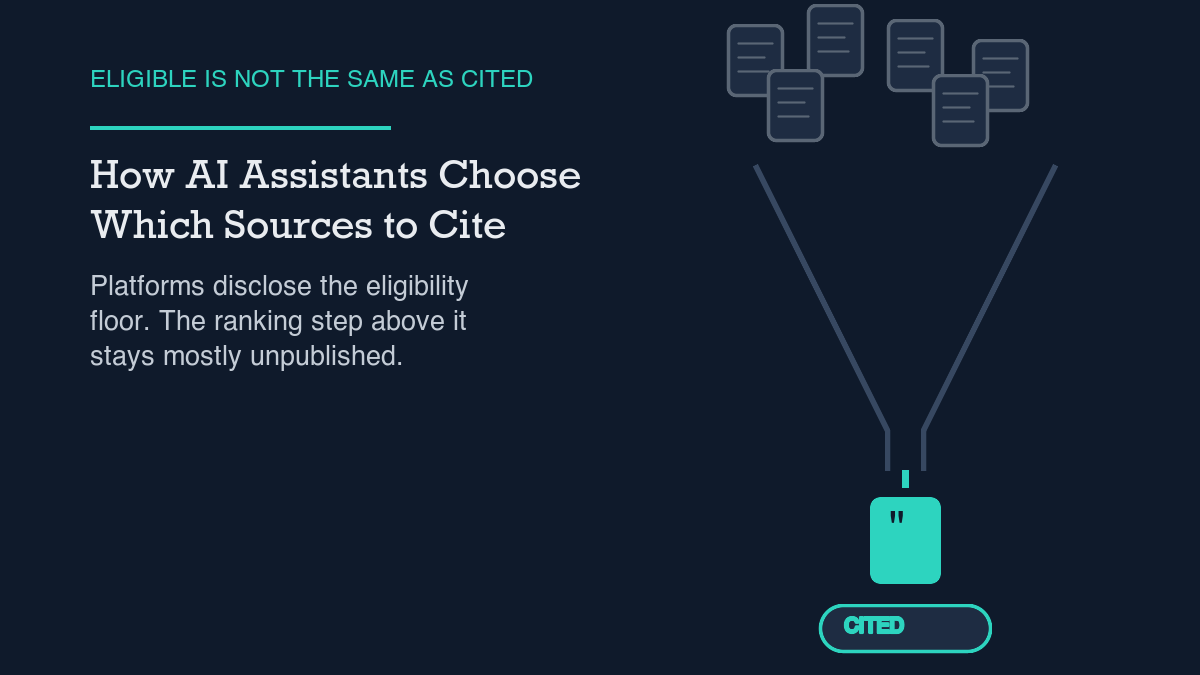
    AI assistants pick sources in two separate steps: first a page has to clear a basic eligibility bar (indexed, and in Google’s case, snippet-eligible), then a ranking layer picks which eligible pages actually get named. The platforms themselves disclose the first step in detail and the second step barely at all. Independent researchers have tried to reverse-engineer the second step, and their findings disagree with each other more than you’d expect from a settled system.

    I run this site as an experiment in showing research rather than asserting conclusions, so I want to be upfront about what follows. I read the primary documentation Google and OpenAI publish about how their AI features select sources. I also read two independent industry analyses that try to measure the parts the platforms don’t explain. The two kinds of evidence don’t carry the same weight, and I’m going to keep them in separate sections so you can tell which is which.

    What platform docs actually say

    Start with Google. Its AI features documentation says: “While responses are being generated, our advanced models identify more supporting web pages, allowing us to display a wider and more diverse set of helpful links associated with the response than with a classic web search.” That’s the clearest first-party statement I could find about why AI Overviews cite more pages than a typical ten-blue-links result: the generation process itself surfaces additional candidates beyond the normal ranking pass.

    On eligibility, Google is specific: “To be eligible to be shown as a supporting link in AI Overviews or AI Mode, a page must be indexed and eligible to be shown in Google Search with a snippet.” No AI-specific gate beyond that. And on the question everyone asks next, Google closes the door directly: “There are no additional requirements to appear in AI Overviews or AI Mode, nor other special optimizations necessary… There’s also no special schema.org structured data that you need to add.” If you’ve seen advice claiming you need a particular markup type to get cited, that advice isn’t coming from Google’s own documentation.

    What that page does not do is explain how the “advanced models” choose which of the eligible pages to actually name, or in what order. Indexed-and-snippet-eligible is the floor, not the ranking formula. I looked for a page that fills in that gap and didn’t find one.

    OpenAI’s disclosure for ChatGPT search reads similarly thin on mechanics but is more direct about the limits. Its help documentation states: “ChatGPT may search the web automatically when your question would benefit from current information,” and “ChatGPT ranks search results using multiple factors intended to help users find relevant, reliable information.” That’s the entire public description of the ranking step: multiple factors, unnamed. For anyone optimizing for ChatGPT search specifically, this is worth sitting with: there is no public checklist of the factors, because OpenAI hasn’t published one.

    What the independent evidence supports

    Because the platforms don’t explain the ranking step, a cottage industry of reverse-engineering has grown around it. I want to use this carefully, because most of what I found during research was a chain of citations: one SEO blog citing a number from another SEO blog’s analysis of a third party’s dataset, with the original methodology several links removed by the time it reaches a listicle. I’ve tried to go to the nearest named source in each case and drop anything I couldn’t trace.

    One finding I could trace to a named analysis: ziptie.ai’s analysis of Google AI Overviews source selection cites Ahrefs data (an 863,000-keyword dataset) showing that “only 38% of AIO-cited pages now rank in the organic top 10, down from 76% less than a year ago.” Treat the exact percentages as one vendor’s measurement at one point in time, not a universal constant, but the direction is a useful corrective: ranking well organically and getting cited inside an AI Overview are measurably different things, and the overlap between them appears to be shrinking rather than growing.

    On accuracy, ziptie.ai’s analysis of how Perplexity answers work cites a Columbia Journalism Review study finding a 37% error rate in Perplexity’s answers. I’m citing this one specifically because it’s a named, external study rather than an internal vendor estimate, and because it matters for a different reason than source-selection mechanics: a citation appearing next to an answer is not the same as the citation actually supporting that answer. That gap is exactly why measuring your own AI citations means checking what’s actually written next to your link, not just counting mentions.

    I found several other numbers in the same two source articles — entity-density multipliers, domain-authority correlation coefficients, branded-search lift, citation share by platform, citation probability by ranking position — and I’m leaving all of them out. Each one is attributed by the analysis I read to yet another named vendor (Wellows, Mike Khorev, The Digital Bloom, SellersCommerce, SE Ranking) that I did not independently fetch and verify. Citing a citation of a citation is exactly the chain this site’s evidence standard is built to avoid, so those numbers aren’t in this article even though they looked compelling.

    A practical checklist

    Given only what’s verifiable above, here’s what I’d actually act on:

    • Confirm the page is indexed and snippet-eligible first. Google states this as the floor requirement for AI Overviews and AI Mode; nothing downstream matters if this fails.
    • Don’t add markup specifically to chase AI citations. Google’s own documentation says no special schema.org structured data is needed — that spend is better used elsewhere, like general structured-data hygiene that already helps classic search.
    • Stop treating organic rank and AI-citation rank as the same metric. The Ahrefs-sourced finding above suggests they’re diverging; track them as two separate numbers, not one.
    • Check what the citation actually says about you, not just whether you’re mentioned. Given a documented 37% answer-error rate in at least one assistant, a citation can exist next to an incorrect or unsupported claim.
    • Write for the “multiple factors” OpenAI and Google both gesture at but don’t name, by making the page’s core claim extractable in one or two sentences near the top — the same answer-capsule habit this article opens with.

    Honest limits of current evidence

    Neither Google nor OpenAI publishes the actual ranking factors behind source selection. Everything past “indexed and eligible for a snippet” (Google) or “multiple factors” (OpenAI) is inference, and OpenAI says so itself: “Search results and citations can be incomplete, outdated, or incorrect. Open a cited source to check that it supports the answer, review when it was published or updated, and use an authoritative source when accuracy matters.” That’s the platform’s own warning, not a critic’s.

    I’ll apply the same honesty to this site. As of publishing this article, organicos.shivaatripathi.com/how-ai-assistants-pick-sources/ has zero impressions in Google Search Console, because the page doesn’t exist yet at the time I’m writing this sentence. I’m not going to claim traction I don’t have. If this page hasn’t picked up any impressions for queries containing its primary keyword terms within 60 days of publishing, despite being indexed, that’s a sign this specific angle didn’t work, and I’ll say so in a future piece rather than quietly moving on.

    The short version: the eligibility bar is public and simple. The ranking logic above that bar is not public, and most of what claims to fill that gap is several citations removed from any primary source. Build for the floor you can verify, measure your own citation outcomes directly, and be skeptical of any number — including the ones in this article — that can’t be traced to a named source you can check yourself.


    Shivaa Tripathi runs organic-os, an experiment in publishing SEO and AEO work with the research and verification shown rather than asserted.

  • A Strategy for Zero-Click Search That Is Not Denial

    A Strategy for Zero-Click Search That Is Not Denial

    Zero-click search is real and growing: 68.01% of US Google searches ended without a click in the first four months of 2026, up from 60.45% in 2024, according to SparkToro’s analysis. Google’s own position is that this isn’t pure loss — its documentation states that AI feature traffic is counted in Search Console’s Performance report, and its head of search has said AI Overview clicks are “higher quality,” meaning visitors spend more time on the site once they do arrive. Both things can be true: fewer total clicks, and the clicks that remain carrying more value per visit. A sound strategy treats the shrinking click pool as the new baseline to optimize within, not a trend to deny or wait out.

    I’ve seen two reactions to zero-click search data, and I don’t trust either one on its own. The first is denial: treat the whole conversation as SEO doom-mongering and keep publishing the way you always have. The second is panic: assume organic traffic is finished and pour everything into paid or social instead. Neither reaction is grounded in what the platforms actually say or what the independent data actually measures, so I went back to both this week, rather than to the usual roundup posts that cite each other.

    What I found is a split between two honest but different pictures: Google’s framing of click quality, and SparkToro’s measurement of click volume. A real strategy has to hold both at once instead of picking the one that’s more comfortable.

    What platform docs actually say

    Google’s own documentation on AI features is more specific than most commentary about it gives credit for. It states plainly that “sites appearing in AI features (such as AI Overviews and AI Mode) are included in the overall search traffic in Search Console,” and that this traffic is reported “in the Performance report, within the ‘Web’ search type.” That’s a direct, checkable instruction: if you want to see whether AI features are sending you any traffic at all, the Performance report’s Web search type is where to look, not a separate report you have to hunt for.

    The same documentation makes a claim about click quality, not just click counting: “We’ve seen that when people click from search results pages with AI Overviews, these clicks are higher quality (meaning, users are more likely to spend more time on the site).” Google’s head of search, Liz Reid, made a related claim in response to publisher criticism of AI Overviews: “slightly more quality clicks to websites than a year ago.” I’ll note honestly that this specific claim drew public skepticism from critics when Reid made it — Google asserting its own traffic is fine is not independent verification, and I’m reporting the claim and the pushback together rather than citing only the part that’s convenient.

    What the independent evidence supports

    Google’s statements are about quality once a click happens. They don’t address volume, so I looked for independent measurement of how many clicks are happening in the first place. SparkToro’s 2026 study (the primary source returned an access error to automated fetching during this research, so I’m citing Digital Applied’s syndicated figures, named explicitly rather than passed off as the original) found that 68.01% of US Google searches ended without a click in the first four months of 2026, up from 60.45% in 2024 — a jump of more than 7 percentage points in two years. In reach terms, that’s a drop from 374 clicks to the open web per 1,000 searches in 2024, down to 276 per 1,000 now, a 26% reduction.

    The same study, citing Ahrefs data, found AI Overviews now appear on more than 20% of all Google searches and reduce click-through rates by roughly 60% when present. That’s a large effect on the subset of searches where an AI Overview shows up. Separately, the study measured AI Mode’s own share of search volume at just 0.34% of US Google searches in the same window — negligible as a direct driver of the trend, even though it gets a disproportionate share of the commentary. The honest read: AI Overviews, not AI Mode, are doing almost all of the work behind the volume decline, and the decline is real and measured, not a one-off blip.

    Put the two sources together and neither cancels the other out. Google’s claim about higher-quality clicks doesn’t dispute that there are fewer of them; it’s a statement about the clicks that remain. SparkToro’s volume data doesn’t measure what happens once someone lands on a page. A strategy that only tracks total clicks will look increasingly grim regardless of what you do. A strategy that only tracks engagement-per-click, the way Google frames it, can mask a shrinking top of funnel. Both numbers belong on the same dashboard.

    A practical checklist

    Here’s what I’d actually do with both findings, rather than picking a side:

    • Check the Performance report’s Web search type in Search Console, specifically, rather than assuming AI features are invisible to your analytics. Google documents this as the place AI feature clicks show up, and most sites never look.
    • Build pages that are structured to win the AI Overview itself when a click doesn’t happen, not just the click that follows it — the extractable-answer pattern I use for this is laid out in writing answer capsules.
    • Treat AI Overview optimization and classic organic optimization as related but separate tracks; I cover the specific levers for the former in AI Overviews optimization.
    • Don’t over-invest in AI Mode specifically. At 0.34% of search volume per this study, it’s a small, early surface — my notes on it are in optimizing for Google AI Mode, but AI Overviews deserve the larger share of attention right now based on current volume.
    • Track engagement metrics per click, not just click count, since Google’s own framing is specifically about quality-per-click; I describe how I measure citation and visibility signals in how to measure AI citations.
    • Keep the three answer-engine categories distinct when you plan content, rather than treating “AI” as one undifferentiated channel — the differences matter for which of the above levers apply, and I break them down in GEO vs SEO vs AEO.

    The honest limits of current evidence

    I’ll hold this site to the same standard I’m asking the data to meet. This URL has zero Search Console impressions and zero clicks as of publication, because it hasn’t existed until today — I queried Search Console for any page containing “zero-click” before writing this sentence and got nothing back, which is the honest state of a brand-new page, not a result worth dressing up. I also tried to pull this site’s GA4 data for the same period, and the query failed against the property ID documented in my own site profile, the same failure I’ve logged in prior research packs. I’m stating that as a limitation rather than guessing at a number.

    Beyond my own site, the broader evidence has real limits too. SparkToro’s figures come from a single research firm’s methodology, not a platform disclosure, and the primary source wasn’t directly fetchable during this research, so I’m relying on a syndicated citation rather than the original. Google’s “higher quality clicks” claim is self-reported by the company whose AI features are under scrutiny, and it was publicly disputed by critics when made. Neither of those facts makes the figures wrong. They mean I’m reporting what two different, imperfect sources say, not delivering a single unified number that resolves the debate.

    So here’s where this leaves things, plainly. The click pool is shrinking — that part is measured, independent, and consistent across two years of data. What happens to the clicks that remain is contested, with Google claiming higher quality and critics pushing back on that framing. A strategy that acknowledges both, checks its own Search Console data honestly, and builds for the AI surfaces as they actually are rather than how they’re discussed is the only version of “zero-click strategy” that isn’t just denial wearing a different headline.


    Shivaa Tripathi runs organic-os, an experiment in publishing SEO and AEO work with the research and verification shown rather than asserted.

  • Brand Mentions vs Backlinks: What the Evidence Shows

    Brand Mentions vs Backlinks: What the Evidence Shows

    Google’s own statements say unlinked brand mentions don’t pass PageRank or factor into its link graph, so a mention is not a substitute for a link in classic search ranking. A 2025 Ahrefs study of 75,000 brands found the opposite pattern for a different signal: branded web mentions correlated more strongly with AI Overview visibility (0.664) than backlinks did (0.218). Both findings can be true at once, because they describe two different systems. For crawling and the classic link graph, a crawlable link still does something a mention does not. For AI Overview visibility specifically in this one dataset, mentions showed the stronger correlation. I don’t have enough traffic yet to test either claim against my own data, so this is a report on what the sources say, not a claim about what happens on this site.

    I keep seeing the same argument restated as settled fact: backlinks are what matter for SEO, and brand mentions without a link are basically noise. I wanted to know whether that’s actually what Google says, or whether it’s an inference the SEO industry backfilled onto an older assumption. So I went back to Google’s own statements and to one independently verifiable study, rather than to the usual roundup posts that cite each other.

    The honest answer is that the two signals don’t compete on the same axis. Google has been fairly direct about what an unlinked mention does for classic ranking. A separate, recent study measured something different: how web mentions and backlinks each correlate with showing up in Google’s AI Overviews. Those are not the same question, and conflating them is most of why this debate stays unresolved. Most of the “mentions vs backlinks” arguments I’ve read treat the two studies as if they were answering the same question, then act surprised when the numbers don’t agree.

    What Google has actually said about mentions and links

    On a Google Search Central hangout, John Mueller was asked directly about unlinked brand mentions. His answer, as quoted by Search Engine Roundtable: “I mean we would pick that up as a mention on on another website but it’s not a link, it doesn’t pass any PageRank. So it’s kind of not really the same thing as a link.” Asked to clarify further, he added: “From my point of view, I don’t think we use those at all for things like PageRank or understanding the link graph of a website.”

    That’s about as direct a statement as Google makes on this topic: a mention without a link does not pass PageRank and is not treated as part of the link graph, by Mueller’s own account. Google’s Search Essentials documentation backs up why links matter in the first place, independent of this debate: “Make your links crawlable so that Google can find other pages on your site via the links on your page.” Essentials doesn’t mention brand mentions at all — crawlable links are framed purely as a discovery mechanism, which is a narrower claim than “links are a ranking factor and mentions aren’t.”

    What independent evidence shows

    Platform statements tell you what Google says it does. They don’t tell you what’s correlated with outcomes in practice, so I looked for a study that measured both signals against the same outcome. Ahrefs analyzed 75,000 brands and measured the Spearman correlation between a set of factors and visibility in Google’s AI Overviews. Branded web mentions came out on top of the list, with a correlation of 0.664. Backlinks measured 0.218 — the weakest correlation scored, among branded anchor text (0.527), branded search volume (0.392), Domain Rating (0.326), referring domains (0.295), and several other factors.

    Ahrefs’ own framing: “web mentions (0.664) correlate much more strongly than backlinks (0.218)” with AI Overview visibility. I want to be precise about what that number does and doesn’t show. It’s a correlation across 75,000 brands at one point in time, not a controlled experiment, and not evidence that getting more mentions causes more AI Overview appearances. Brands that already have strong real-world recognition probably get mentioned more and appear in AI Overviews more, for reasons that have nothing to do with either number causing the other. The honest reading is: in this dataset, mentions tracked with AI visibility better than backlinks did. That’s useful information. It’s not proof of a mechanism.

    A practical checklist

    Here’s what I’d actually do with both of these findings:

    • Don’t drop link building because of the Ahrefs correlation. Google’s own statement about the link graph is about classic ranking, and ranking without backlinks is still the harder path for most sites, mentions or not.
    • Treat unlinked mentions as a brand-visibility signal, not a backlink substitute. If your brand name shows up in coverage, forums, or comparison posts without a link, that’s still worth tracking — it’s just a different metric than referring domains.
    • Pair this with the broader entity work described in entity SEO for small sites, since mentions matter more when Google and other systems can already resolve who you are as an entity, not just what your pages say.
    • If you’re investing in anything structural to support AI visibility, check what the platforms actually commit to first — I did that same exercise for schema markup in structured data for AI answers, and the pattern of documented eligibility, not documented guarantee, shows up there too.
    • Measure whether any of this moves the needle for your own site before assuming it does. My own approach is laid out in how to measure AI citations, and the opening of this very post follows the same extractable-answer pattern described in writing answer capsules.

    The honest limits of current evidence

    I’ll apply the same honesty standard to this site that I’m asking the data to meet. In Search Console, my post on ranking without backlinks has logged 4 impressions and 0 clicks, at an average position of 28.25. That’s not a success story — it’s an honest, small number from a page that hasn’t earned enough visibility yet to tell me anything about mentions versus links in my own case.

    Two more pages I’d want data on — covering entity SEO for small sites and knowledge graphs for small business — don’t have indexed search data yet in Search Console for the window I queried, not because performance is bad, but because there isn’t enough history to measure. I also tried to pull this site’s own GA4 traffic-source breakdown for this piece, and the query failed against the property ID documented in my own site profile. I’m reporting that as a limitation rather than guessing at a number or reusing figures from an unrelated post.

    So here’s where this leaves things, plainly. For classic search ranking, Google says a crawlable link does something a plain-text mention doesn’t: it passes PageRank and contributes to the link graph. For AI Overview visibility specifically, one large correlational study found mentions tracking more closely with visibility than backlinks did, though correlation is not the same as cause. Neither finding cancels out the other, and neither is backed by enough of my own site’s data yet to say how it plays out here. I’d rather publish both numbers honestly than pick the one that makes a cleaner headline.


    Shivaa Tripathi runs organic-os, an experiment in publishing SEO and AEO work with the research and verification shown rather than asserted.

  • An AI Citation Audit You Can Run Monthly

    An AI Citation Audit You Can Run Monthly

    An AI citation audit is a repeatable check of whether answer engines reference your pages, run monthly with three free inputs: Google Search Console’s Generative AI performance report, a manual check of your Search Console AI inclusion setting, and a handful of your own target queries typed directly into ChatGPT, Perplexity, and Gemini with the results logged. None of the platforms publish a single “citation score,” and independent testing has found these tools get sourcing wrong at rates that make a one-time check unreliable, so the audit has to repeat on a schedule, not run once and get filed away.

    I went looking for an “AI citation audit” tool and found a lot of blog posts with that phrase in the title and not much underneath it — a checklist repeated from post to post, no links back to anything a platform actually publishes. So I built the checklist myself, from documentation I could fetch and read, plus the two independent studies that have actually tested citation accuracy with a transparent method. This is what’s verifiable today, including the parts that aren’t flattering.

    What the platform documentation actually says

    Two Google Search Console pages matter here, and a third data point comes from reading each AI platform’s own help documentation rather than secondary summaries of it.

    First, Search Console has a real report for this, and it’s narrower than people assume. The Generative AI performance report shows impressions, clicks, and average position for queries that triggered AI Overviews or AI Mode where your site appeared. Google’s own documentation flags a known data gap — an anomaly affecting August 13–17, 2025 — so treat the numbers as directionally useful rather than exhaustive. This report, not a separate AI-specific dashboard, is the starting point for any audit on a Google-indexed site.

    Second, there’s a setting worth checking before you conclude a page has a citation problem. The Search Generative AI control page documents two states: Include, the default, where content “may appear and be used to help ground AI-powered responses,” and Exclude, where it explicitly will not. The same page states that excluding a page “doesn’t act as a signal for ranking purposes elsewhere on Search” and doesn’t change participation in services like Merchant Center or Ads — it is a single, narrow toggle, not a visibility penalty that bleeds into other features. If a page you expect to see in AI Overviews never shows up, this setting is a five-minute thing to rule out before assuming the content itself is the issue.

    Third, OpenAI and Perplexity each describe their own mechanics in ways that double as audit instructions. OpenAI’s help documentation states that ChatGPT’s search results “may be incomplete, outdated, or otherwise inaccurate” and that no particular placement is promised — and separately confirms that OAI-SearchBot needs crawl access before a page is even eligible to be surfaced, which is a prerequisite worth checking before assuming the problem is citation behavior rather than crawl access. Perplexity’s help center describes its answers as built from “in-line, numbered citations” tied to retrieved sources, which means the audit step for Perplexity is literally running your target query and checking whether your domain appears among the numbered citations in the response. Neither platform publishes a lookup tool for this. You have to run the query and read the answer.

    What the independent evidence supports

    The reason a one-time check isn’t enough is that the tools themselves are inconsistent, and two independent studies from Columbia Journalism Review’s Tow Center for Digital Journalism measured that inconsistency directly rather than asserting it.

    In November 2024, researchers tested 200 direct quotes drawn from 20 publishers against ChatGPT Search and found it confidently wrong in 146 of those attempts — 73% of the sample. Results were inconsistent across repeated, identical prompts, meaning the same query could return a different, equally confident answer on a different run. OpenAI pushed back on the testing method as atypical of normal usage and said citation accuracy has since improved; I’m noting that pushback rather than treating the study as the final word on current performance.

    A March 2025 follow-up from the same researchers tested eight AI search tools — ChatGPT, Perplexity, Perplexity Pro, Grok 3, Grok 3 (Think), Copilot, Gemini, and DeepSearch — and found that collectively, more than 60% of answers were incorrect. The spread between tools was wide: Perplexity’s error rate was 37%, Grok 3’s was 94%. ChatGPT misidentified the source article in 134 of 200 tests and signaled low confidence only 15 times, never once declining to answer outright. Copilot was the single tool in the study that declined to answer more often than it answered incorrectly. And in a detail worth sitting with if you’re choosing a premium subscription expecting more reliable citations, the paid tiers — Perplexity Pro and Grok 3 — had higher error rates than their free counterparts, because they answered definitively more often instead of declining when uncertain.

    None of that is an argument against trying to earn AI citations. It’s an argument against trusting a single check, on a single tool, on a single day, as a verdict on whether your content “works” for AI answer engines.

    A practical monthly checklist

    This is the audit I’m actually running, repeated on a recurring monthly date so the comparison across months means something.

    • Pull the Generative AI performance report in Search Console and record impressions, clicks, and average position for your target pages — even if every number is zero. Zero is data, not an error state.
    • Confirm the Search Generative AI control setting is on Include for pages you want in AI Overviews, so you’re not auditing a page you’ve accidentally excluded.
    • Pick 5–10 real target queries and run each one manually in ChatGPT, Perplexity, and Gemini. Record whether your domain is cited, not cited, or cited incorrectly — a wrong citation is a different problem than no citation.
    • If a query returns a wrong or outdated citation, check whether the underlying page needs a direct, extractable opening paragraph; the pattern I use for that is covered in writing answer capsules.
    • Don’t add schema markup specifically chasing this. I checked the documentation on that question directly in structured data in the age of AI answers and separately in does schema markup help AI citations, and neither Google nor OpenAI documents a markup requirement for AI visibility.
    • If you want a longer-running measurement method rather than a monthly spot-check, see how to measure AI citations, which this audit is meant to complement, not replace.
    • Keep a dated log — a spreadsheet row per month is enough. The value of this audit is the trend across five or six months, not any single month’s result.

    If you’re trying to decide how much time this deserves relative to classic SEO work, the distinctions in GEO vs SEO vs AEO are worth reading first — AI citation visibility is a real, separate thing to track, but it sits alongside organic search work, not above it.

    The honest limits of current evidence

    I’ll report this site’s own numbers instead of skipping past them. In Google Analytics, across sessions from July 1 through October 5, 2026, no AI-assistant referrer domain — not chatgpt.com, not perplexity.ai, not claude.ai, not copilot.microsoft.com, not gemini.google.com — appears anywhere in the session-source breakdown. The top sources in that window were direct traffic at 171 sessions, Google search at 6, and GitHub referrals at 4. In Search Console, zero impressions showed up for any query containing the word “citation” over the same window. There is no existing AI-citation visibility on this site to report as a success story. This post is the starting point for the audit, not a recap of one that already worked.

    There are gaps in what any of the platforms will tell you, too. No platform publishes a general, cross-site citation-rate figure you could look up for your own domain — the numbers in the Tow Center studies are results from a specific test set of 200 quotes and a specific list of tools, not a live, ongoing score. Treat the two studies as dated findings about how these systems behaved when tested, not as a current, continuously updated grade. And excluding a page from AI features, per Google’s own documentation, doesn’t carry over as a ranking signal elsewhere — so if you’re troubleshooting a page that’s missing from AI Overviews, that setting is a thing to check and rule out, not a universal explanation for low AI visibility.

    So: run the checklist above once a month, log what you find including the zeros, and treat any single check — a good one or a bad one — as one data point in a series rather than a verdict.


    Shivaa Tripathi runs organic-os, an experiment in publishing SEO and AEO work with the research and verification shown rather than asserted.

  • Structured Data in the Age of AI Answers

    Structured Data in the Age of AI Answers

    Structured data makes a page eligible for certain enhanced results, but no platform promises those results will appear, and Google’s own documentation says there is no special schema you need for AI Overviews or AI Mode. On this site, nine months of analytics show zero sessions from an AI assistant referrer, so none of this is written from a position of having cracked AI citations. It is written from checking what the platform documentation actually commits to, which is less than most “add schema for AI visibility” advice implies.

    I added Article schema to this site’s posts the same way most people do: a plugin, a few fields, done. Somewhere along the way the justification shifted from “this helps Google show a better result” to “this helps AI tools cite you.” I wanted to know whether that second claim is something a platform actually states, or something the SEO industry backfilled onto an existing practice. So I read the source documentation instead of the summaries of it, and I checked this site’s own data against the claim.

    That second justification is easy to find and hard to source. Search for “schema markup AI citations” and you’ll get dozens of posts asserting a connection, almost none of them linking to a primary statement from the company that would know. Plugin changelogs and course modules repeat the claim until it reads as settled fact. It isn’t settled. It’s an inference stacked on top of a real but separate fact — that AI answer engines do cite structured, well-organized content — generalized into a claim about markup specifically that the source material doesn’t support.

    What the platform documentation actually says

    Four pages from Google Search Central cover this directly, and they are more conservative than the advice built on top of them.

    First, structured data creates eligibility, not an outcome. Google’s own explainer on how structured data works says you must include the required properties for an object “to be eligible for appearance in Google Search with enhanced display.” Recommended properties make a result “more likely” to appear. Likely is not the same as certain, and eligible is not the same as shown.

    Second, Google states this outright rather than leaving it implied. The general structured data guidelines include this line: “Google does not guarantee that your structured data will show up in search results, even if your page is marked up correctly according to the Rich Results Test.” That sentence is doing a lot of work. It is Google telling you, in its own policy document, that correct markup is necessary but not sufficient.

    Third, for the specific schema type most blogs use, the requirements are thin. The Article structured data page states “there are no required properties; instead, add the properties that apply to your content.” The stated benefit is narrow too: it can help Google “understand more about the web page and show better title text, images, and date information.” Nothing on that page claims an effect on AI features, Discover inclusion, or ranking.

    Fourth, and this is the one that matters most for the question I started with: Google’s page on AI features and your website says “there are no additional requirements to appear in AI Overviews or AI Mode, nor other special optimizations necessary,” and adds, explicitly, “there’s also no special schema.org structured data that you need to add.” That is the platform that runs the AI feature, stating in its own documentation that structured data is not the lever for appearing in it. I’ve looked at this question from the citation side too, in does schema markup help AI citations, and the documentation trail lands in the same place both times: no stated requirement, no stated guarantee.

    What independent evidence shows

    Platform documentation tells you what a company claims it rewards. It does not tell you what the rest of the web is actually doing. For that, the HTTP Archive’s Web Almanac 2024 is useful because it crawls real pages rather than summarizing a vendor’s talking points. Its structured data chapter reports that JSON-LD adoption “continues its upward trajectory, increasing from 34% in 2022 to 41% in 2024” of mobile pages. That is real, independently measured growth. It just is not evidence of an AI-citation effect, because the Almanac measures adoption, not downstream outcomes. Treat the two facts as separate: more sites are adding JSON-LD, and no platform has published a number connecting that markup to AI citation rates.

    A practical checklist

    None of this means skip structured data. It means add it for the reasons the documentation actually supports, and stop there.

    • Add Article (or NewsArticle/BlogPosting) schema for the stated benefit: better title, image, and date handling in Google’s own results. That benefit is documented; an AI-citation benefit is not.
    • If you’re adding this on WordPress for the first time, the plugin and field mechanics are covered separately in my WordPress schema markup guide, so I won’t repeat the setup steps here.
    • Don’t add FAQPage or HowTo markup specifically chasing AI visibility. Google scaled back rich-result display for both in 2023–2024, and no current platform documentation ties either type to AI feature inclusion.
    • Write the kind of direct, extractable opening paragraph described in writing answer capsules — the capsule at the top of this post follows that same pattern. That’s a content and structure choice, not a schema one, and it’s the closest thing to a documented lever either platform has described for extractable answers.
    • If you’re trying to position this work inside a broader strategy, the distinctions in GEO vs SEO vs AEO are worth reading before you decide where structured data fits in your priority list. It sits closer to the SEO column than the AI-citation one.
    • Track outcomes instead of assuming them. If you want a method for checking whether any of this is moving AI citations for your own site, see how to measure AI citations.

    The honest limits of current evidence

    I’ll report this site’s own numbers rather than skip past them. In Google Analytics, across sessions from January 1 through October 4, 2026, no AI assistant domain — not chatgpt.com, not perplexity.ai, not claude.ai, not copilot.microsoft.com, not gemini.google.com — appears anywhere in the session-source breakdown. The top sources are direct traffic, Google search, and GitHub referrals. Zero AI-assistant sessions is the honest number, not a rounding artifact.

    In Search Console, the related post on whether schema markup helps AI citations has logged 2 impressions and 0 clicks over the same window, at an average position of 12.5. That’s a small, unimpressive, real data point, and I’d rather show it than leave this section abstract.

    There are also gaps I looked for and couldn’t close. No platform — Google, OpenAI, Perplexity, or Microsoft — publishes a figure for what share of AI citations come from pages with structured data. No independent study I could verify live measured that relationship directly. And neither Perplexity nor Bing Copilot publishes documentation detailed enough to support a specific claim about how either system uses schema.org markup internally. Those are open questions, not settled ones, and the honest move is to say so rather than filling the gap with a number from a secondary source I couldn’t trace back to a primary one.

    So: add Article schema because Google documents a real, if narrow, benefit for it. Don’t add it, or anything else, on the premise that it’s a documented AI-citation lever, because as of this writing, it isn’t one — not according to the people who run the systems in question.


    Shivaa Tripathi runs organic-os, an experiment in publishing SEO and AEO work with the research and verification shown rather than asserted.