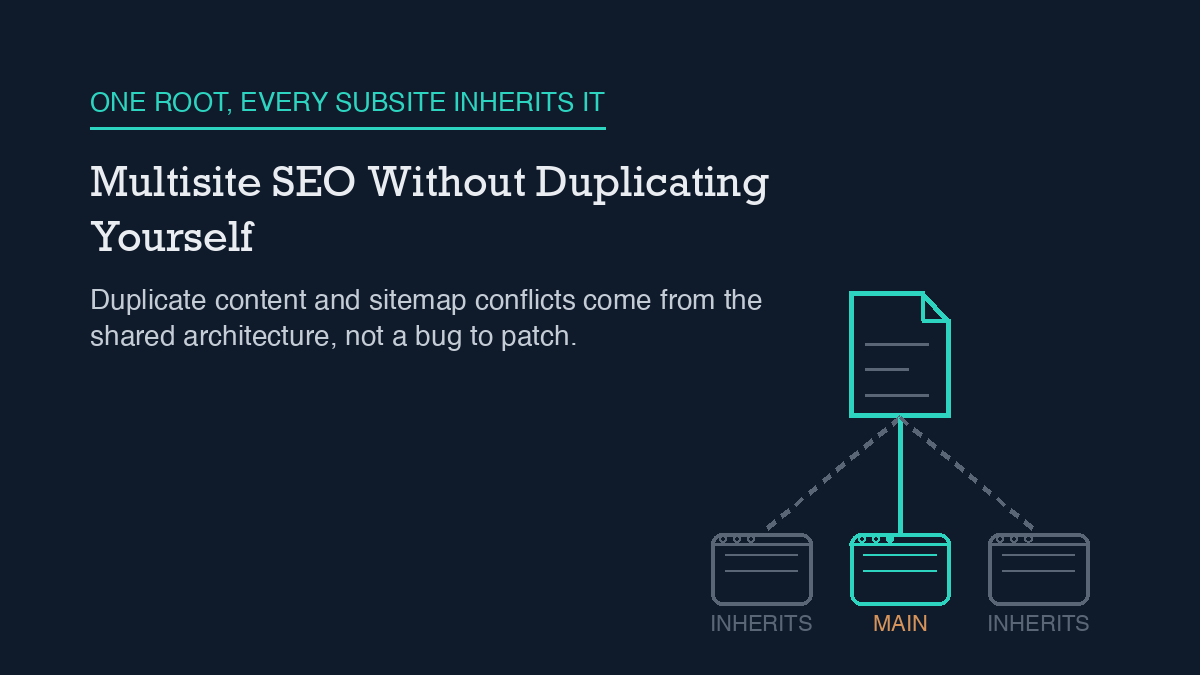
Multisite SEO problems are not bugs to patch. They come from the architecture: every subsite on a network shares one database, one set of plugins, and often one domain root, so anything that depends on a single, unique file or a single, unique canonical URL – robots.txt, XML sitemaps, boilerplate pages – has to be handled deliberately per subsite. Fix it by setting a self-referencing (or cross-domain) canonical on every subsite, confirming your SEO plugin’s robots.txt and sitemap behavior for your specific network type, and treating your subdomain-vs-subdirectory choice as permanent from day one.
Why it happens
A WordPress Multisite network is one WordPress install pretending to be several sites. Every subsite draws from the same database, the same core files, and the same wp-content directory. Themes and plugins are installed once and made available network-wide; a Super Admin can activate a plugin for every subsite at once, and individual site admins cannot always deactivate it. There is no code-level wall between subsites – a plugin conflict or a misconfigured setting on one subsite is a network-wide condition, not a contained one.
That shared architecture is exactly why SEO tooling behaves differently on multisite. Robots.txt is a good example: a domain can only ever serve one robots.txt file, at its own root. On a subdirectory-structured network, every subsite shares the main site’s domain root, so there is no way for a subdirectory subsite to have its own independent robots.txt no matter which SEO plugin you run. Rank Math, which this site uses, is explicit about this: robots.txt can only be edited on the network’s main site, and every other subsite simply inherits those settings, because subsites do not have an actual file structure to support a separate physical file. Rank Math manages this through a filter rather than writing a file to disk, and it will automatically disable its own robots.txt editor if it detects a real file already sitting on the server, so it does not silently overwrite something you or your host put there on purpose.
Sitemaps run into a related version of the same problem. Yoast SEO has a long-standing, still-open issue where XML sitemaps can mix up content between subsites on a subdirectory network. Yoast ships a filter to change that behavior, but the filter’s effect is itself gated by a check for whether the install is subdomain- or subdirectory-structured, and any attempt to aggregate sitemap data across a very large network is capped well below what a big network actually contains. None of this is a defect specific to one plugin. It is what happens when tooling built around “one site, one root” assumptions meets an architecture where several sites share a root.
Duplicate content is the third recurring issue, and it is the most avoidable. Boilerplate pages, syndicated posts, or a shared template repeated across subsites read to a search engine exactly like duplicate content on any single site, because from the search engine’s point of view, that is exactly what it is.
Step-by-step fix
1. Decide subdomain or subdirectory before you launch, not after. Subdomain subsites (site1.example.com) each get their own domain root and typically need a wildcard DNS record. Subdirectory subsites (example.com/site1) sit under one existing domain and need no extra DNS work, but they inherit the main site’s root-level files, including robots.txt. Neither structure is universally better; the right one depends on how closely related your subsites are. What matters for SEO specifically is that switching later means editing SUBDOMAIN_INSTALL in wp-config.php, updating every site URL, and running a database search-and-replace across tables including wp_options, wp_posts, wp_postmeta, wp_blogs, and wp_site. Treat the choice as permanent.
2. Confirm your SEO plugin’s robots.txt behavior for your structure. If you are subdirectory-structured, verify in your plugin’s own documentation that only the main site can edit robots.txt and that every subsite correctly inherits it – do not assume a per-subsite robots.txt editor screen actually does anything on a subdirectory network. Our guide to WordPress robots.txt covers the file’s rules in more depth outside the multisite case.
3. Check your sitemap settings per subsite, not just at the network level. If you run Yoast on a subdirectory network, look specifically at whether the subdirectory-sitemap filter needs to be set, and do not assume a single network-wide sitemap correctly represents every subsite once the network passes a few hundred sites. If a sitemap looks wrong or frozen and you cannot immediately tell why, our post on a sitemap that stops updating covers the general stale-cache failure mode, which can compound with the multisite-specific mixing issue above.
4. Put a canonical tag on every piece of shared or boilerplate content. If two subsites legitimately need the same page (a shared privacy policy, a syndicated post), pick one as the source and set a cross-domain canonical on the copy pointing back to it. If a page is unique to its own subsite, its canonical should simply point at itself. Our guide on WordPress canonical URLs walks through what a correct tag looks like in either case.
5. Audit which plugins are network-activated versus site-specific. A network-activated SEO or caching plugin runs identically on every subsite whether or not that makes sense for the subsite’s content. If one subsite has genuinely different SEO needs, that is a sign it may need site-specific plugin activation rather than relying on the network default.
6. If you’re running more than one SEO-managed site, keep their configurations from drifting apart silently. Multisite consolidates hosting, but the settings-drift problem it’s solving for is the same one you hit running several separate WordPress installs; see our notes on running an SEO agent across multiple sites for how to keep per-site configuration intentional instead of accidental.
How to verify it worked
Visit each subsite’s robots.txt URL directly (not the network admin’s) and confirm it matches what your plugin’s documentation says it should show for that subsite’s role in the network – main site or inherited. Then check each subsite’s XML sitemap and confirm it lists only that subsite’s own URLs, not a mix of URLs from other subsites on the network. Finally, spot-check the canonical tag on any shared or boilerplate page across subsites in view-source, confirming it points where you intend, not at whichever subsite happened to load the shared template first.
What to do when the standard fix fails
If a subdirectory subsite’s robots.txt still doesn’t match the main site after you’ve confirmed plugin settings, check for a physical robots.txt file sitting on the server outside the plugin’s control – some hosts or migration processes leave one behind, and most SEO plugins will defer to a real file over their own filter-based version without telling you.
If sitemap mixing persists after applying your plugin’s subdirectory-specific filter, check your network’s total site count. Aggregation caps on large networks mean the fix that works for a 20-site network can silently stop working once you cross into the hundreds.
If a canonical tag on shared content keeps reverting or pointing at the wrong subsite, look for a caching layer – object cache, page cache, or CDN – serving a stale version of the shared template to some subsites and not others. Purge every layer and re-check from a private browser window before concluding the canonical logic itself is wrong.
If none of the above resolves it and the symptom is specifically Google treating two subsites’ content as duplicates in Search Console, re-verify with a fresh crawl after fixing the canonical, since Search Console’s own duplicate-content reporting lags behind a live fix by design.
Frequently asked questions
Does every subsite need its own SEO plugin license?
That depends on the plugin’s own licensing model, not on WordPress. What matters for SEO mechanics is that a network-activated plugin’s behavior – including robots.txt and sitemap handling – applies the same way across every subsite regardless of licensing.
Can I just block duplicate subsites with robots.txt instead of setting canonicals?
Not on a subdirectory network – only the main site’s robots.txt can be edited at all, so you cannot selectively block individual subdirectory subsites that way. A canonical tag is the correct tool for duplicate or shared content regardless of network structure.
Is subdomain multisite easier for SEO than subdirectory?
Not inherently. Subdomain subsites can each carry their own robots.txt in principle, which removes one specific limitation, but they take on independent DNS management and, in some cases, are treated more like separate domains by search engines, which has its own tradeoffs depending on how related the subsites are.
Will migrating from separate WordPress installs to multisite hurt my rankings?
Multisite doesn’t change your existing URLs by itself if you migrate carefully, but a change to your domain structure – moving a separate site into a subdirectory of a new multisite network – is a URL change, and needs the same 301-redirect discipline as any other URL migration.
Leave a Reply