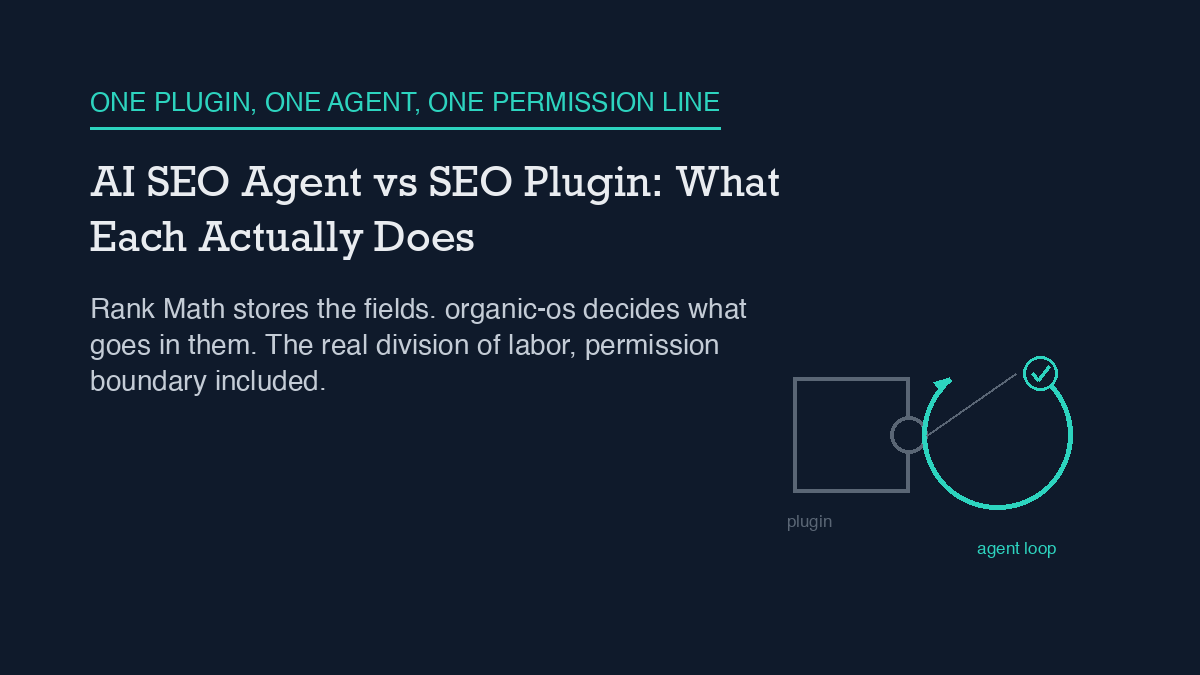
An SEO plugin and an AI SEO agent are not competing for the same job. On this site, Rank Math is the plugin: it stores title tags, meta descriptions, and the sitemap, and it renders schema markup in the page head. organic-os is the agent: it reads and writes those same Rank Math fields through the WordPress REST API, researches and drafts the content itself, and checks its own output before anything goes live. The plugin holds the fields. The agent decides what goes in them. Replacing one with the other has not been necessary here, because they were never doing the same job in the first place.
This site runs both, at the same time, on one WordPress installation, and the line between them is not a design choice made in the abstract – it is a permission boundary that has been hit directly, more than once, and logged each time. What follows is what that division of labor actually looks like in practice, including the specific thing the agent cannot do that the plugin’s own admin screen can.
How it actually works, concretely
Rank Math is installed the ordinary way, active in wp-admin, doing what any SEO plugin does: it defines the meta boxes editors see on the post-edit screen, it generates and serves sitemap.xml, and it prints the JSON-LD and Open Graph tags into the rendered page. None of that requires an agent. A human editor typing directly into wp-admin gets the same plugin behavior.
organic-os sits on top of that, operating through the WordPress REST API rather than the wp-admin screen. When it drafts a post, it does not open a text box and type – it builds a JSON payload with a title, Gutenberg-formatted content, an excerpt, and a meta object carrying rank_math_title, rank_math_description, and rank_math_focus_keyword, then sends that payload to the /wp/v2/posts endpoint. Rank Math does not expose a dedicated API for its own fields; instead it registers each field with WordPress’s own register_post_meta mechanism and marks it show_in_rest, which is what makes it reachable at all from outside wp-admin. Get a field name wrong and the request does not error – WordPress silently drops the unregistered key and keeps the rest of the post. The mechanics of that bridge, and how to verify a field actually landed rather than assuming it did, are covered in more depth in how this site automates Rank Math with an AI agent; this piece does not repeat that walkthrough.
The practical result is a clean division: the plugin is the schema and storage layer, present whether or not an agent ever touches the site. The agent is the layer that decides what goes into that schema, on a schedule, from research it did itself, and it never needs to touch a plugin settings page to do it.
What this site does, and what it refuses to do
The agent’s access is not a blank check. It runs under an application password tied to a single WordPress account with the editor role, not an administrator account, and the credential inherits exactly the capabilities that role carries and nothing more – a scoped password does not grant power the underlying user account does not already have. That access model, including why an editor role was chosen over an admin role on purpose, is described in full in what this AI SEO agent’s WordPress permissions actually cover.
In practice, that means the agent can create a post, edit it, publish it, and set every Rank Math field a human editor could set from the same post-edit screen. It cannot install or update a plugin. It cannot create or promote a user account. It cannot change site-wide settings that live under WordPress’s manage_options capability – and that last boundary is not theoretical. It is the specific thing that failed in production, described below.
A failure mode observed in production: the sitemap-cache boundary
The clearest evidence of where the plugin’s authority ends and the agent’s begins came from an actual request, not from reading documentation in advance. A workflow step called for purging Rank Math’s cached sitemap after a batch of new posts went live, so the sitemap would reflect them promptly. The request to do that came back with an HTTP 403 and a rest_forbidden error. The cause was straightforward once traced: purging that cache requires the manage_options capability, which belongs to the administrator role, and the editor-role credential the agent runs under does not carry it. No amount of retrying the same request from the agent’s own credential was going to change the outcome, because the gap was a role boundary, not a bug.
That specific boundary – publish and edit access without cache-purge access – has held consistently every time it has been checked since. It is a useful, narrow example of a broader pattern worth naming plainly: an agent operating through a scoped credential will eventually meet an action that credential was never given, and the honest response is to name the specific human follow-up required, not to quietly skip the step or claim it succeeded. In this case, the follow-up was simple – a person with administrator access purges the cache manually – but the agent could not do it itself, and did not pretend otherwise.
Where this differs from a rules-based automation tool
It is worth separating this from two adjacent ideas this site has covered on their own. An SEO plugin on its own, including the automation features many plugins now ship with – scheduled checks, broken-link alerts, redirect rules – is not the same thing as an agent, and what SEO plugins and automation tools handle by themselves covers that ground without an agent in the picture at all. Separately, a rules-based automation tool (if this metric crosses that threshold, then take this fixed action) is also not the same thing as an agent that researches a topic, writes prose, and evaluates its own draft against a brief before publishing; how an AI SEO agent differs from a rules-based automation tool covers that distinction directly. This article sits one layer further in: it assumes both exist as concepts and instead describes the specific, concrete division of labor between one real plugin and one real agent running on the same site, permission boundary included.
When a human still has to take over
Three situations on this site reliably require a person, not the agent: purging the sitemap cache after the kind of bulk change described above, any change to the WordPress user table or role assignments, and installing or updating a plugin itself, including Rank Math. None of these are content decisions – they are administrative actions gated behind a capability the agent’s credential was deliberately not given. The agent’s job stops at the edge of what an editor account can do on this WordPress installation, and the plugin’s own admin screen picks up from there. That boundary has not needed loosening. Every publish this site has made under this setup has gone out through the editor-role credential without needing administrator access, and the one place administrator access has been required – the sitemap cache – has a named person handling it, not a workaround.
Frequently asked questions
Does an AI SEO agent replace an SEO plugin like Rank Math?
No. On this site, Rank Math still stores the SEO meta fields, generates the sitemap, and renders schema markup – the agent reads and writes those same fields through the WordPress REST API rather than duplicating what the plugin already does. The agent adds research, drafting, and self-checking on top of the plugin, not a replacement for it.
Can an AI SEO agent do everything an administrator can do in WordPress?
Not on this site. The agent runs under an editor-role application password, which can create, edit, and publish posts and their SEO meta, but cannot install plugins, manage user accounts, or purge Rank Math’s sitemap cache – that last action returned an HTTP 403 rest_forbidden error because it requires the separate manage_options capability the editor role does not carry.
How does an AI SEO agent actually set the title and meta description if it does not use the plugin’s admin screen?
By sending a REST API request directly to WordPress with a meta object containing the same field names Rank Math registers for its own admin screen, such as rank_math_title and rank_math_description. Rank Math exposes those fields to the REST API through WordPress’s standard register_post_meta mechanism rather than a dedicated endpoint of its own.
What happens when an AI SEO agent hits a permission it does not have?
On this site, the request fails with an explicit error rather than silently succeeding or being faked, and the specific human follow-up required gets named rather than skipped. The sitemap-cache purge is the clearest recurring example: it requires administrator-level access the agent’s editor-role credential does not have, so a person handles that step manually.