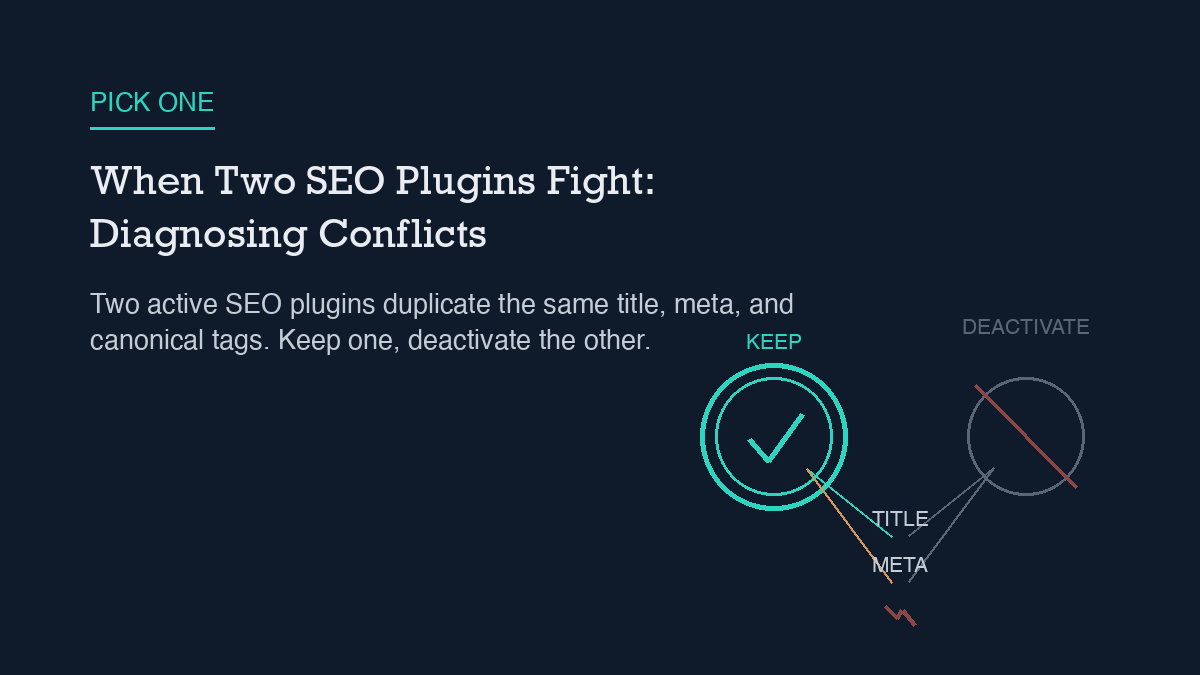
Two active SEO plugins on the same WordPress install almost always fight over the same handful of jobs: the title tag, the meta description, the canonical URL, and the JSON-LD schema. Each plugin hooks into
wp_headindependently and writes its own version of these tags, so the page ends up with duplicates instead of one clean set. The fix is not a setting to toggle – it is to pick one SEO plugin, let it import the other’s data, and fully deactivate the loser. Rank Math’s own documentation names a second active SEO plugin as one of the most common causes of conflicts it sees, and Yoast publishes the same warning from its side.
Why it happens
SEO plugins do not coordinate with each other. Rank Math, Yoast, All in One SEO, and SEOPress all attach to the same WordPress hooks – wp_head chief among them – and each one assumes it is the only plugin managing meta output for that page. When two are active, both fire. The result is not one plugin overriding the other cleanly; it is two competing tags for the same purpose landing in the same <head>.
The most visible symptom is duplicate meta tags: two <title> declarations, two meta descriptions, two sets of Open Graph and Twitter Card tags. Search engines and social platforms generally pick one and ignore the other, but which one gets picked is not something you control, and the tag you did not intend to ship is still sitting in your page source.
Canonical URLs have a second wrinkle on top of that. WordPress core outputs its own canonical link via rel_canonical() in wp-includes/link-template.php, whether or not an SEO plugin is installed. If your SEO plugin sets a custom canonical but does not also suppress that core output, you can end up with two different canonical tags pointing at two different URLs on the same page – one from core, one from the plugin, and now a third if a second plugin joins in.
Structured data has the same problem from a different angle. JSON-LD schema for a single page can come from more than one source at once – an SEO plugin, the active theme, a page builder, and on a store, WooCommerce itself. When two of those sources emit the same schema type, breadcrumb schema being the most common collision, you get duplicate or contradictory structured data blocks rather than one coherent one. If you have not audited what is actually being output, the JSON-LD your site sends to search engines may not match what any single plugin’s settings screen shows you, because no single plugin is the only source.
Step-by-step fix
The fix is the same regardless of which two plugins are involved: keep exactly one SEO plugin active and remove the rest. Here is the sequence that avoids losing data in the process.
1. Decide which plugin stays. If you are standardizing on Rank Math, its Setup Wizard includes a step that detects other active SEO plugins and offers to import their titles, meta descriptions, and redirects before you deactivate anything – so you are not starting from a blank slate.
2. Run the import before you deactivate anything else. Let the surviving plugin pull in the settings from the one you are retiring. This is the point where most of the manual re-entry work gets skipped.
3. Deactivate the losing plugin, do not just disable individual modules. A plugin that is still active but has its title/description module switched off can still be hooking into canonical or schema output elsewhere. Full deactivation is what actually stops the duplicate hooks from firing.
4. Check the canonical output specifically. Confirm your surviving plugin’s canonical setting matches what you want, and that WordPress core is not also emitting a competing one. This is the step people skip because it is not visible in the plugin’s own settings screen – it only shows up in the rendered page source.
5. Re-check your sitemap. Two SEO plugins can also mean two sitemap generators pointed at the same site, and that is one of the more common ways an XML sitemap ends up stale or corrupted – one plugin’s generator stops updating while the other keeps running, or both run and search engines get pointed at two different sitemap files with different contents.
If you are setting Rank Math up from scratch rather than migrating off a second plugin, the step-by-step Rank Math configuration process covers the same setup wizard and module choices in more detail, including which modules to enable first.
How to verify it worked
Do not trust the plugin’s settings screen alone – it only shows you what that one plugin intends to output, not what the page actually renders. View the page source directly (not the block editor preview) and confirm there is exactly one <title> tag, one meta description, one canonical link, and one JSON-LD script block per schema type.
Rank Math also gives you a built-in way to check for conflicts systematically rather than guessing: deactivate every other plugin, then reactivate them one at a time (or in small batches), checking the site after each reactivation to isolate exactly which plugin reintroduces the problem. This is slower than eyeballing the source, but it is the documented method for confirming a fix actually holds rather than just looking clean on the one page you happened to check.
Worth checking separately: Yoast actively scans for other active plugins and will surface an admin warning naming a specific plugin if that plugin is known to cause Open Graph conflicts. If you are running Yoast and that warning disappears after your cleanup, that is a reasonable secondary confirmation – though the page-source check above is still the one that matters for what search engines and social platforms actually see.
What to do when the standard fix fails
Deactivating the second plugin resolves most conflicts, but not all of them. If duplicate tags or schema persist after you are down to one active SEO plugin, the remaining source is usually the theme or a page builder, not a plugin at all – both are capable of injecting their own meta output or JSON-LD independently of any SEO plugin. Check your theme’s SEO-related settings and any page-builder-level meta fields before assuming the SEO plugin itself is misconfigured.
Yoast’s own troubleshooting documentation lays out a systematic version of this for exactly this scenario: first test Yoast’s own add-ons against each other for conflicts, then test every other active plugin one by one, using either the Health Check & Troubleshooting plugin or a staging copy of the site so you are not experimenting on the live page. The same process works if you have standardized on Rank Math instead – the tool changes, the deactivate-and-isolate method does not.
If the sitemap specifically is still wrong after the plugin cleanup – missing recent posts, still pointing at the old plugin’s file, or returning a 404 – that is very rarely the SEO plugin’s fault at that point. It is almost always a caching layer serving a stale copy of the sitemap file, or a permalink/rewrite rule that needs to be flushed. Confirm what the sitemap URL actually returns right now, in a fresh request, before spending more time in either plugin’s settings.
Leave a Reply